If you have a notification in
Messages, click on it to open the order in the
page and view the received message or design.
ate page lets you view the design, models and margin
lines in 3D, and discuss the case with a technician:
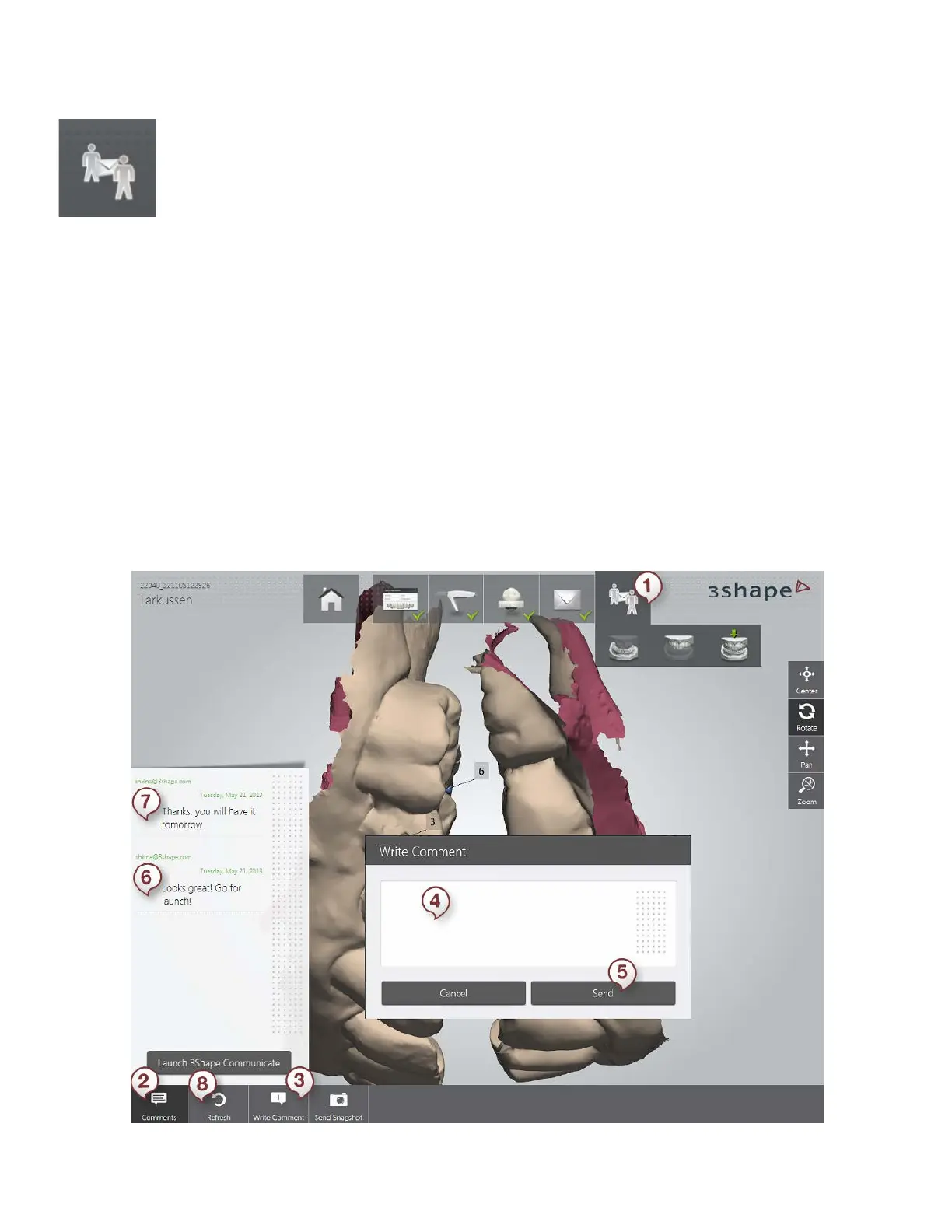
(1) Open the 3Shape Communicate page. View the scan model. If the lab uploaded a new
design to the 3Shape Communicate web site, it will be automatically downloaded to your TRIOS
system and visible on this page.
(2) Press the Comments button to show the message box on the left
(3) Press Write Comment to open the corresponding window (4)
(4) Type in your comment in the text field of the window.
(5) Press the Send button.
(6) Your comment is sent to the lab and you can view it in a dialog box.
(7) The newest message in the conversation is placed at the top.
(8) Press Refresh to update the page and see if new messages arrived.
Launch 3Shape Communicate - opens the 3Shape Communicate web page.
74



 To Next Page