User’s Manual
User’s ManualUser’s Manual
User’s Manual
EAP200
EAP200EAP200
EAP200 Enterprise Access Point ENGLISH
67
Copyright © 4IPNET, INC.
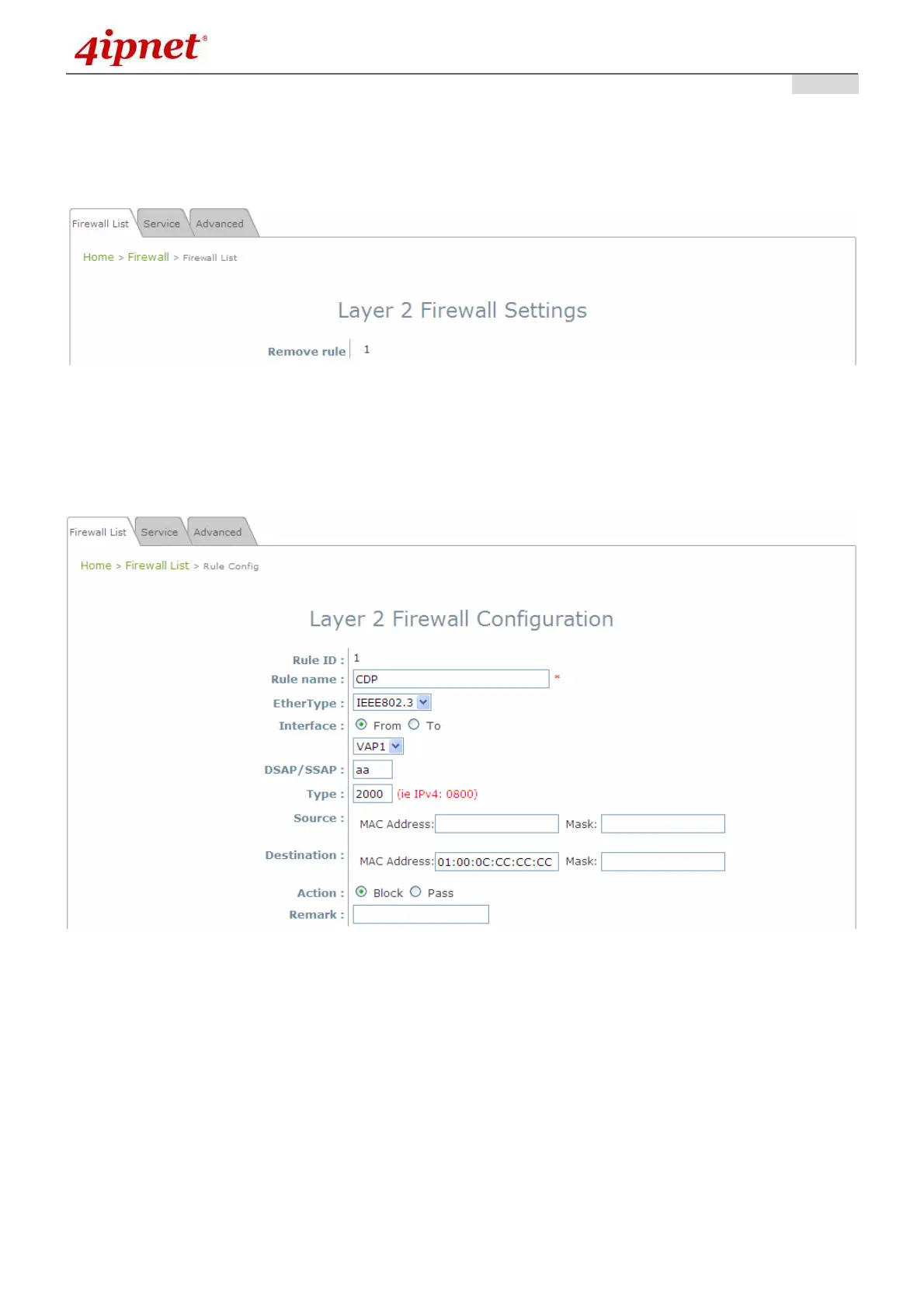
>>To delete a specific rule,
Del in Setting column of firewall list will lead to the following page for removal confirmation. After SAVE
button is clicked and system reboot, the rule will be removed.
>>To edit a specific rule,
Ed in Setting column of firewall list will lead to the following page for detail configuration. From this page,
the rule can be edited from scratch or an existing rule for revision.
Rule ID: The numbering of this specific rule will decide its priority among available firewall rules in
the table.
Rule name: The rule name can be specified here.
EtherType: The drop-down list will provide the available types of traffics subject to this rule.
Interface: It can indicate inbound/outbound direction with desired interfaces.
Service (when EtherType is IPv4): Select the available upper layer protocols/services from the drop-
down list.
DSAP/SSAP (when EtherType is IEEE 802.3): The value can be further specified for the fields in
802.2 LLC frame header.



 To Next Page