Aprisa SRx User Manual 1.3.0
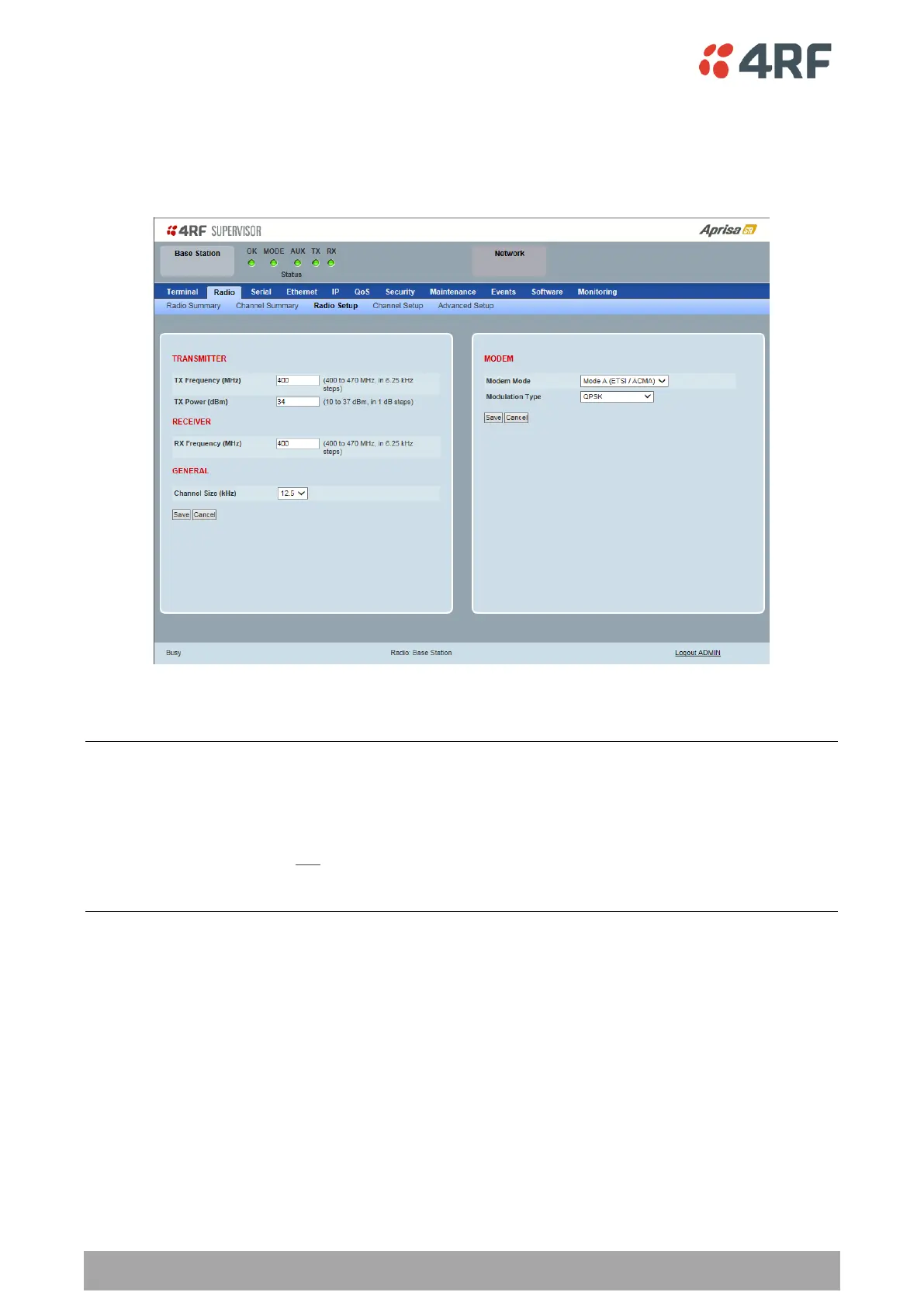
Radio > Radio Setup
Transmit frequency, transmit power and channel size would normally be defined by a local regulatory
body and licensed to a particular user. Refer to your site license details when setting these fields.
TRANSMITTER / RECEIVER
Important:
1. Changing the remote / repeater station frequencies will disable all management communication to the
remote / repeater stations but then by changing the base station to match the remote / repeater stations,
the radio links will be restored as will the management communication.
2. Enter the TX frequency and the RX frequency and then click ‘Save’. This is to prevent remote
management communication from being lost before both frequencies have been changed in the remote
stations.
TX and RX Frequencies.
The TX and RX frequencies entered must be within the frequency tuning range of the product frequency
band (see ‘Frequency Bands’ on page 306).
If the frequency entered is not resolvable to the synthesizer step size for the frequency band it is
rejected. For example; a 400 MHz radio has a synthesizer step size of 6.250 kHz.
The TX and RX frequencies can be single frequency half duplex or dual frequency half duplex. Dual
frequency half duplex is often used for reasons of:
Channel Planning
Network Efficiencies
Regulatory rules



 To Next Page