Installing MX-ONE
3 Tighten the screw (T) in the upper position, Page 147 .
4 Install the door (C) in the same way.
5 Connect the earthing cables (S) from the doors to the cable lugs (Y) at the
top and bottom, Page 147 .
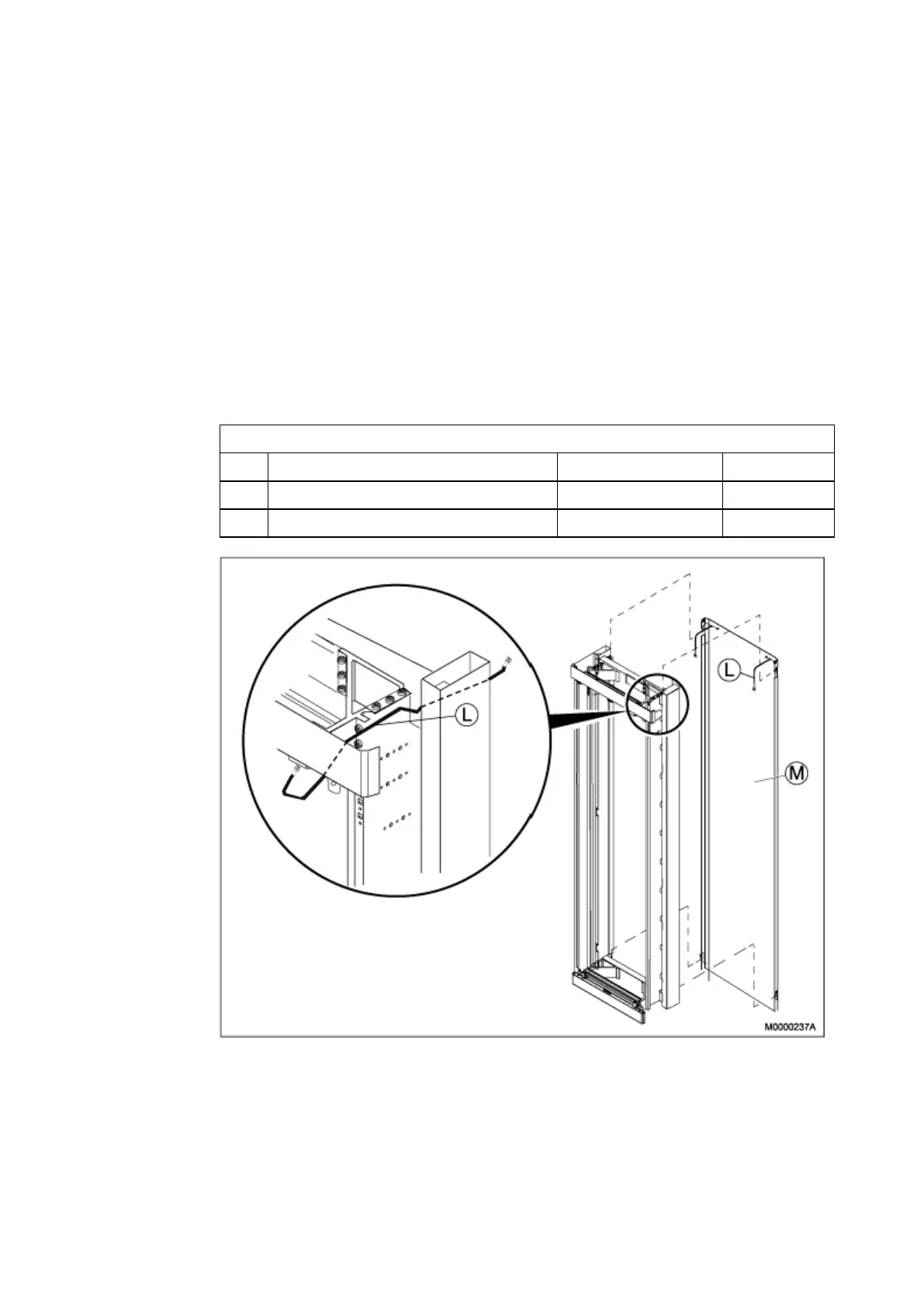
10.4 Installing the Back Plate
Table 48 Back Plate
23/BYB 501 180 Back plate, Cabinet D=400
Pos. Title/Function Product Number Quantity
M BACK PLATE SXK 118 0441/1
1
L EARTHING CABLE SXK 118 0439/2
2
Figure 117 Installing the Back Plate
1 Hook the back plate (M) onto the back of the cabinet, Page 148 .
Note: The back plate is hooked onto the back of the cabinet frame at each
of the four corners.
148
6/1531-ASP 113 01 Uen J2 2008-07-17



 To Next Page