STARTING AND DRIVING
142
display. Contact a Dealership in this
case.
ELECTRONIC
CRUISE CONTROL
This is an electronically controlled
driving assistance device that
allows the desired car speed to be
maintained, without having to press
the accelerator pedal. This device can
be used at a speed above 30 km/h on
long stretches of dry, straight roads
with few variations (e.g. motorways).
It is therefore not recommended to use
this device on extra-urban roads with
traffic. Do not use the device in town.
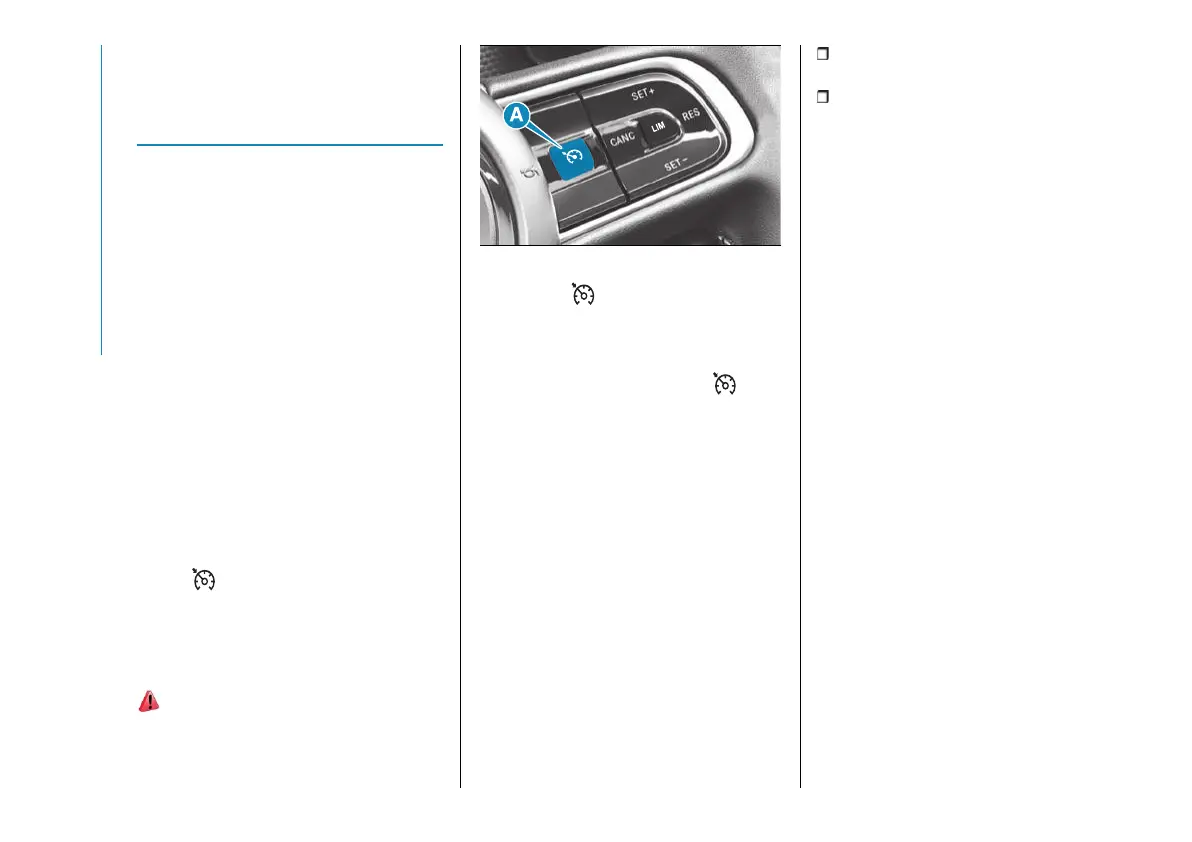
The electronic Cruise Control buttons
are located on the right side of the
steering wheel.
To ensure correct operation, the
electronic Cruise Control is designed to
deactivate if more than one function is
operated simultaneously. In this case
the system can be reactivated pressing
button and setting the desired
speed of the car.
ACTIVATING THE DEVICE
To activate the device press button (A)
fig. 132.
143) 144) 145)
132 AB0A0495
The symbol on the instrument panel
switches on to signal that the device
has been activated.
On versions with Speed Limiter, if
the device is activated, button
must be pressed twice to activate the
Cruise Control (because the first press
deactivates the Speed Limiter, and the
second press activates the Cruise
Control).
The device cannot be turned on in
either reverse or in neutral.
WARNING It is dangerous to leave the
device on when it is not used. There
is a risk of inadvertently activating it
and losing control of the car due to
unexpected excessive speed.
SETTING THE DESIRED
SPEED
Proceed as follows:
operate the device (see the previous
instructions);
when the car has reached the
desired speed, press button SET +
(or SET –) and release it to activate
the device. When the accelerator is
released, the car will keep the selected
speed automatically.
If needed (when overtaking for
instance), you can accelerate simply
by pressing the accelerator; when you
release the pedal, the car goes back to
the speed stored previously.
When travelling downhill with the device
active, the car speed may slightly
exceed the stored one.
WARNING Before pressing the SET
+ (or SET –) buttons, the car must be
travelling at a constant speed on a flat
surface.
INCREASING /
DECREASING SPEED
Increasing speed
Once the electronic Cruise Control
has been activated, the speed can be
increased by pressing button SET +.
Keeping the button pressed, the set
speed will increase until the button is
released, then the new speed will be
stored.



 To Next Page