153
SYSTEM DEACTIVATION
The system is deactivated under the
following conditions:
when the Traffic Sign Recognition
system is deactivated;
when the Speed Limiter system is
deactivated;
when the Traffic Sign Recognition
system shows a new speed limit which
is not confirmed by the driver;
when the Traffic Sign Recognition
system shows the end of the speed
limit;
when the Traffic Sign Recognition
system cannot display any speed limit.
EXCEEDING THE
PROGRAMMED SPEED
By fully depressing the accelerator
pedal, the programmed speed can
be exceeded even with the "Intelligent
Speed Assist" system active (e.g. in
the event of overtaking). The system is
disabled until the speed drops below
the set limit, after which it activates
again automatically.
PARKVIEW
®
REAR
BACK UP CAMERA
DESCRIPTION
147)
43)
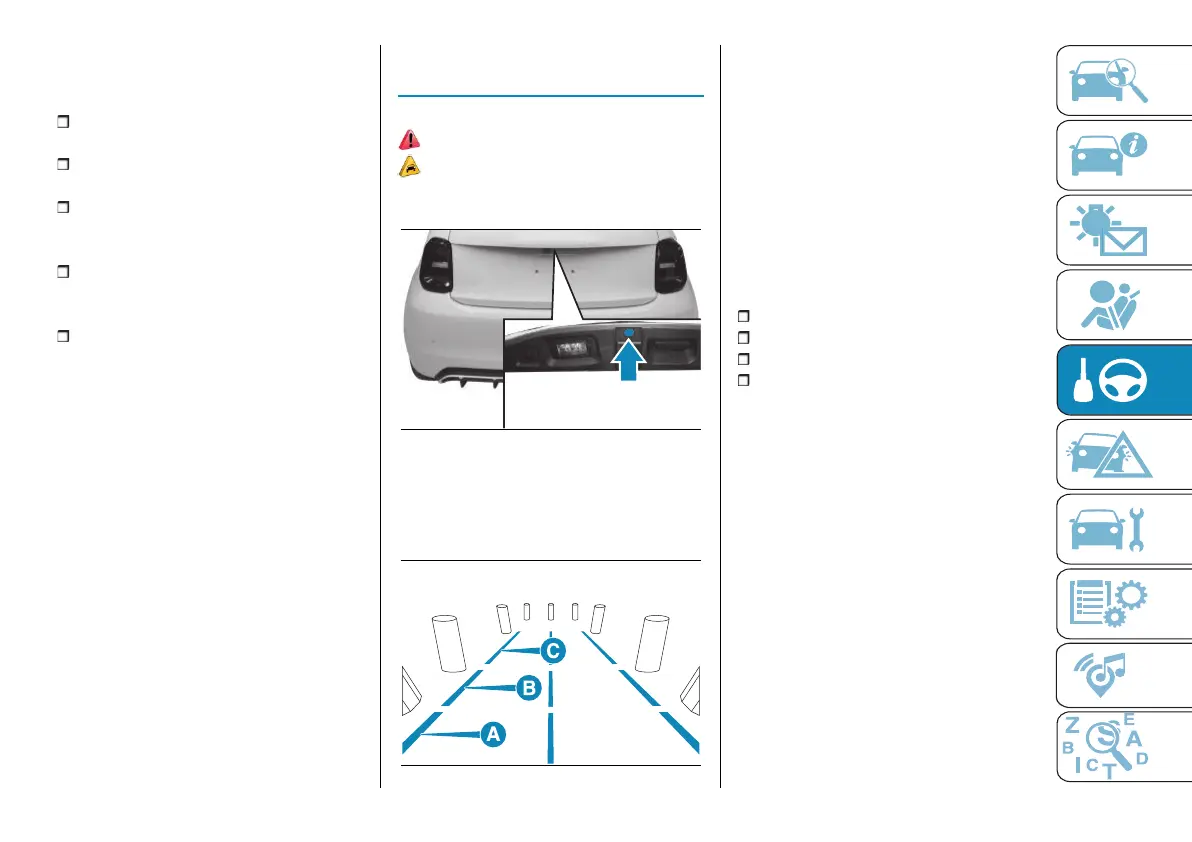
The camera is located on the boot
tailgate fig. 145.
145 AB0A0572
Camera activation/deactivation
Every time reverse is engaged, the
display fig. 146 shows the area around
the car, as seen by the rear camera.
146 F0S1274
The images are shown on the display
together with a warning message.
After shifting from position R (Reverse)
to position D or N, the camera image
will continue to be displayed for 10
seconds if the dedicated function in the
Uconnect™ system settings is active
(see "Settings" in the"Vehicle mode"
paragraph in the "Multimedia" section).
The image will cease to be displayed
before 10 seconds have elapsed if any
of the following conditions occur:
car speed is higher than 13 km/h;
transmission in the P (Park) position;
ignition device in the STOP position;
press the graphic button on the
Uconnect™ system display, which is
shown on the camera image whenever
the transmission is not in reverse
position.
NOTE The displayed image may look a
bit distorted.
SYMBOLS AND
MESSAGES ON THE
DISPLAY
Indications on the display
Guideline display can be activated
by acting on the settings of the
Uconnect™ system (see "Settings" in
the"Vehicle mode" paragraph in the
"Multimedia" section).
If activated, the grid is positioned on
the image to highlight the width of the



 To Next Page