KNOWING YOUR CAR
26
Locking doors without alarm insertion
is also always possible by locking the
doors through the emergency locking
procedure. For more information see
"Emergency opening and closing" in
the "Doors" chapter.
WARNING If the doors are unlocked by
putting the metal insert into the driver
side door lock, the alarm, if previously
enabled, is not disabled. It will be
possible to disable the alarm by turning
the ignition device switch to ENGINE,
or by pressing button on the remote
control.
TURNING THE ALARM
OFF
Press the button. The following
operations are performed:
two brief flashes of the direction
indicators (where provided);
two brief acoustic signals (where
provided);
doors are unlocked.
For versions with Passive Entry
function, the alarm can be switched
off by the key holder by pressing the
door opening button on the external
handle. For further information, see
the "Passive Entry" paragraph in the
"Doors" chapter.
DISARMING THE ALARM
To completely deactivate the alarm
(e.g. during a long period of car
inactivity), close the doors using the
emergency locking manoeuvres
described in the "Doors" chapter.
WARNING If the batteries of the key
with the remote control run out or the
system fails, the alarm can be switched
off by placing the ignition device switch
in the ENGINE position.
DOORS
LOCKING / UNLOCKING
DOORS FROM THE
INSIDE
Central locking / unlocking
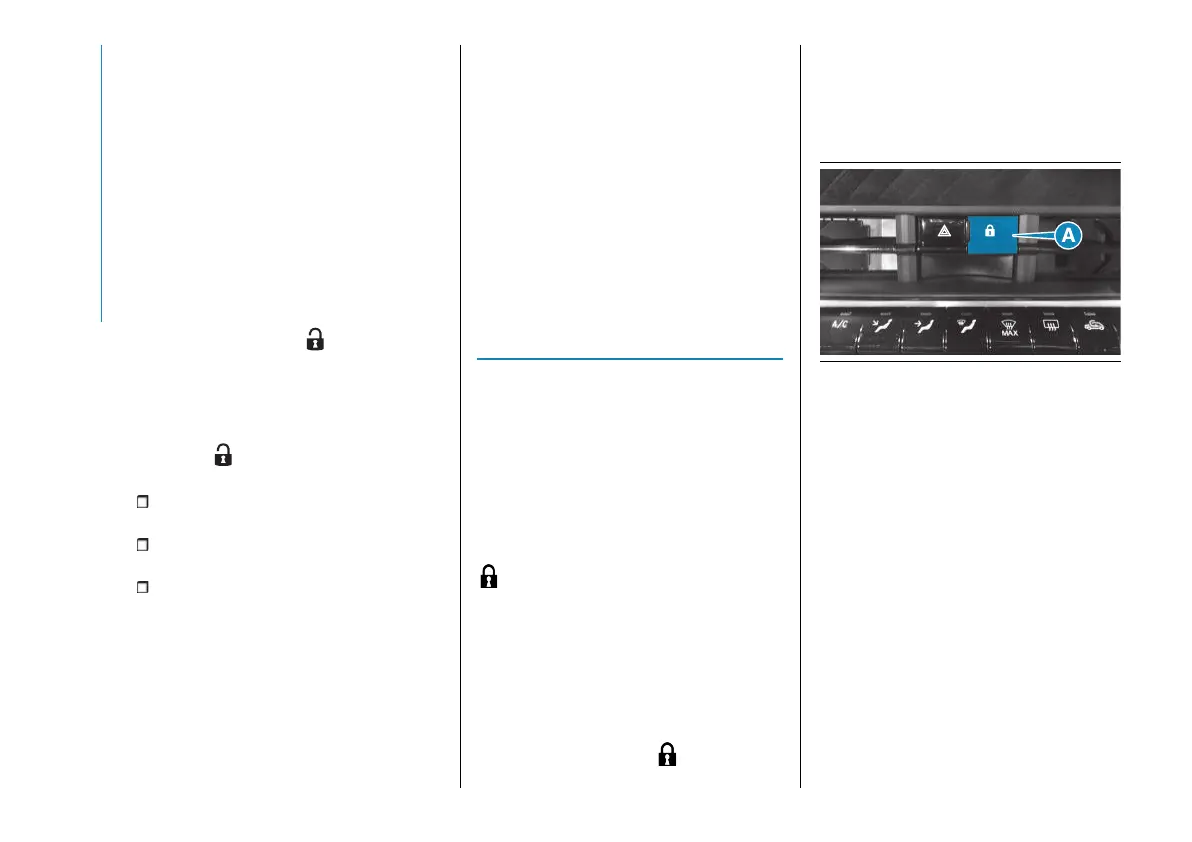
Where provided, the "Autoclose"
function automatically activates the
automatic locking of the doors on
exceeding the speed of 20 km/h. If it is
not present, use the respective control
(A) fig. 16 located on the centre
dashboard to lock/unlock the doors.
Where provided, the "Autoclose"
function can be activated/deactivated
via the Uconnect™ system (see
"Doors & Locks" in the "Vehicle Mode"
paragraph in the "Multimedia" section).
In any case, the doors can be locked
by pressing the button (A) on the
centre dashboard. The LED on the
button will light up to notify the locking.
With doors locked, press the button
again to unlock them. The LED on
the button will go out to notify the
unlocking.
16 AB0A0554
Opening the door
The door can be opened by pressing
the button (B) fig. 17 located above
each door. If the function is present,
pressing the button on either door
opens the door and unlocks the other
doors and the boot. The function must
have been activated via the instrument
panel display menu or the Uconnect™
system (see "Settings" in the "Vehicle
mode" paragraph in the "Multimedia"
section).



 To Next Page