249
telephone calls and, by inserting your
telephone into the dedicated mount
on the dashboard, use navigation
programs in a optimal manner.
The app allows you to browse
information related to the car:
when the telephone is connected
ABARTH Link & Drive via Bluetooth
®
,
you can see the energy flows while
driving, listen to music and web radio,
manage telephone calls and use the
navigation apps available on your
smartphone;
when the telephone is not connected
ABARTH Link & Drive, you can use the
app to see the data saved when the
car was switched off: last location,
battery charge level and voltage,
charging schedule of the high-voltage
battery, trip statistics and car usage
data, the nearest Fiat Dealerships and
a dictionary of the on-board warning
lights.
NOTE After updating the phone
software, for proper operation, it is
recommended to remove the phone
from the list of devices linked to the
radio, delete the previous system
pairing also from the list of Bluetooth®
devices on the phone and make a new
pairing.
WARNING If the Bluetooth®
connection between mobile phone
and system is lost, consult the mobile
phone handbook.
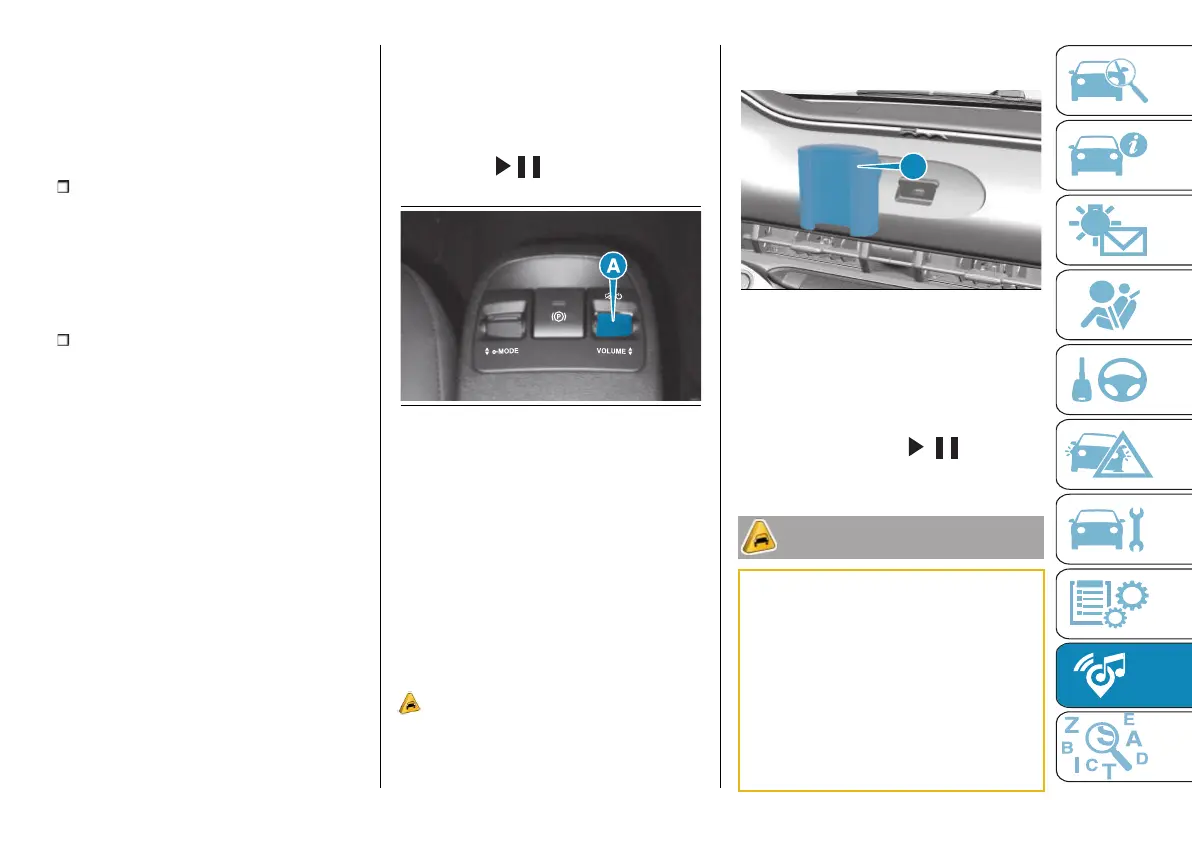
ABARTH Link & Drive controls
The volume up/down controls (A)
fig. 227 and / are located on the
central tunnel.
227 AB0A0496
In addition, you can use the steering
wheel controls to manage telephone
calls, fast forward tracks being played
ABARTH Link & Drive, select the audio
source, and call up the smartphone
voice assistant (Google Assistant, Siri,
etc.).
There is a mount (A) fig. 228 on the
dashboard for your smartphone;
always use it in order to interact with
your smartphone safely.
93)
The USB port located near the
smartphone stand is preferable for
charging the smartphone stand and
does not allow media files to be read.
228 F0S1210
When the motor is off, the ABARTH
Link & Drive system remains on for up
to 20 minutes or until the driver's side
door is opened.
You can switch the system back on
again by pressing the / button
located on the central tunnel.
IMPORTANT
92)
Some multimedia players may not be
compatible with ABARTH Link & Drive
system. Only use devices (e.g. USB flash
drives) from safe sources on the car.
Devices from unknown sources could
contain software infected by viruses which,
if installed on the car, could increase the
vulnerability of the car's electric/electronic
systems to hacking.
93)
Telephone voice commands: not
all mobile phones are compatible with
this function. You can obtain further



 To Next Page