ABEM Terrameter LS
21
3.6.2 Task
A Task is a set of measurements as defined by a measurement protocol. A Task can,
for instance, be a 2D resistivity imaging line, including one or many roll-along steps.
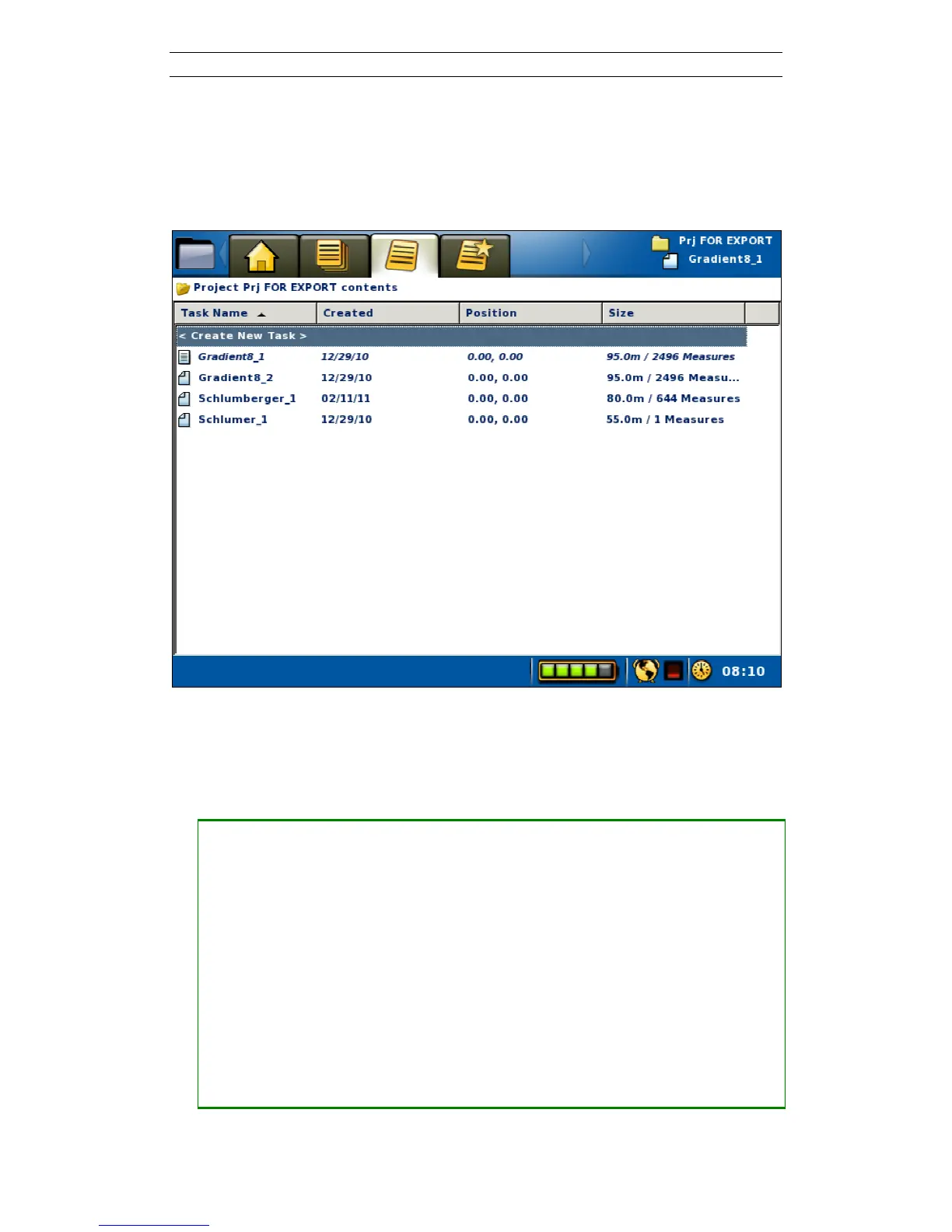
Tasks are managed in the “Projects/ Task List” View (Figure 21). Here Tasks can be
created, deleted and renamed, among other things.
Figure 21. Task list View
• Create a new Task
When creating a new Task the type of electrode spread must be defined, for
instance the 2D layout with 4x21 cables or the 2D layout with 4x16 cables.
Furthermore a protocol file is selected and electrode take-out spacings are given.
― Move the highlight to the topmost row (“<Create New Task>”)
― Press <Ok> and the Create New Task dialog will be shown (Figure 22)
― Press <Left> and/or <Right> to pick the electrode spread
― Press <Down> to highlight Protocol
― Press <Left> and/or <Right> to pick the protocol file
― If the default values of electrode spacing need to be changed then:
― Press <Down> to highlight Electrode Spacing X and/or Y
― Press <Ok> and the numerical keyboard emulator will be shown
― Enter the wanted electrode spacing and return, see chapter 3.5.2
― Press <Down> to highlight the OK button



 To Next Page