ABEM Terrameter LS
51
6.9.3 Progress and Data Viewing Options
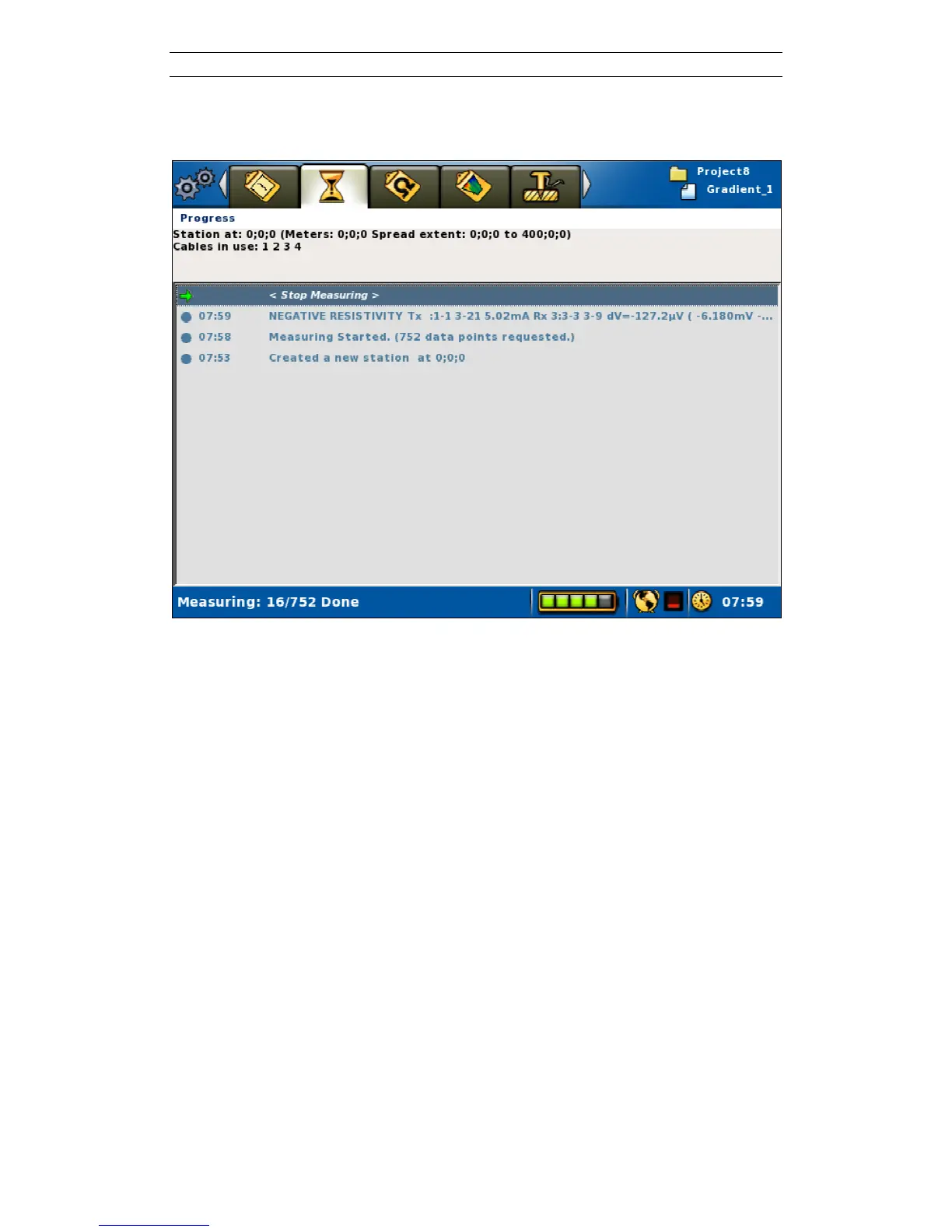
The measuring progress is shown on the “Measure/Progress” View (Figure 55).
Figure 55. Progress view
The top of the “Measure/Progress” View shows the coordinate location of the cable
spread, and which of the cables that still remain to be used by the protocol on the
present measurement station (Figure 52 and Figure 55). If all measurements for the
cable have been completed it is removed from the list, so that only cables with
remaining measurements on the current station are listed on that line.
The left part of the Status Bar shows the progress in terms of how many
measurements that have been done out of the total number of measurements for the
station.
When the measurement is ready the Status Bar will show “Measuring done!” and the
stop-measuring row will be replaced with a “No data points to measure” statement
(Figure 56).
All significant events that occur during the measurements process are listed in the log
on the “Measure/Progress” page, that is the large grey area. It is important to check
the different parts of the Progress View during the measurement. The logged events
are also saved in the project database, and are exported as a part of a TXT file (see
chapter 7.2.2 Export a Task as a TXT (Text) File).
One type of event that can occur is measurement error. The logging of this event type
is normally preceded by a Measuring Error dialog. For more information about this
error handling see chapter 6.12 Measurement Errors.



 To Next Page