System operation
14
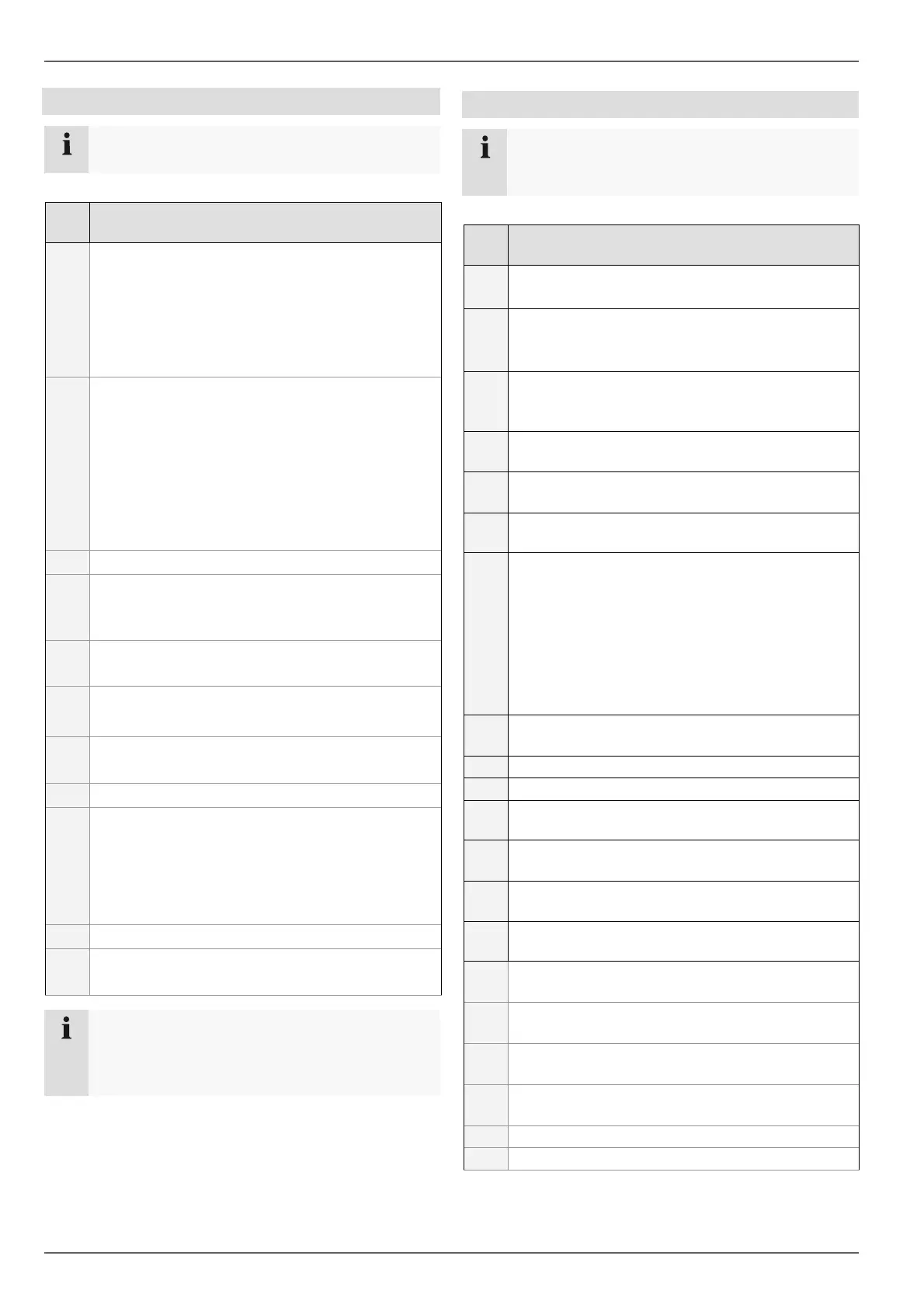
Connections on the rear of the device
Note
Pay attention to the overview on page 3.
No. Name
Function
8
VIDEO SPOT OUT: BNC video output
• When using a HDMI/VGA monitor:
No video signal is displayed.
• When using no HDMI/VGA monitor:
The video spot signal is displayed..
AUDIO SPOT OUT: Cinch audio output
9
MAIN: BNC video output
• When using a HDMI/VGA monitor:
Video spot signal is displayed.
• When using no VGA monitor:
The main video signal is displayed.
AUDIO OUT: Cinch audio output (synchronised
with video output)
10
LINE IN 1, 2: Cinch audio input
11 VGA:
• VGA monitor connection (9-pin), video output
signal
12
RS-232:
• Serial port – no functionality
13
HDMI
• HDMI monitor connection
14 LAN:
• Ethernet LAN connection
15 USB port
16 ALARM IN:
• RS-485 connection for PTZ cameras
• Max. 16 alarm inputs
ALARM OUT:
• Max. 4 relay outputs
17 Connection for earthing line
18 Power switch and mains power connection:
• 100–240 V AC, 50–60 Hz
Note
All audio inputs have no audio amplifier -> the au-
dio signal has to be amplified before connected.
Therefore you can use a microphone amplifier.
Operating elements on the remote control
Note
Pay attention to the remote control diagram on
page 4.
No. Name
Function
21 DEV:
Assigns the remote control with the device ID
22 Alphanumeric keys:
• Selects the camera (channel) in the live view
• Entry of letters and digits in system fields
23
A:
Changes the entry format (upper / lower case,
symbols, digits)
24
PLAY:
Starts playback
25
VOIP
• Not used
26
PREV:
Changes the screen display in the live view
27
Navigation keys:
During playback:
• S, T Sets the speed
• W, X Previous / next day
In the live view:
• Selects the camera (channel selection)
In menus:
• Navigation
28
ESC:
• Not used
29
Not used
30
Not used
31
Zoom +:
Zooms in on the image section in PTZ mode
32
F1:
• Not used
33
Zoom -:
Zooms out of the image section in PTZ mode
34
F2:
Switches between tabs
35
IRIS-: In PTZ mode:
• Closes the iris
36
Focus-: In PTZ mode:
• Brings the image section into focus
37
IRIS+: In PTZ mode:
• Opens the iris
38
Focus+: In PTZ mode:
• Brings the image section into focus
39
◄II: Not used
40
: Stops playback



 To Next Page