Device menu
30
Device menu
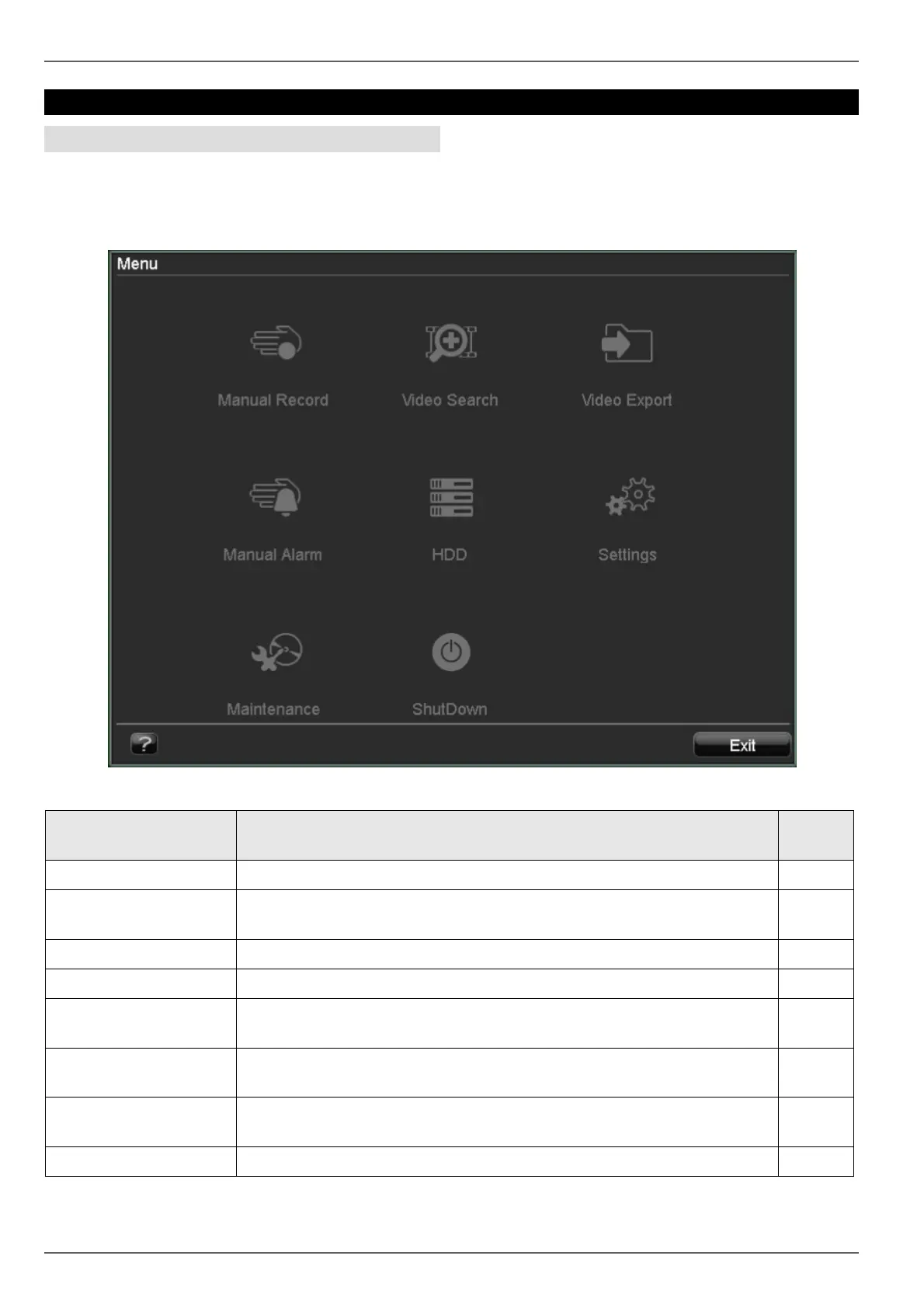
Menu overview
The following overview shows all menus used to set and
control the device.
• When the mouse cursor is pointed at a menu, it is
marked and a short description of the menu is shown
at the bottom.
• Click on the menu to open it.
• Click “Exit” to close the menu overview.
Menu description
Menu Description See
page...
Manual Record Starts or finishes manual recording on selected cameras. 31
Video Search Parameter-based search for recordings started by events (e.g. alarms, mo-
tion detection).
31
Video Export Function for exporting saved recordings to USB media. 33
Manual Alarm Manual switching of alarm outputs for testing functionality. 34
HDD Used for initialising or managing installed HDDs (assigning read/write func-
tions, cameras, network HDD management etc.).
34
Settings Used for managing all device settings (General, Camera, Record, Network,
Alarm, PTZ, RS232, Display, Exception, User).
37
Maintenance Device maintenance (new firmware update, log search, import/export con-
figuration, reset to factory defaults etc.).
43
ShutDown Used to lock, shut down and reboot the device. 45



 To Next Page