PTZ control
28
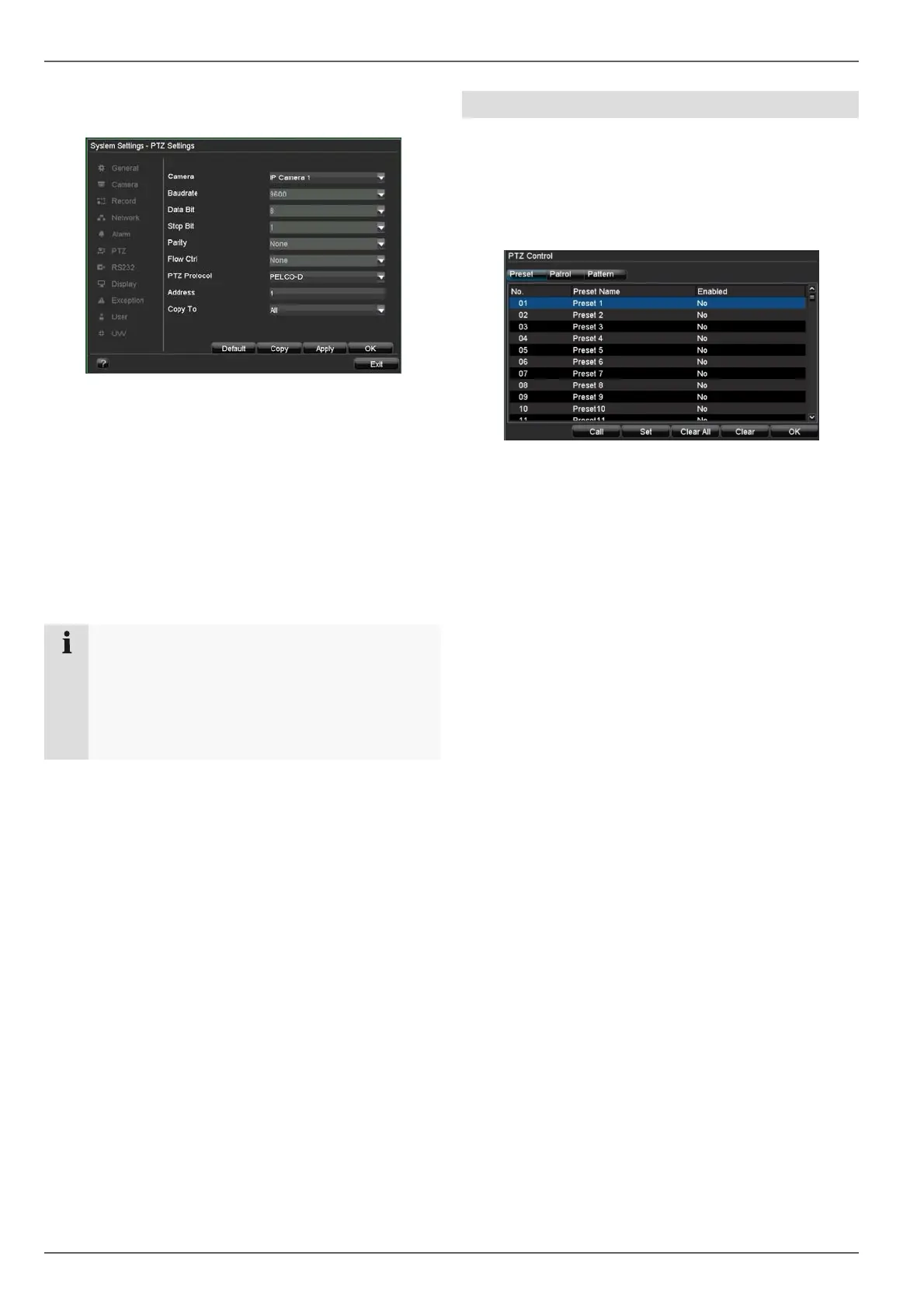
PTZ Settings*
The following settings are necessary on the PTZ camera:
The settings are used for configuring the camera on the
corresponding connections.
1. Select the installed camera.
2. Enter the data of the connected camera.
3. The address (ID) is used to clearly identify and con-
trol the PTZ camera.
4. If several cameras of the same type are connected,
then you can copy the settings to the other connec-
tions.
5. Exit the settings by pressing “Apply” and “OK”.
Note
Compare the settings with the technical data of
the connected camera.
If a connected camera does not work correctly,
then check the entered parameters (baud rate,
data bit etc.).
*Only required when using the ABUS video server
Preset Settings
Presets are previously defined locations of a PTZ cam-
era. Various positions can be defined for each PTZ cam-
era. The cameras can then pan and tilt quickly to the cor-
responding locations.
• Select the camera in the control panel, then click on
“Preset Settings” in the pop-up menu:
1. Pan, tilt and zoom the camera to the desired posi-
tion.
2. Select “Preset 1” from the list.
3. Click on “Set”. The position is now set as “Preset 1”.
4. Repeat steps 1–3 to define further presets.
5. Exit the settings by pressing “Apply” and “OK”.



 To Next Page