Device menu
39
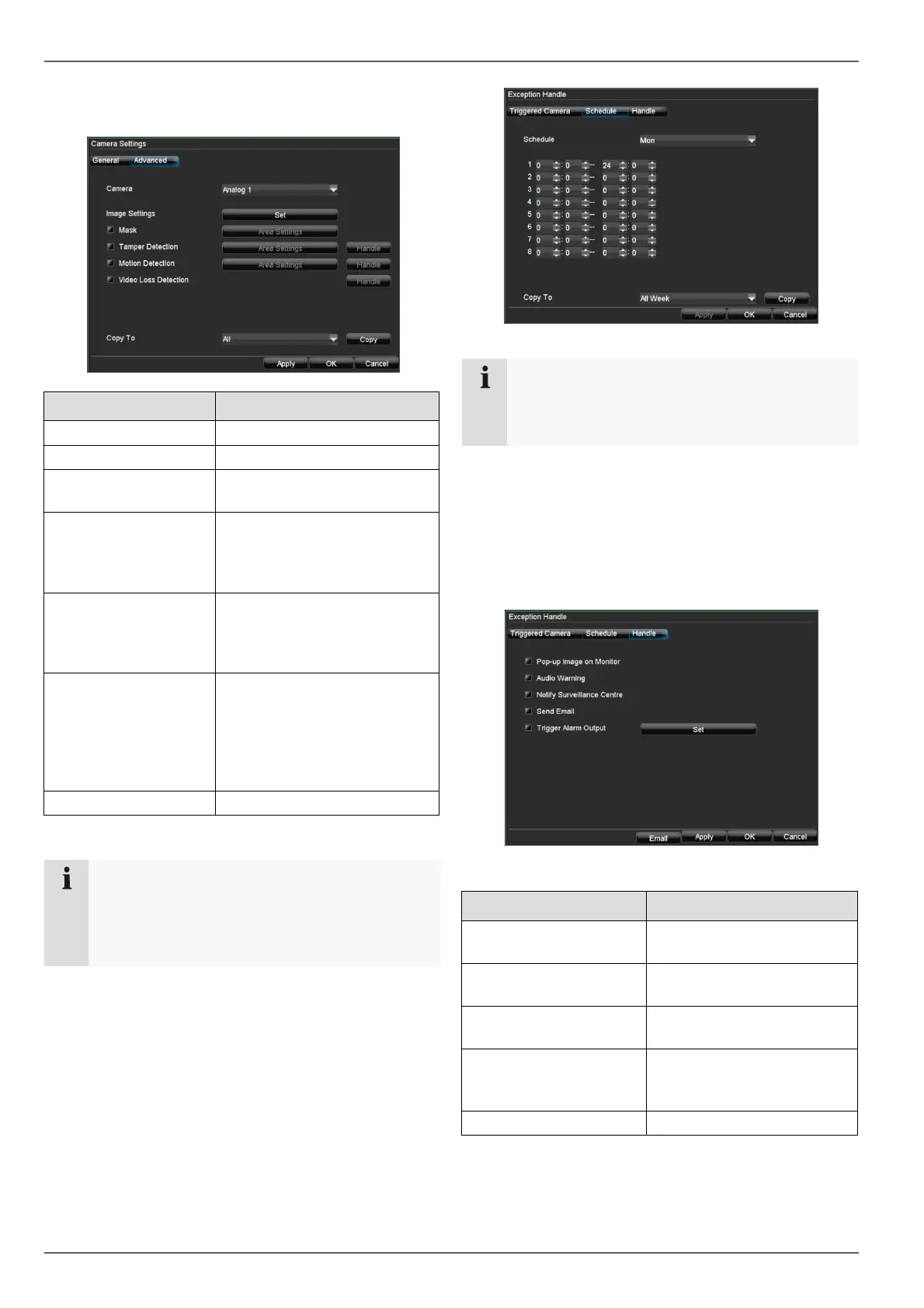
3. Select “Advanced” to specify the other camera set-
tings.
“Advanced” tab Setting
Camera Selection of the camera
Image Settings No settings possible
Mask
No settings possible – settings
made inside of IP camera
Tamper Detection
Settings made inside of IP
camera – here you can set
how the DVR will handle an
alarm
Motion Detection
Settings made inside of IP
camera – here you can set
how the DVR will handle an
alarm
Video Loss Detection
Activation according to the de-
finable schedule and notifica-
tion (display, acoustic alarm,
notification of surveillance
centre, e-mail, trigger of an
alarm output)
Copy To Copies the settings
Zones: Schedule and notification
Note
You can assign the surveillance parameters indi-
vidually and control the notification type for tamper
monitoring, motion detection and video loss detec-
tion.
Schedule
1. Select Schedule in the advanced camera settings.
2. Select the day and enter the schedule.
Note
You can define up to 8 time periods (each from
00:00 to 00:00). The times in the individual peri-
ods must not overlap.
3. Select whether the settings should be applied to all
days of the week using Copy To and confirm with
Copy.
4. Exit the settings by pressing OK.
Notification
1. Select Handle in the advanced camera settings.
2. Enter the notification type:
Parameter Notification
Pop-up Image on Moni-
tor
Message appears on moni-
tor
Audio Warning
The device emits a repeat-
ing tone
Notify Surveillance Cen-
tre
See page 49
Send Email
An e-mail is sent to a spe-
cific e-mail address (see
page 49)
Trigger Alarm Output See page 53
3. Click on Apply to accept the settings.
4. Click on OK to exit the menu.
Setting the network camera



 To Next Page