Setup wizard
19
Adding a network camera
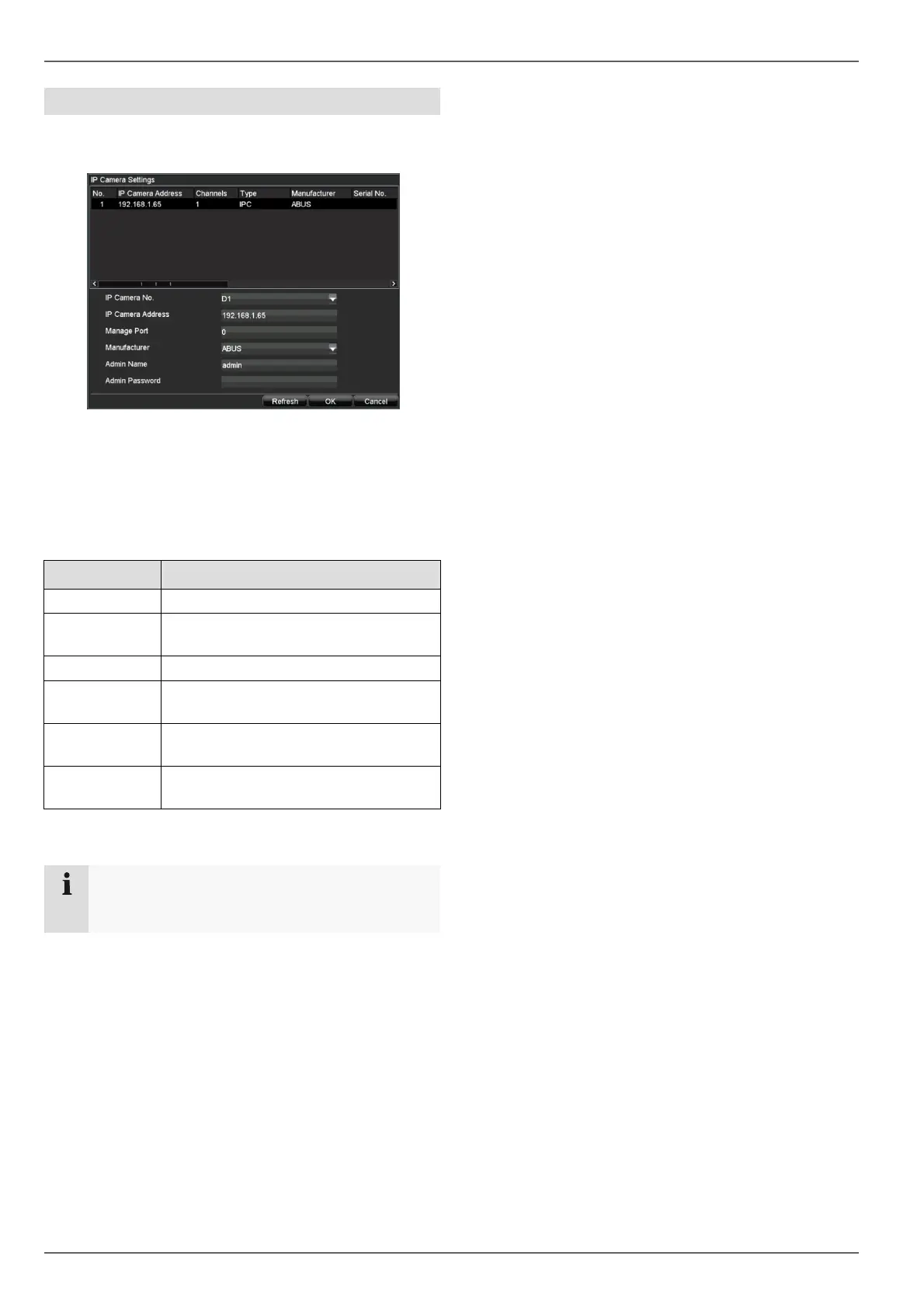
Open the main menu, got to “Settings \ Camera Man-
agement” menu, click on “Add”.
The available network cameras are shown at the top of
the screen.
• If the camera to be added does not appear, click on
Refresh.
• Alternatively, you can enter the data for the network
camera manually.
Parameter Setting
IP Camera No. IP camera number in the DVR
IP Camera
Address
Unique address of the IP camera
within the applied IP address range
Manage Port http port of IP camera (default: 80)
Manufacturer
Select the IP protocol of the camera
manufacturer
Admin Name
Administrator user name
(default: admin)
Admin Pass-
word
Administrator password
• After entering the data press OK to add the network
camera.
Note
After adding the IP camera check the recording
schedule and make your settings.



 To Next Page