21
LVD SCSIDE Bridge Manual
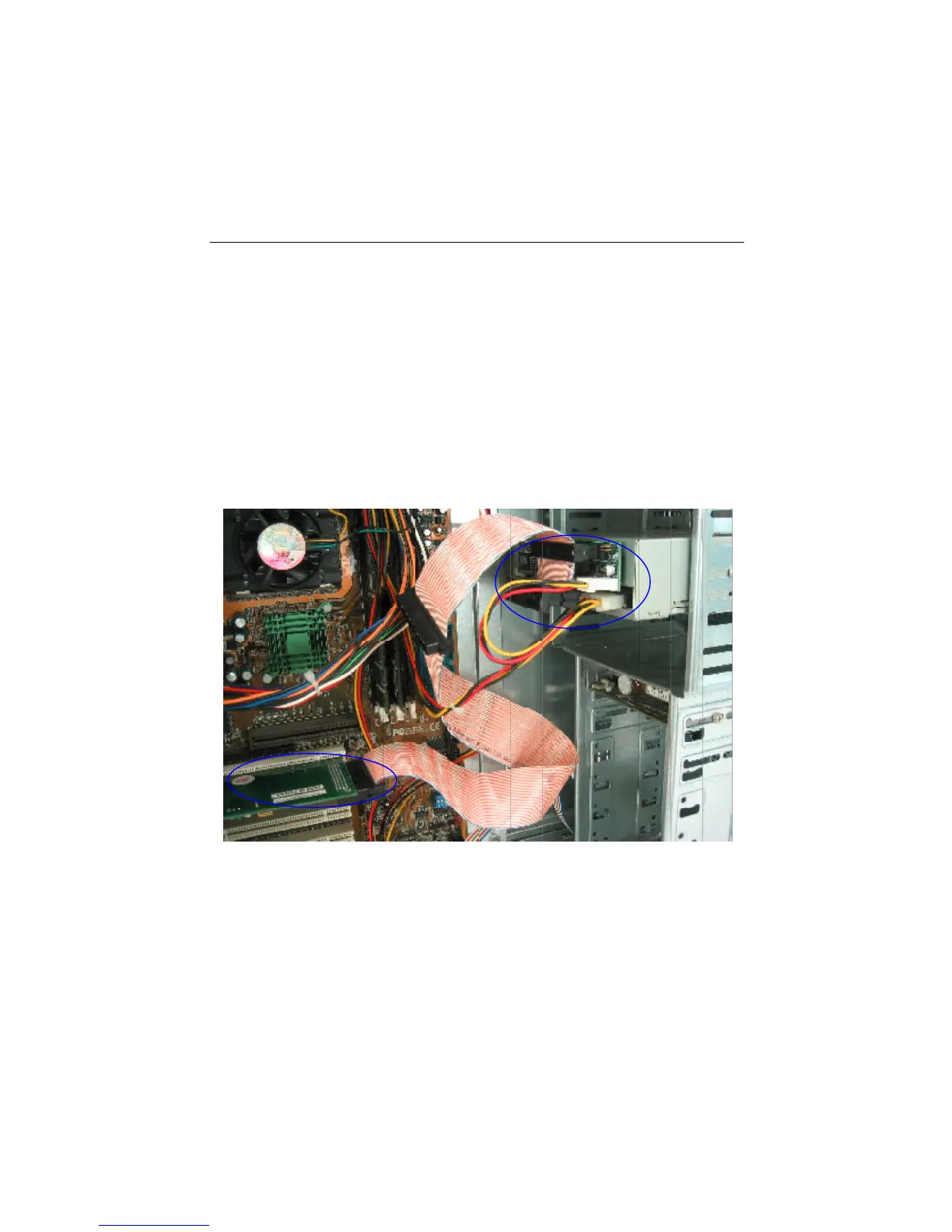
Figure 3-3
1. Find out pin 1 of CN2 on AEC-7722.
2. Find out pin 1 of the connector on the IDE DVD drive.
3. Parallel these two connectors by pin 1 to pin 1 and connect them.
4. Find out the colored pin 1 of the connector on one end of SCSI cable, and connect
to the SCSI adapter.
5. Find out pin 1 of CN1 on AEC-7722.
6. Find out the colored pin 1 of the connector on the other end of SCSI cable, and
connect to CN1 of AEC-7722.


 To Next Page