32
LVD SCSIDE Bridge Manual
3.8.3 Cable Connection
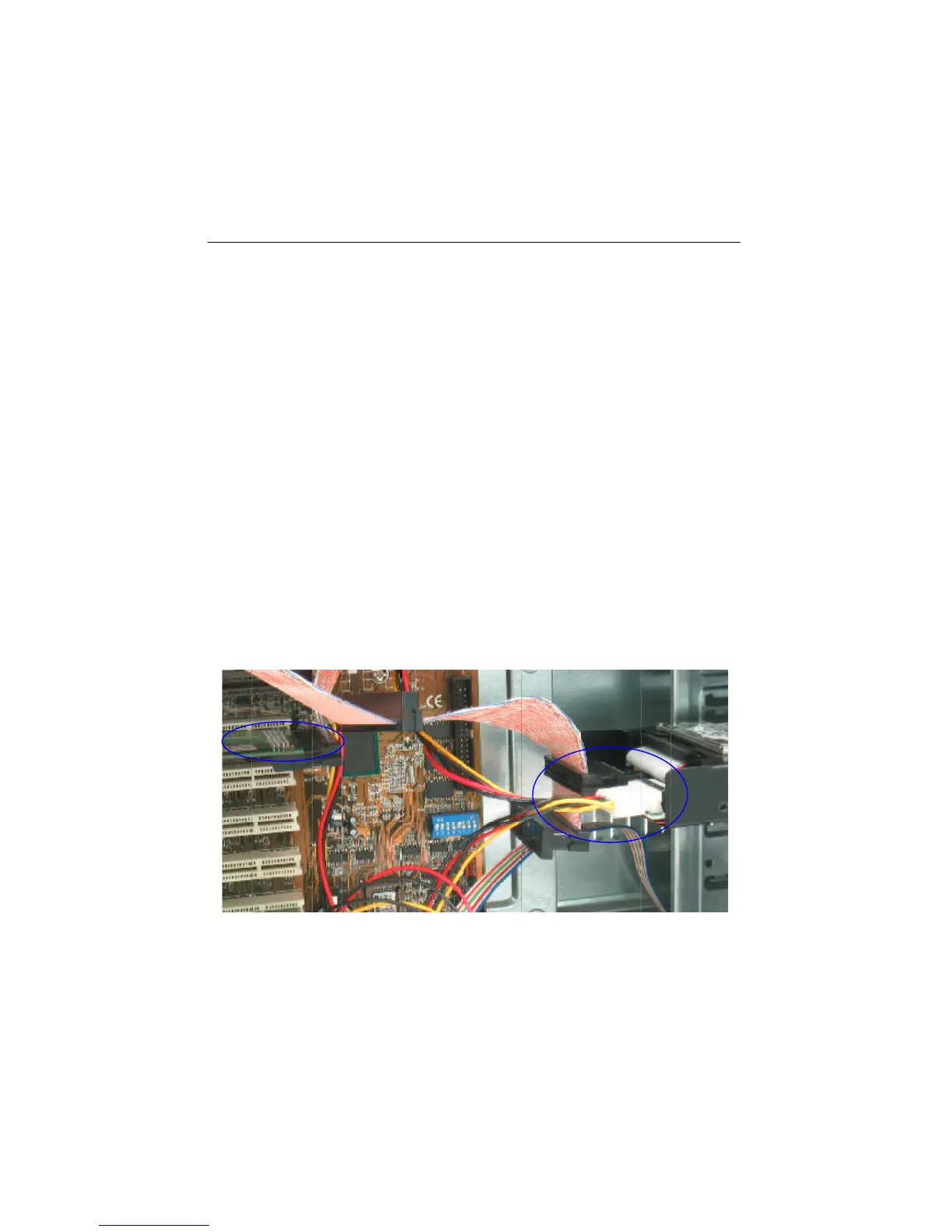
Figure 3-15
Before connecting ARS-2000LHS to a hard drive, you should tell the SCSI connector
from the IDE one. On the bridge the 68-pin connector is for SCSI adapter while the
44-pin one for IDE device. There is a new SCSI cable in the package of SCSI adapter
(optional). Connect it to ARS-2000LHS.
1. Find out pin 1 of CN2 on ARS-2000LHS.
2. Find out pin 1 of the connector on the IDE hard drive.
3. Parallel these two connectors by pin 1 to pin 1 and connect them.
4. Find out the colored pin 1 of the connector on one end of SCSI cable, and connect
to the SCSI adapter.
5. Find out pin 1 of CN1 on ARS-2000LHS.
6. Find out the colored pin 1 of the connector on the other end of SCSI cable, and
connect to CN1 of ARS-2000LHS.


 To Next Page