28
LVD SCSIDE Bridge Manual
3.7 Installing ARS-2000LFS
3.7.1 3.5” HDD
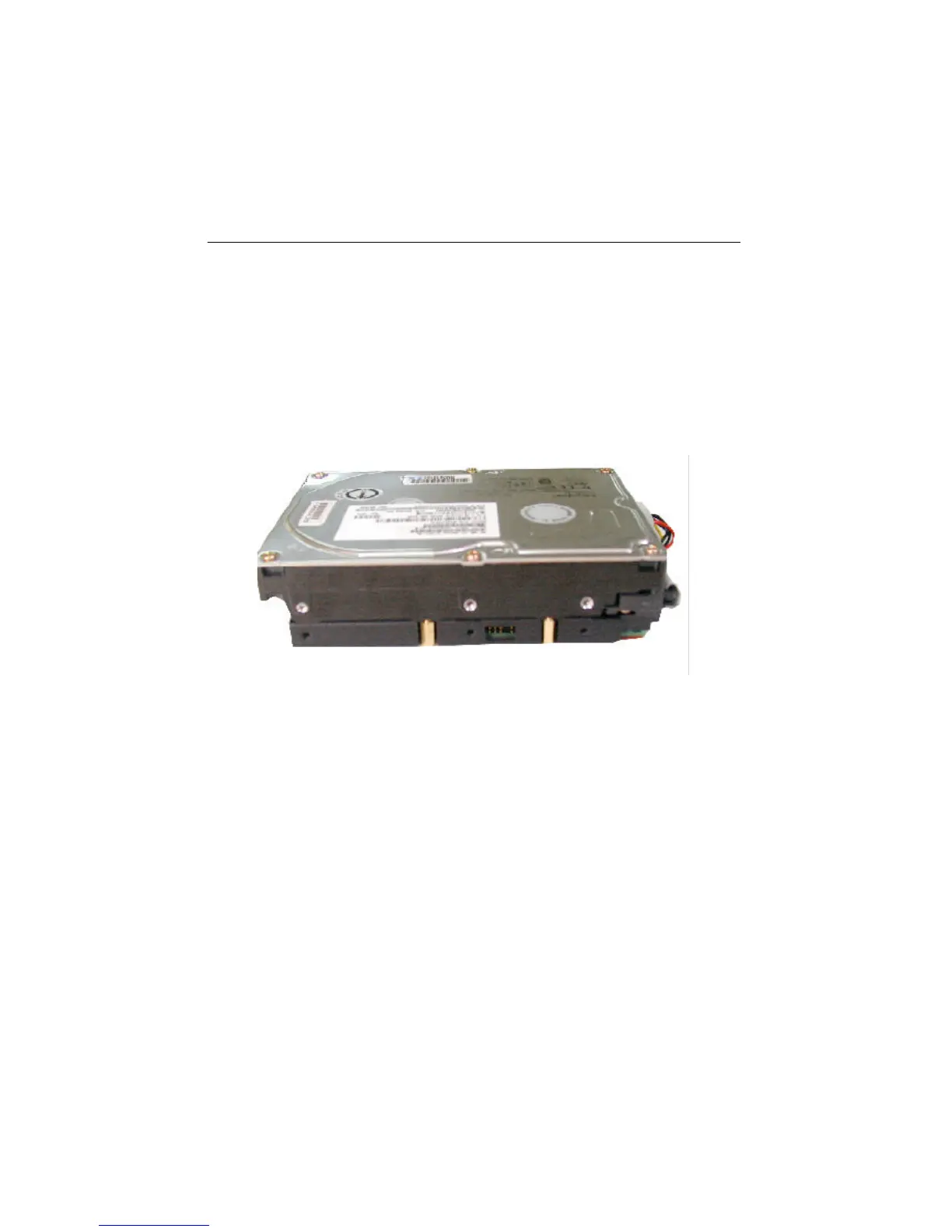
ARS-2000LFS is designed to meet 3.5”HDDs. Put the hard drive on the bridge and
connect it to the 40-pin CN2 (see Figure 2-5 on page 15). Then screw it from the
bottom with 4 golden screws as the following picture shows.
Figure 3-10
3.7.2 Internal Power Connection
There are two kinds of power connectors supplying power to the IDE device and
ARS-2000LFS separately. CN4 is the large connector for ARS-2000LFS while CN3
the small one for hard drive. After connection, CN3 will be invisible when viewing
from the outside. See the picture on the next page.


 To Next Page