27
LVD SCSIDE Bridge Manual
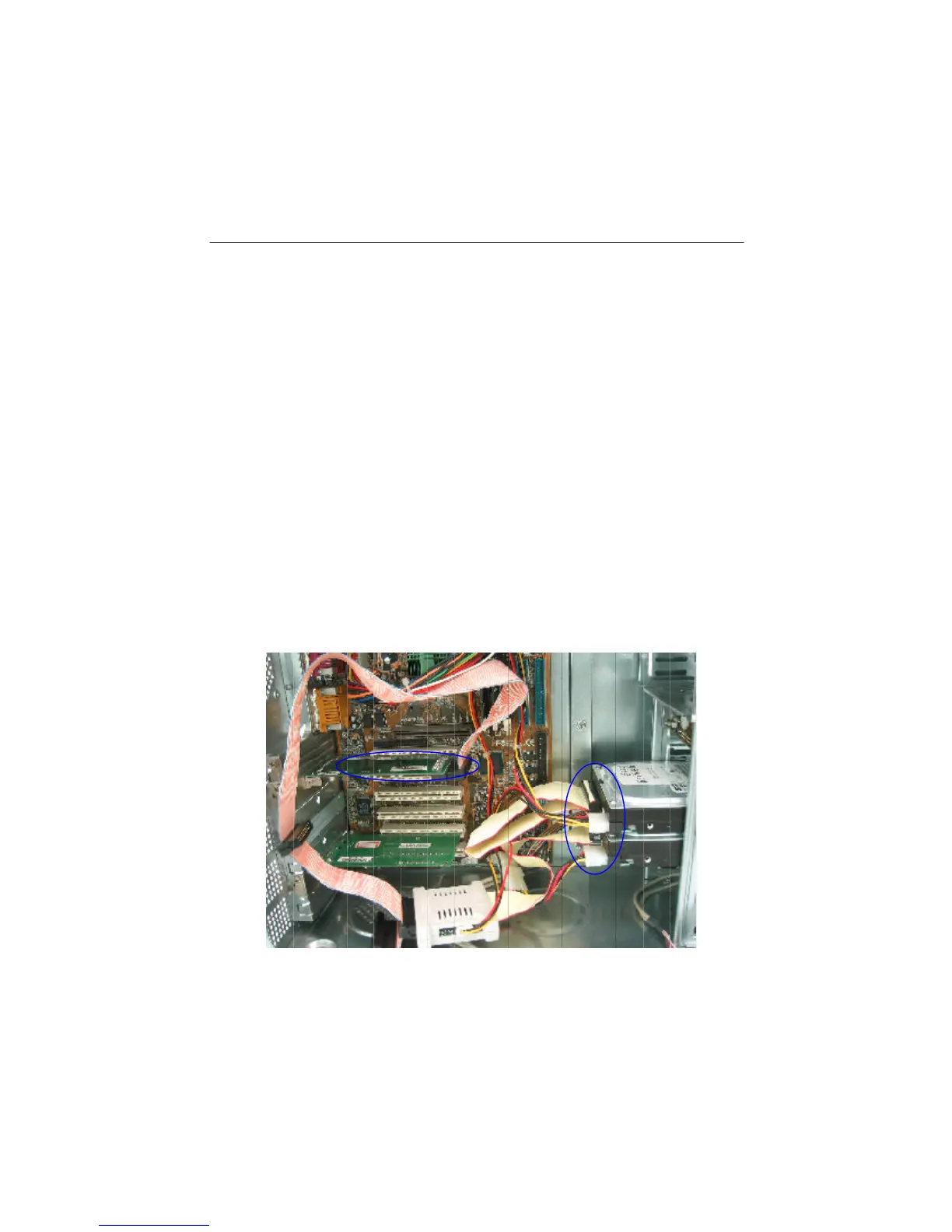
Figure 3-9
3.6.3 Cable Connection
Before connecting ARS-2120 to 2 hard drives, you should tell the SCSI connector
from the IDE one. On the bridge the 68-pin connector is for SCSI adapter while the
40-pin one for IDE device. There is a new SCSI cable in the package of SCSI adapter
(optional). Connect it to ARS-2120.
1. Find out pin 1 of CN2 (CN3)on ARS-2120.
2. Find out pin 1 of the connector on the 1st (2nd) hard drive.
3. Parallel these two connectors by pin 1 to pin 1 and connect them.
4. Set the 1st (2nd) hard drive as Master (Slave).
5. Connect one end of SCSI cable to the SCSI adapter by finding out pin1.
6. Find out pin 1 of CN1 on ARS-2120.
7. Find out the colored pin 1 of the connector on the other end of SCSI cable, and
connect to CN1 of ARS-2120.


 To Next Page