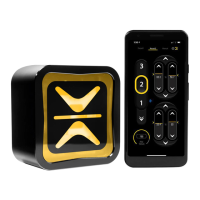
Setup Programming:
LEVEL 2 = Moderate Accuracy & Moderate Adjustments:
Hold the Program “ ” Button for approximately 3 seconds until both the
“ ” and “ ” Arrows ash; then Press the “ ” Button 2-Times to set to
Active Level 2.
Program Button
The “ ” Arrow will ash 2-Times.
Adjusting Active Accuracy Level:
LEVEL 1 = Lower Accuracy & Fewest Adjustments:
Hold the Program “ ” Button for approximately 3 seconds until both the
“ ” and “ ” Arrows ash; then Press the “ ” Button 1-Time to set to
Active Level 1.
Program Button
The “ ” Arrow will ash 1-Time.
1 = Lower Accuracy &
Fewest Adjustments.
2 = Moderate Accuracy &
Moderate Adjustments.
3 = Higher Accuracy &
Most Adjustments.
LEVEL 3 = Higher Accuracy & Most Adjustments:
Hold the Program “ ” Button for approximately 3 seconds until both the
“ ” and “ ” Arrows ash; then Press the “ ” Button 3-Times to set to
Active Level 3.
Program Button
The “ ” Arrow will ash 3-Times.


 To Next Page