Chapter 3 25
Removing the Computer Stand
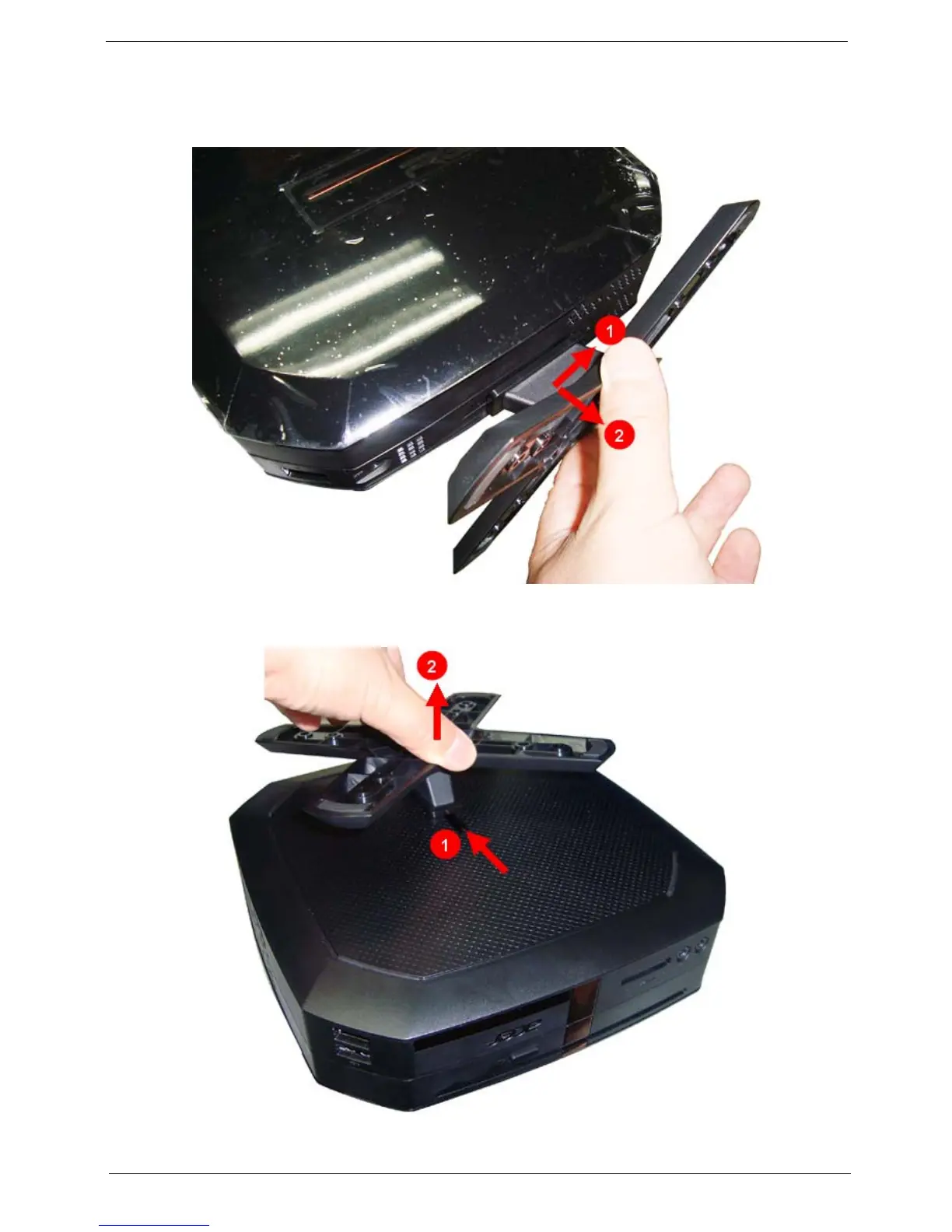
1. If the computer stand install on the side of the unit, pls follow below picture to disassemble the computer
stand. Slide the computer stand(1) and pull the computer stand(2) as the direction indicated.
2. If the computer stand install on the bottom of the unit, pls follow below picture to disassemble the
computer stand. Slide the computer stand(1) and pull the computer stand(2) as the direction indicated.











 To Next Page