Chapter 3 43
Removing the Battery
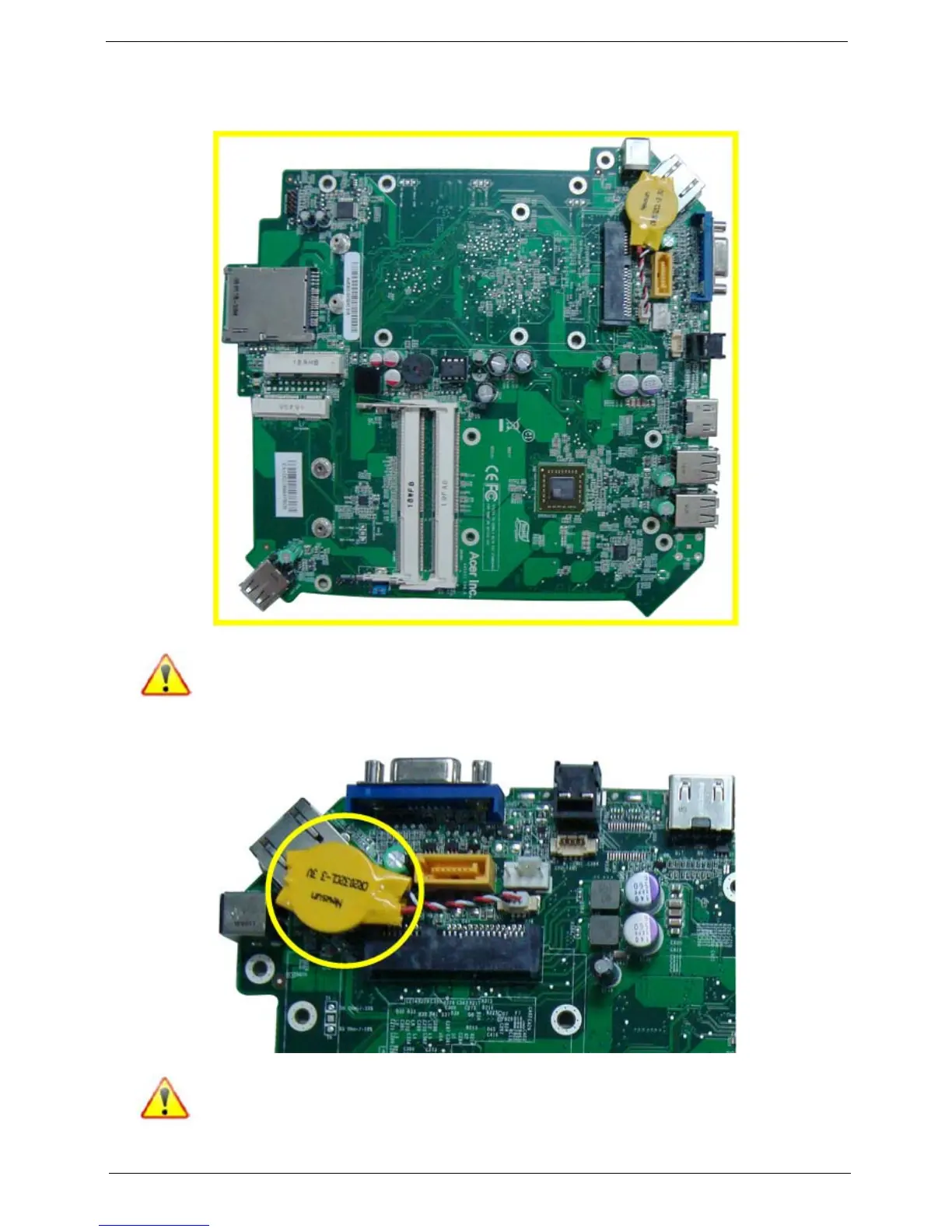
1. Place the motherboard on a clean, static-free work surface.
Note:Circuit boards >10 cm² has been highlighted with the yellow rectangle as above image
shows. Please detach the Circuit boards and follow local regulations for disposal.
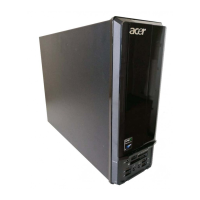
2. Disconnector the cable from the motherboard. Then remove the battery.
Note:RTC battery has been highlighted with the yellow circle as above image shows.Please detach
the RTC battery and follow local regulations for disposal.











 To Next Page