Chapter 3 35
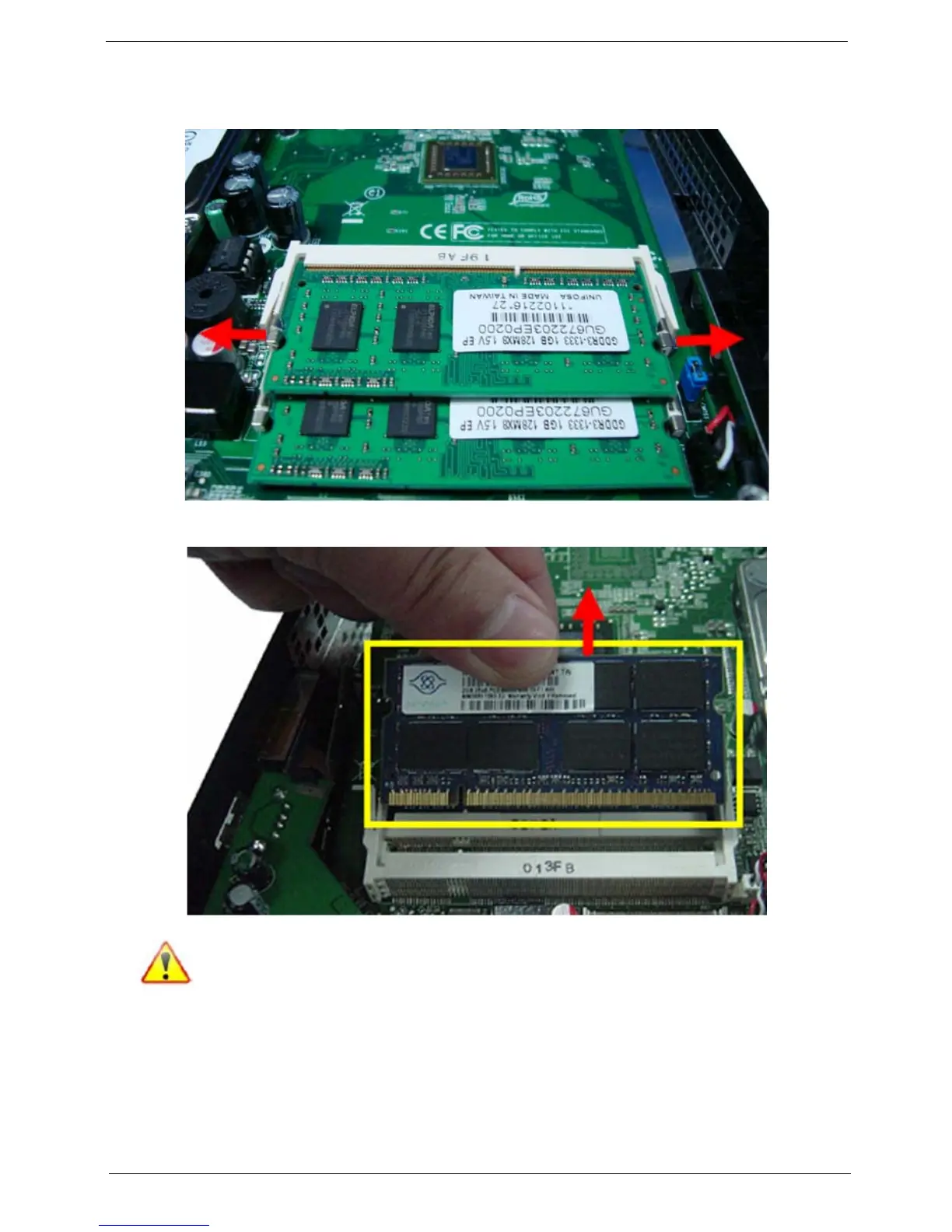
Removing the Memory Modules
1. Open the holding clips securing the memory module.
2. Gently pull the memory module to remove it from the SODIMM1 slot.
Note:Circuit boards >10 cm² has been highlighted with the yellow rectangle as above image shows. Please
detach the Circuit boards and follow local regulations for disposal.
3. Repeat steps 1 and 2 to remove the second memory module from the SODIMM2 slot.











 To Next Page