Chapter 5 56
Jumper Setting
The section explains how to set jumper for correct configuration of the mainboard.
Jumpers with more than one pin are numbered. When setting a jumper, ensure that the jumper caps are
placed on the correct pins.
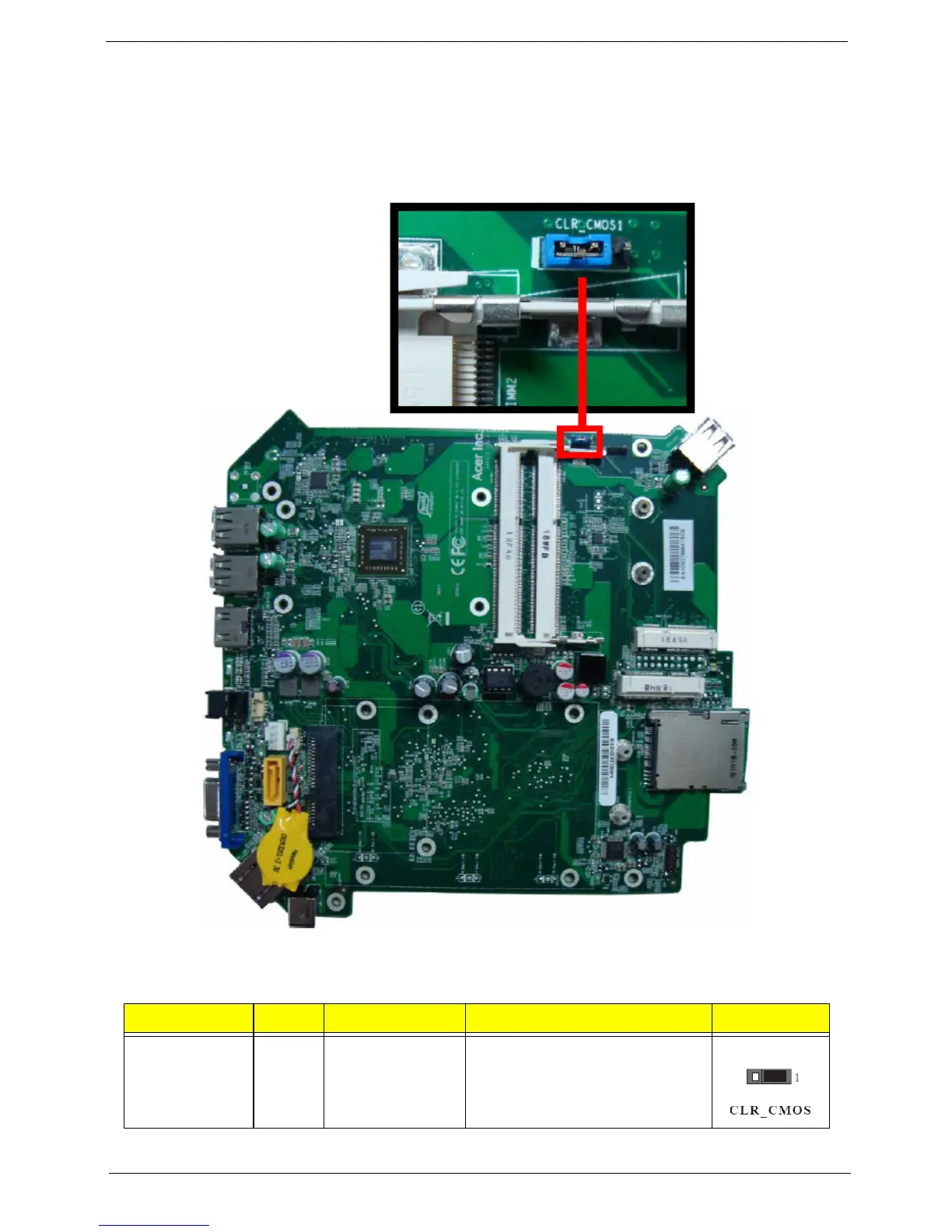
The following illustration shows the location of CLR_CMOS.
The following table shows the settings of the 3-pin CLR_CMOS jumper. Place the jumper cap on pins 1 and 2
to close or short the jumper. Place the jumper cap on pins 2 and 3 to open or clear the jumper
Jumper Type Description Setting (default) Picture
CLR_CMOS 3-pin CLEAR CMOS 1-2: NORMAL
2-3: CLEAR
Before clearing the CMOS, make
sure to turn the system off.














 To Next Page