62 Chapter 3
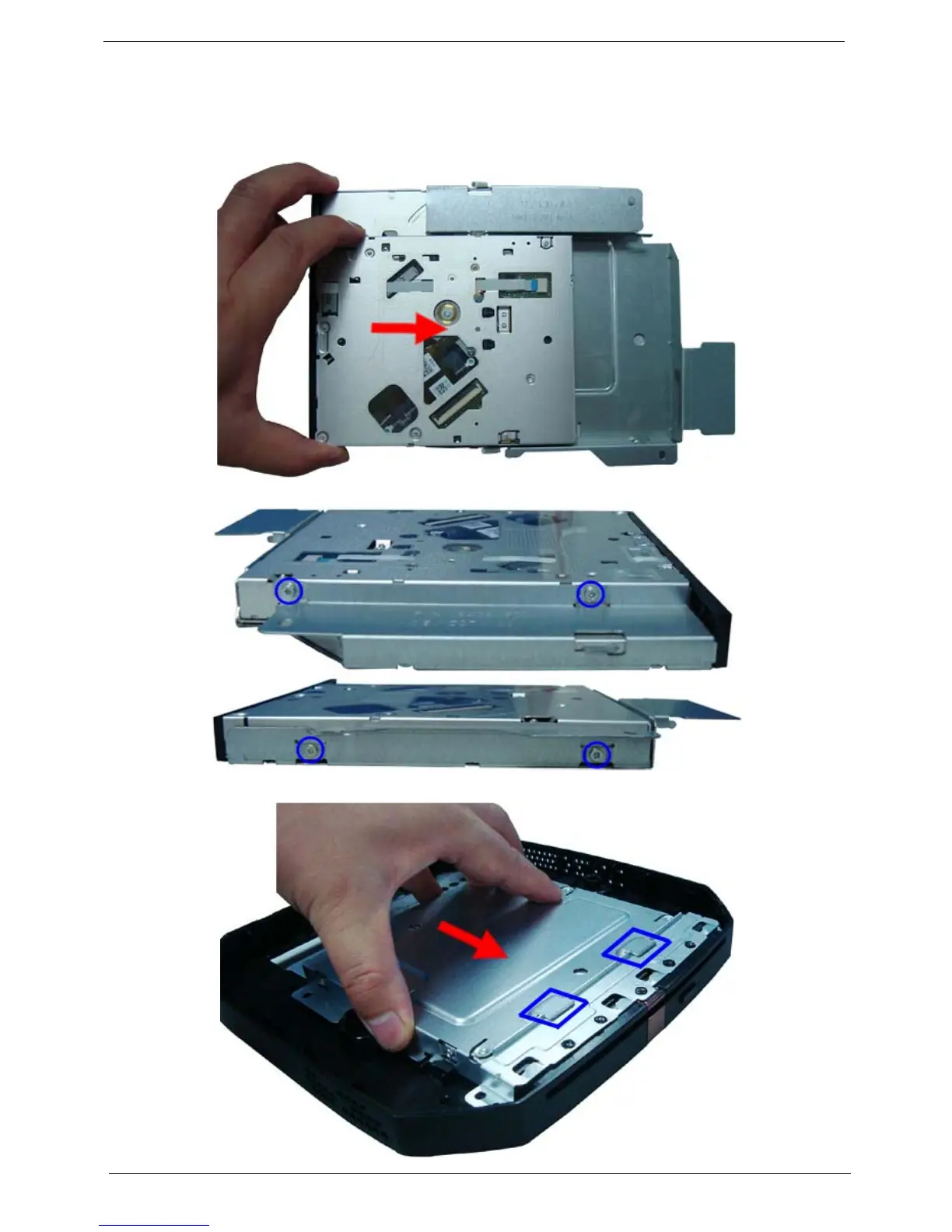
Installing the Optical Disc Drive
NOTE: If your unit without optical disc drive, please ignore below step and refer to “Installing the Top Cover “
on page 66.
1. Slide the optical drive into the drive bay.
2. Secure the optical drive to the ODD bracket using the four screws.
3. Slide the ODD bracket to the ODD base cover.











 To Next Page