EasyManua.ls Logo

Aclara I-210+ - User Manual

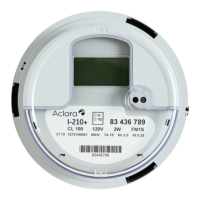
Aclara I-210+
55 pages
Print Icon
To Next Page IconTo Next Page
Loading...
I-210+ Electronic Meter
User Manual
132265-TUM
Revision 1
www
.Aclara.com

Table of Contents

Questions and Answers

  • A
    Amanda RodriguezJul 29, 2025
    What to do if my Aclara I-210+ meter shows a '?????' message on the display?
    • A
      Amber SmithJul 29, 2025
      If your Aclara Measuring Instruments meter displays a '?????' message, it means the meter has detected an internal condition that might compromise the meter data. Replace the meter and return it to the factory for service.
  • R
    Russell GarciaAug 6, 2025
    What to do if my Aclara Measuring Instruments meter overheats?
    • J
      Jay LesterAug 6, 2025
      If your Aclara Measuring Instruments meter is overheating, it could be due to several reasons: * The meter might be overloaded, in which case you should replace the meter socket with a heavy-duty model. * Consider changing to a transformer-rated installation using correctly sized CTs. * You might also need to replace the socket terminal.
  • R
    Ryan PollardAug 13, 2025
    Why is there no display on my Aclara I-210+ Measuring Instruments meter?
    • P
      pettyvincentAug 13, 2025
      If there is no display on your Aclara Measuring Instruments meter, it could be due to a circuit that is de-energized. Check the circuit voltages. Also, close the test links and ensure the voltage leads are properly connected and check the wires for any damage.
  • Y
    Yvette MarshAug 21, 2025
    How to fix socket wiring error on Aclara Measuring Instruments?
    • S
      selena63Aug 21, 2025
      To address a socket wiring error with your Aclara Measuring Instruments meter, rewire according to the applicable diagram. Also, check the voltage and current, inspect the leads for damage, and consider replacing the meter if necessary.

Summary

Product Description

Meter Overview and Key Features

General description of the I-210+ meter, its applications, and primary features.

Physical Description

Details on the meter's physical build, LCD, configuration port, and operating/storage conditions.

Metering Mode and Display Options

Explanation of kWh accumulation modes and display options like disk analog.

Operating Instructions

Maintenance and Troubleshooting

Meter Accuracy Testing

Procedures and methods for testing the accuracy of the I-210+ meter.

Errors and Cautions Explained

Description of potential errors, cautions, and their meanings displayed by the meter.

Troubleshooting Common Issues

Table of symptoms, probable causes, and remedies for common meter operational problems.

Upgrading Features

Installation Instructions

Aclara I-210+ Specifications

General IconGeneral
DisplayLCD
Frequency Band902-928 MHz
CommunicationRF Mesh, PLC
Battery Life20 years
MountingSocket or Surface

Related product manuals