14 I-210+ User Manual
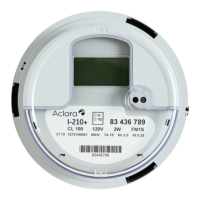
LCD Information
Three-Character Display
This area shows the following informational and diagnostic information:
NOTE: The DC Detect feature is not recommended, and therefore it should be disabled.
If enabled, instantaneous power is displayed during the normal operation.
If the V
2
softswitch is selected, then the instantaneous voltage can also be displayed.
The decimal
point indicator is active when values of instantaneous power are
displayed. The auto-ranging kW value will be scaled to show the maximum
available precision in one of the following formats:
.XXX X.XX XX.X
This indicates that there was an error detected during the self-test
operation.
This indicates that a service application error was detected.
This is displayed during optical communication.
This is displayed while AMI NIC is communicating with the meter.
This is displayed when the disconnect switch is on.
This is displayed when the disconnect switch is off.
Indicates that load-side voltage is detected.
Indicates that DC voltage is detected.


 To Next Page