I-210+ User Manual 31
Chapter 6 • Installation Instructions
CHAPTER
6
I
NSTALLATION
I
NSTRUCTIONS
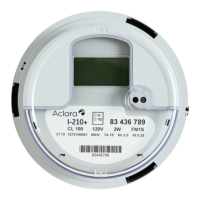
The meter is plugged into a meter socket using standard meter installation
practices. The meter base has current and potential terminals extending outside
from the back of the meter. These terminals engage with the socket jaws, which
are connected to the service lines. The socket jaws provide heavy contact force
with the help of spring. In some heavy-duty sockets, contact force is provided by a
handle or wrench. It is the installer’s responsibility to verify the meter and socket
are installed according to local and national codes.
Upon applying power to the meter, verify meter operations by observing the
display:
• For the first 5 seconds, the register will display an All Segment Test (all
display items shown). If this all segment display is continued after 5 seconds,
it is possible that there is an error in the installation wiring.
• If a Form 2S meter displays in the lower left display section, it indicates
that the meter has been connected in a 12S/25S socket. Please confirm that
the meter is connected to the same socket form that is stated on the meter
label.
• The LCD will show the correct number of digits (4 or 5) for energy along
with kWh annunciator.
• Verify the expected direction of energy flow on the display annunciators.


 To Next Page