When the USB device is connected
andtheUSBmodeisselectedonthe
audio system, the USB indicator is
showninthecenterdisplay.Italso
shows the folder and file numbers.
Pressing the AUDIO button displays
the folder and file names, and the
elapsed time in the navigation screen.
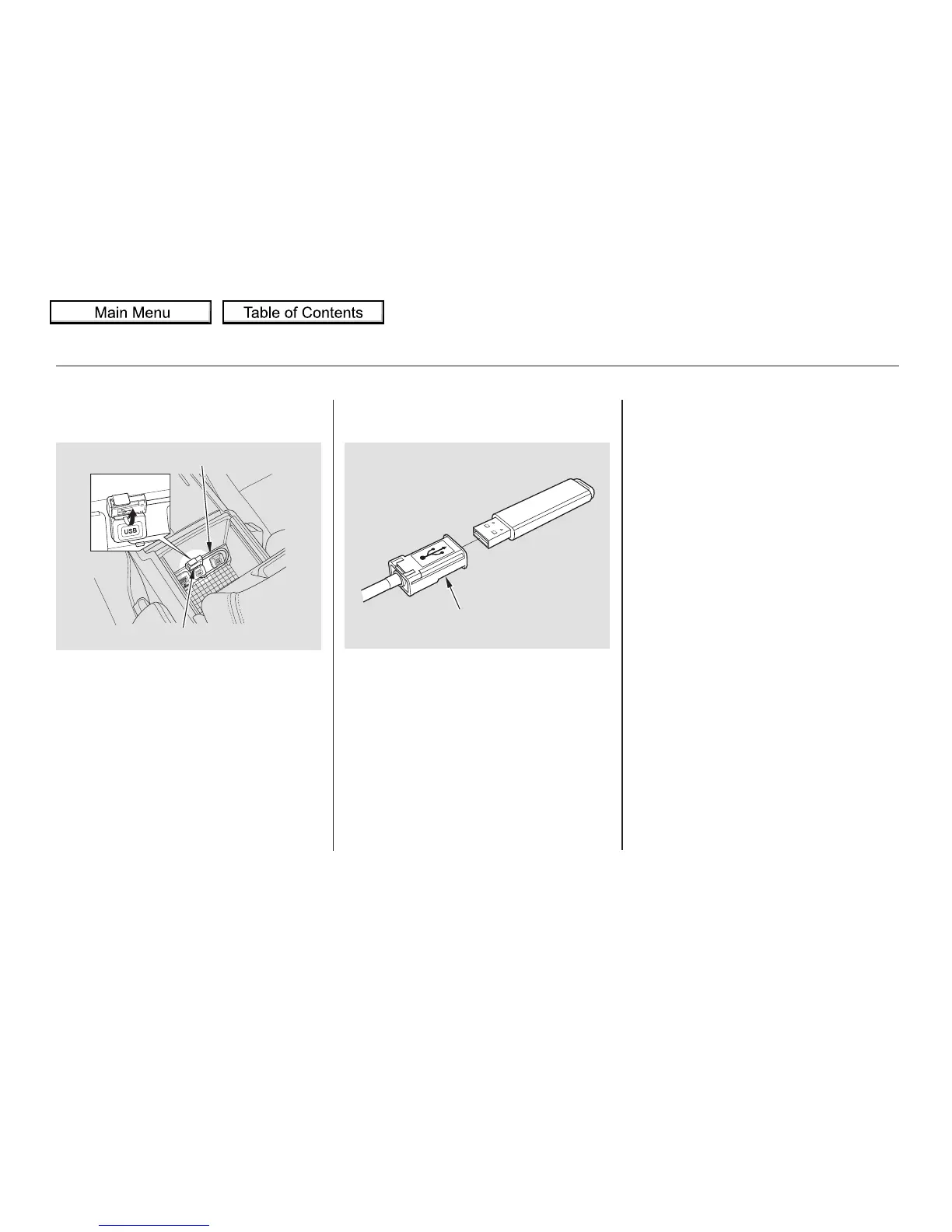
Unclip the USB connector by
pivoting it, and pull out the USB
adapter cable in the console
compartment.
Connect the USB flash memory
device to the USB adapter cable
correctly and securely.
2.1.
Connecting a USB Flash Memory
Device
Playing a USB Flash Memory Device (Models with navigation system)
272
USB ADAPTER CABLE
USB CONNECTOR
USB ADAPTER CABLE



 To Next Page
 Loading...











