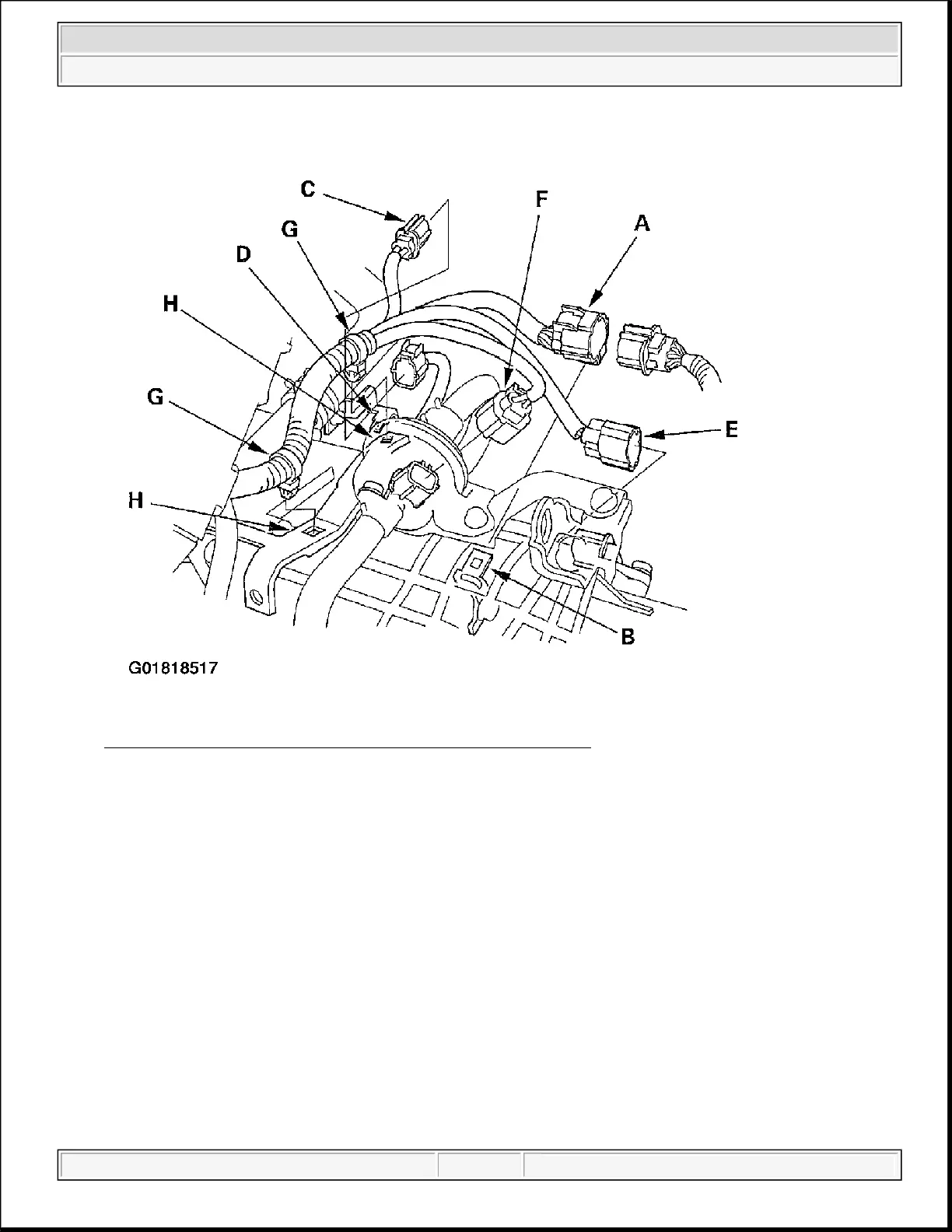
Fig. 3: Removing The Transmission Range Switch Connector
12. Remove the AF sensor connector (C) from its bracket (D), then disconnect it.
13. Disconnect the mainshaft speed sensor connector (E) and countershaft speed sensor connector (F), and
remove the harness clamps (G) from the clamp brackets (H).
14. Disconnect the 3rd clutch transmission fluid pressure switch connector (A), and remove the harness
clamp (B) from the clamp bracket (C).
2004 Acura TSX
2004 AUTOMATIC TRANSMISSIONS Removal & Installation - TSX
Wednesday, March 12, 2008 9:44:47 PM Page 4



 To Next Page
 Loading...