157
ADOBE PHOTOSHOP ELEMENTS 2.0
User Guide
• To apply perspective, press Ctrl+Alt+Shift
(Windows) or Command+Option+Shift
(Mac OS), and drag a corner handle. When
positioned over a corner handle, the pointer
becomes a gray arrowhead .
To undo the last handle adjustment, choose
Edit > Undo.
5 Do one of the following:
• To commit the transformation, double-click
inside the bounding box, click the Commit
button in the options bar, or press Enter
(Windows) or Return (Mac OS).
• To cancel the transformation, click the Cancel
button in the options bar, or press Esc.
Transforming objects in three
dimensions
The 3D Transform filter lets you manipulate a flat,
two-dimensional image as if it were a solid, three-
dimensional object. Take, for example, a
perspective photograph of a cereal box. You specify
the corners of the box using a wire frame, and you
can then manipulate the box as if it were a three-
dimensional object. You can reposition the box,
turn or rotate it, shrink or enlarge it, and change
its field of view.
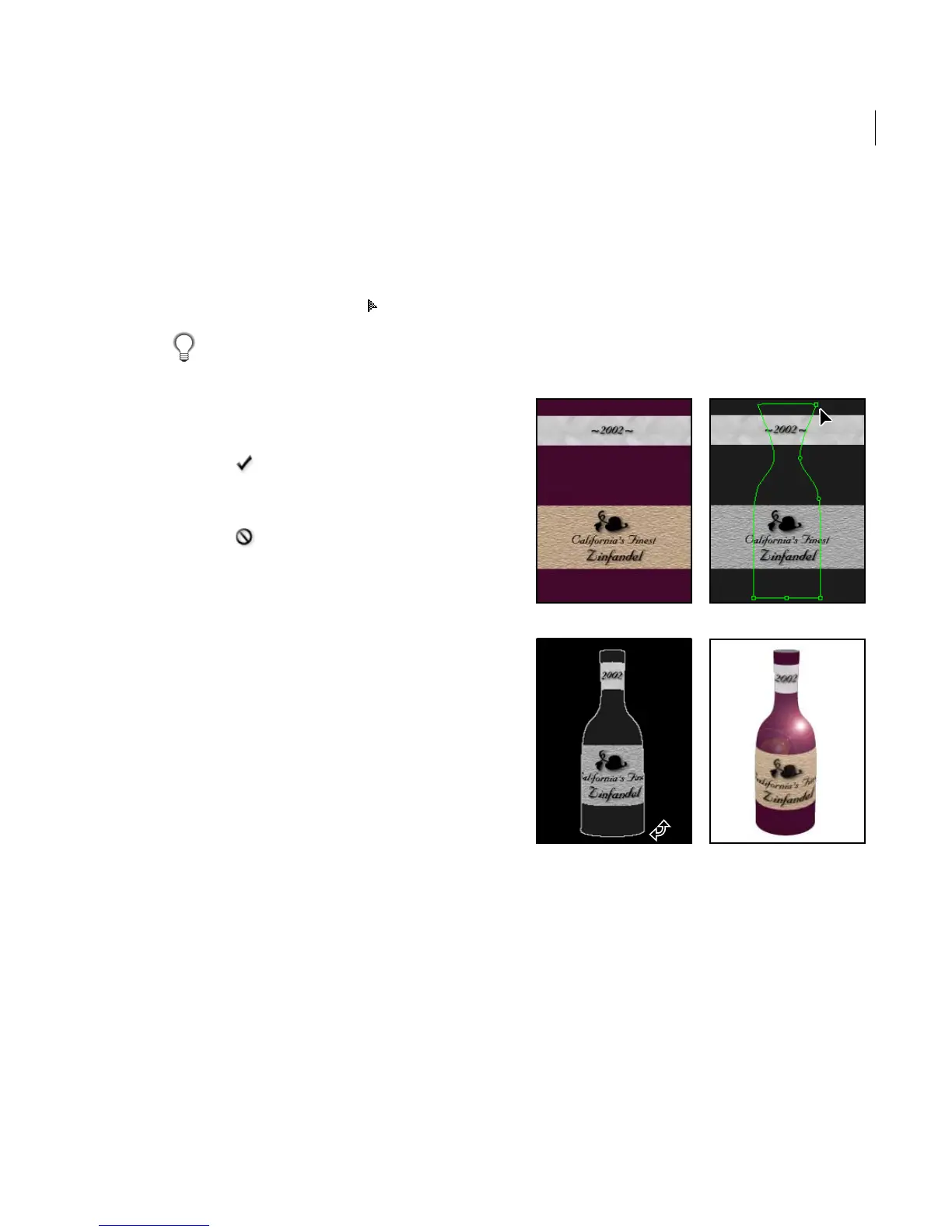
Using the 3D Transform filter
You can transform a two-dimensional object into
a cube, sphere, or cylinder and manipulate it using
wire frames based on that shape. Cylinders can
include anything from simple objects, such as a
can of soup, to more complex shapes, such as a
bottle or a lamp.
You can create and manipulate any grouping of
cubes, spheres, and cylinders in the same image.
For example, you can create and rotate a box, three
spheres, and a bottle together in the same image.
3D Transform Filter
A. Image of 2D label B. Cylinder wireframe in 3D transform
preview C. Tilting the bottle by using Track Ball tool
D. Completed Image with Lens Flare effect applied
A B
CD



 To Next Page