65
ADOBE PHOTOSHOP ELEMENTS 2.0
User Guide
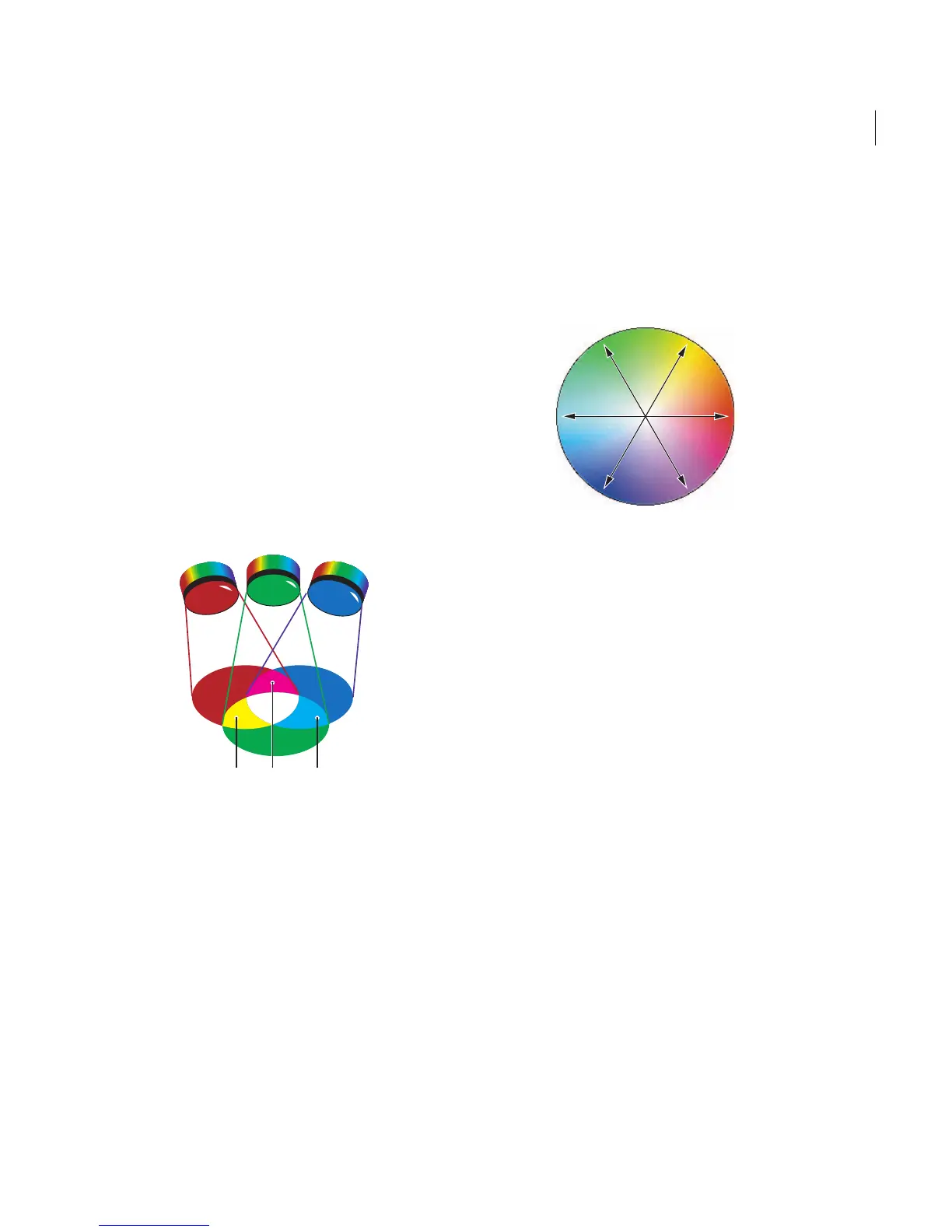
RGB model
A large percentage of the visible spectrum can be
represented by mixing red, green, and blue (RGB)
colored light in various proportions and inten-
sities. Where the colors overlap, they create cyan,
magenta, yellow, and white.
Because the RGB colors combine to create white,
they are also called additive colors. Adding all
colors together creates white—that is, all light is
transmitted back to the eye. Additive colors are
used for lighting, video, and monitors. Your
monitor, for example, creates color by emitting
light through red, green, and blue phosphors.
Additive colors (RGB)
R. Red G. Green B. Blue Y. Ye ll o w M. Magenta C. Cyan
About the color wheel
Because there are numerous ways to achieve
similar results in color balance, it’s useful to
consider the type of image you have and the effect
you want to produce. If you’re new to adjusting
color components, it helps to keep a diagram of
the color wheel on hand. You can use the color
wheel to predict how a change in one color
component affects other colors.
Color wheel
C. Cyan G. Green Y. Yel l ow R. Red M. Magenta B. Blue
You can decrease the amount of any color in an
image by increasing the amount of its opposite on
the color wheel—and vice versa. Similarly, you can
increase and decrease a color by adjusting the two
adjacent colors on the wheel, or even by adjusting
the two colors adjacent to its opposite. For
example, in an RGB image you can decrease
magenta by removing red and blue or by adding
green. This results in an overall color balance
containing less magenta.
Adjusting color
You can quickly adjust an image’s color balance to
remove unwanted color casts or to correct color
saturation using the Color Cast and Color
Var iation commands.
R
YM
C
G
B
GY
MB
CR



 To Next Page