203
ADOBE PHOTOSHOP ELEMENTS 2.0
User Guide
Adjusting tsume
Tsume reduces the space around a character by a
specified percentage value. The character itself is
not stretched or squeezed as a result. Instead, the
space around the character is compressed. When
tsume is added to a character, spacing around both
sides of the character is reduced by an equal
percentage.
The greater the percentage, the tighter the
compression between characters. At 100% (the
maximum value), there is no space between the
character’s bounding box and its em box.
To reduce spacing between characters:
1 If you’re working with an existing layer, select
the type layer in the Layers palette and then select
a type tool.
2 Select the characters you want to adjust.
3 Click the Show Asian Text Options button in
the options bar.
4 Select a percentage for Tsume from the pop-
up menu, and press the Enter or Return key.
Note: An em box is a space whose height and width
roughly correspond to the width of the letter “M,”
also called a mutton.
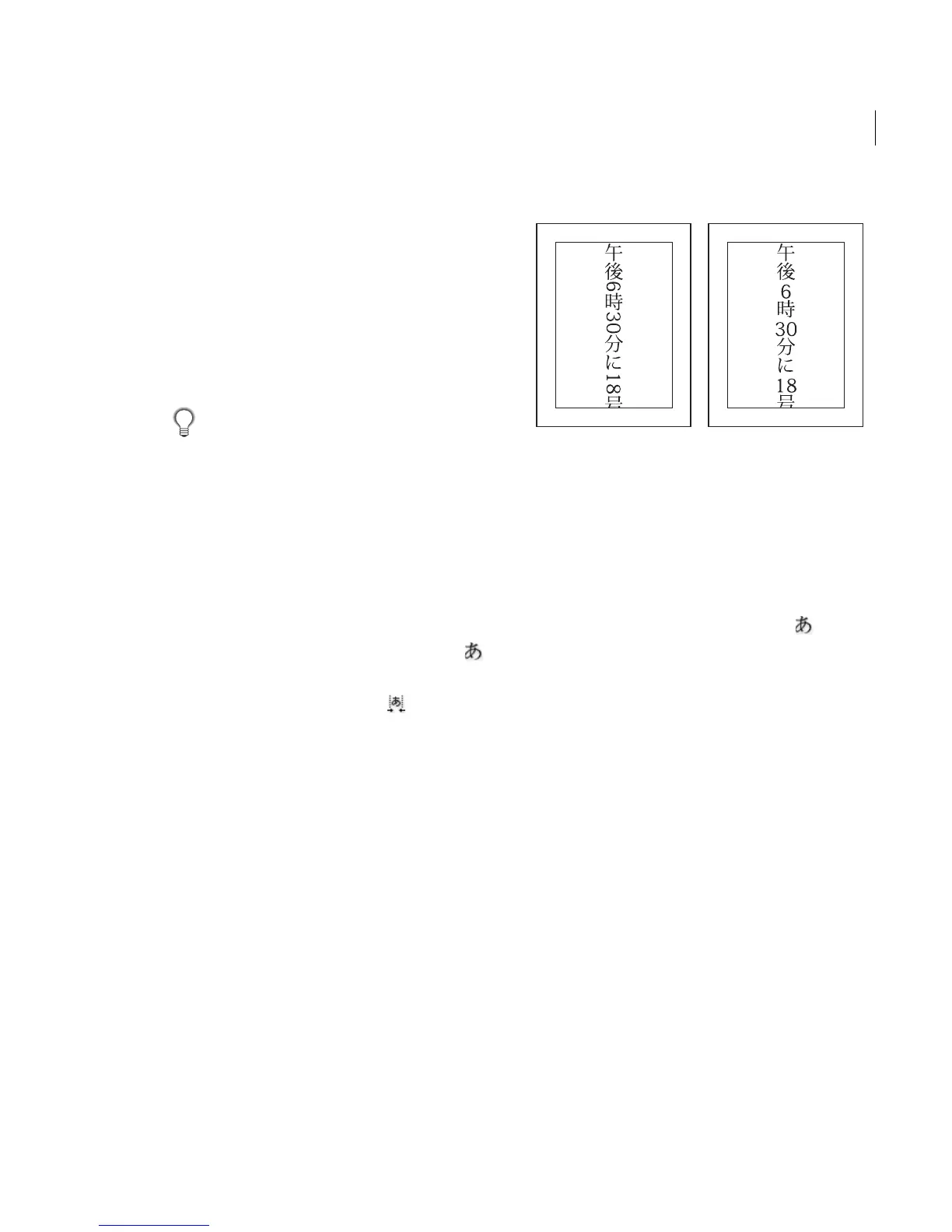
Using tate-chuu-yoko
Ta te-chuu-yoko (also called kumimoji and renmoji)
is a block of horizontal type laid out within a
vertical type line.
Before and after tate-chuu-yoko is applied
To turn on or turn off tate-chuu-yoko:
1 If you’re working with an existing layer, select
the type layer in the Layers palette and then select
a type tool.
2 Select the characters that you want to rotate.
3 Click the Asian Text Options button in the
options bar.
4 Select Tate-Chuu-Yoko, and press the Enter or
Return key.
Note: Using tate-chuu-yoko does not prevent you
from editing and formatting type; you can edit and
apply formatting options to rotated characters as you
do with other characters.
Using mojikumi
Mojikumi determines spacing between punctu-
ation, symbols, numbers, and other character
classes in Japanese type. When mojikumi is turned
off, full-width spacing is applied to these
characters. When mojikumi is on, half-width
spacing is applied to these characters.



 To Next Page