AIMB-252 User Manual 42
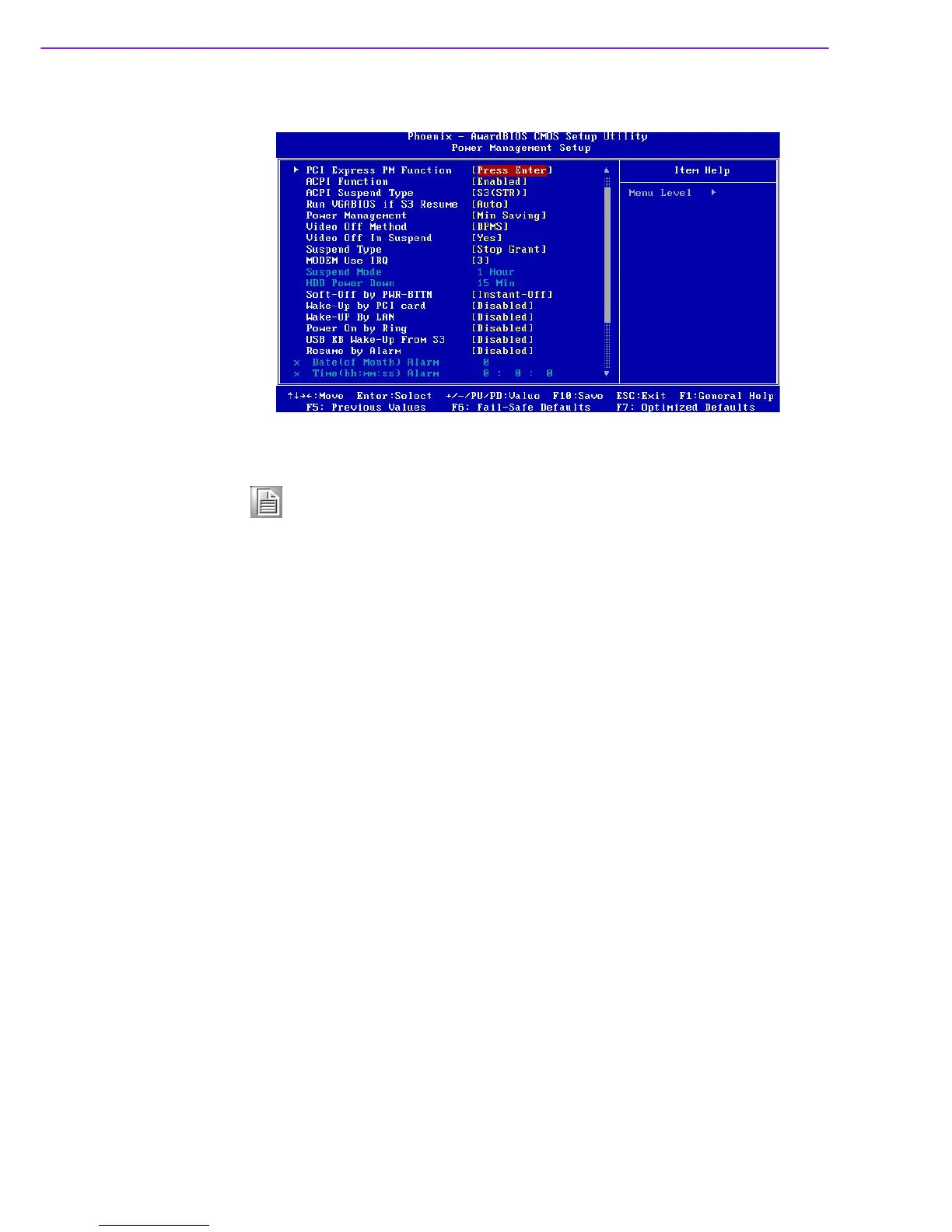
2.2.6 Power Management Setup
PCI Express PM Function
This allow you to control Power On by onboard LAN chip feature.
ACPI Function [Enabled]
This item defines the ACPI (Advanced Configuration and Power Management)
feature that makes hardware status information available to the operating sys-
tem, and communicate PC and system devices for improving the power man-
agement.
ACPI Suspend Type [S1 (POS)]
This item allows user to select sleep state when suspend.
Run VGA BIOS if S3 Resume [Auto]
This item allows system to reinitialize VGA BIOS after system resume from
ACPI S3 mode.
Power Management [User Define]
This item allows user to select system power saving mode.
Note! This “Power management Setup” option configure system to most effec-
tively saving energy while operating in a manner consistent with your
computer use style.
S1(POS) The suspend mode is equivalent to a software power down;
S3(STR) The system shuts down with the exception of a refresh current to
the system memory.
Min Saving Minimum power management. Suspend Mode=1 hr.
Max Saving Maximum power management. Suspend Mode=1 min.
User Define Allows user to set each mode individually. Suspend Mode= Dis-
abled or 1 min ~1 hr.














 To Next Page