47 AIMB-252 User Manual
Chapter 2 BIOS Operation
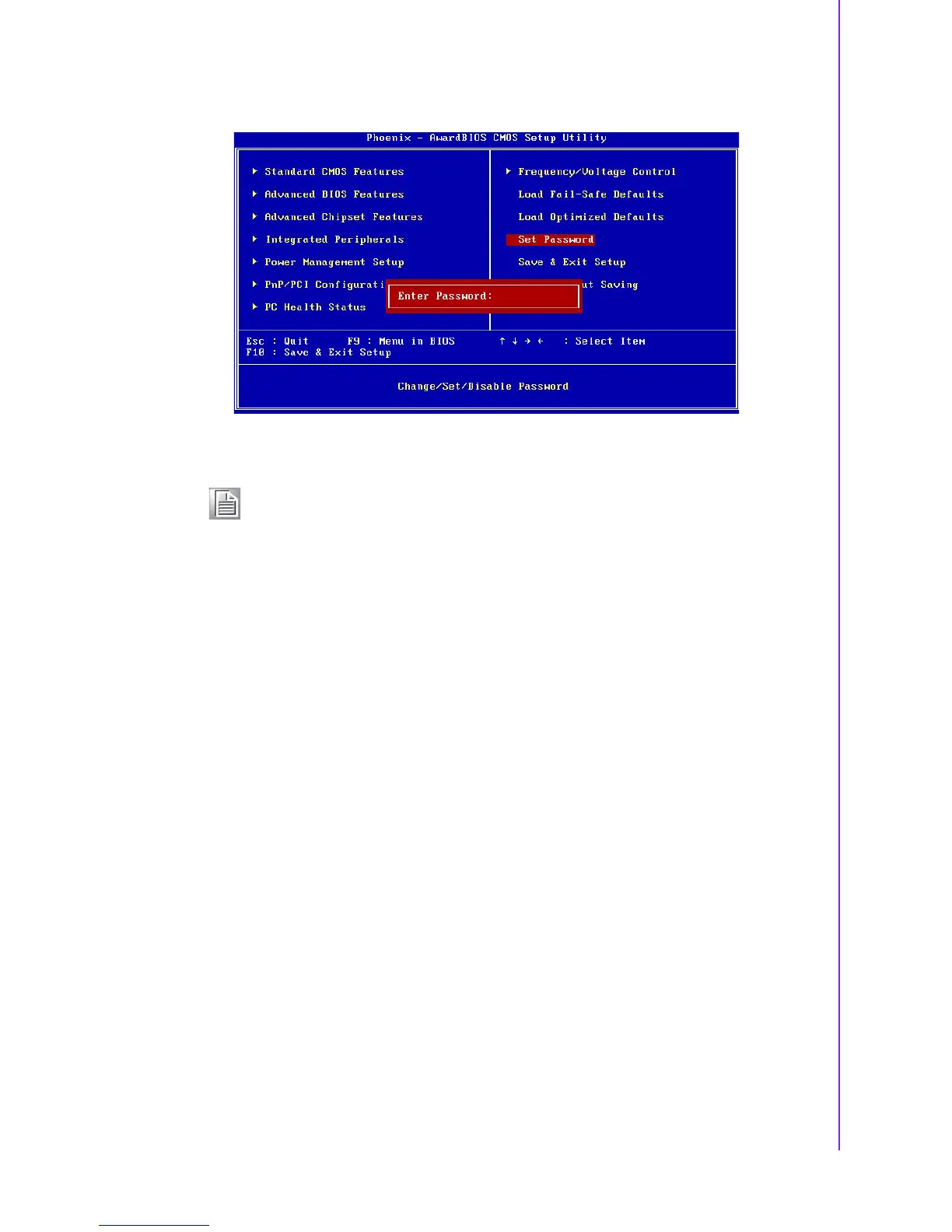
2.2.11 Set Password
To Establish Password
1. Choose the Set Password option from the CMOS Setup Utility main menu and
press <Enter>.
2. When you see “Enter Password”, enter the desired password and press
<Enter>.
3. At the “Confirm Password” prompt, retype the desired password, then press
<Enter>.
4. Select Save to CMOS and EXIT, type <Y>, then <Enter>.
To Change Password
1. Choose the Set Password option from the CMOS Setup Utility main menu and
press <Enter>.
2. When you see “Enter Password”, enter the existing password and press
<Enter>.
3. You will see “Confirm Password”. Type it again, and press <Enter>.
4. Select Set Password again, and at the “Enter Password” prompt, enter the new
password and press <Enter>.
5. At the “Confirm Password” prompt, retype the new password, and press
<Enter>.
6. Select Save to CMOS and EXIT, type <Y>, then <Enter>.
Note! To enable this feature, you should first go to the Advanced BIOS Fea-
tures menu, choose the Security Option, and select either Setup or Sys-
tem, depending on which aspect you want password protected. Setup
requires a password only to enter Setup. System requires the password
either to enter Setup or to boot the system. A password may be at most
8 characters long.














 To Next Page