11
II. Preparations for Use
FollowtheinstructionsbelowtoinstallandchecktheUAVbeforeaight.
1. Prepare the Battery
Makesurethefollowingitemsarefullychargedbeforeusingthisproduct.
Item PowerSupply
UAV PoweredbytheUAVbattery
Repeaterremote
control
Withbuilt-inrechargeablelithiumbattery,chargedandpoweredviatheDC-INport
Remotecontrolbase Cannotbepoweredorusedwithouttherepeaterremotecontrol
Mobiledevice TousetheAPP,makesureyourmobiledeviceisfullycharged
HereweshowyouhowtousetheUAVbattery.
1.1 UAV Battery Introduction
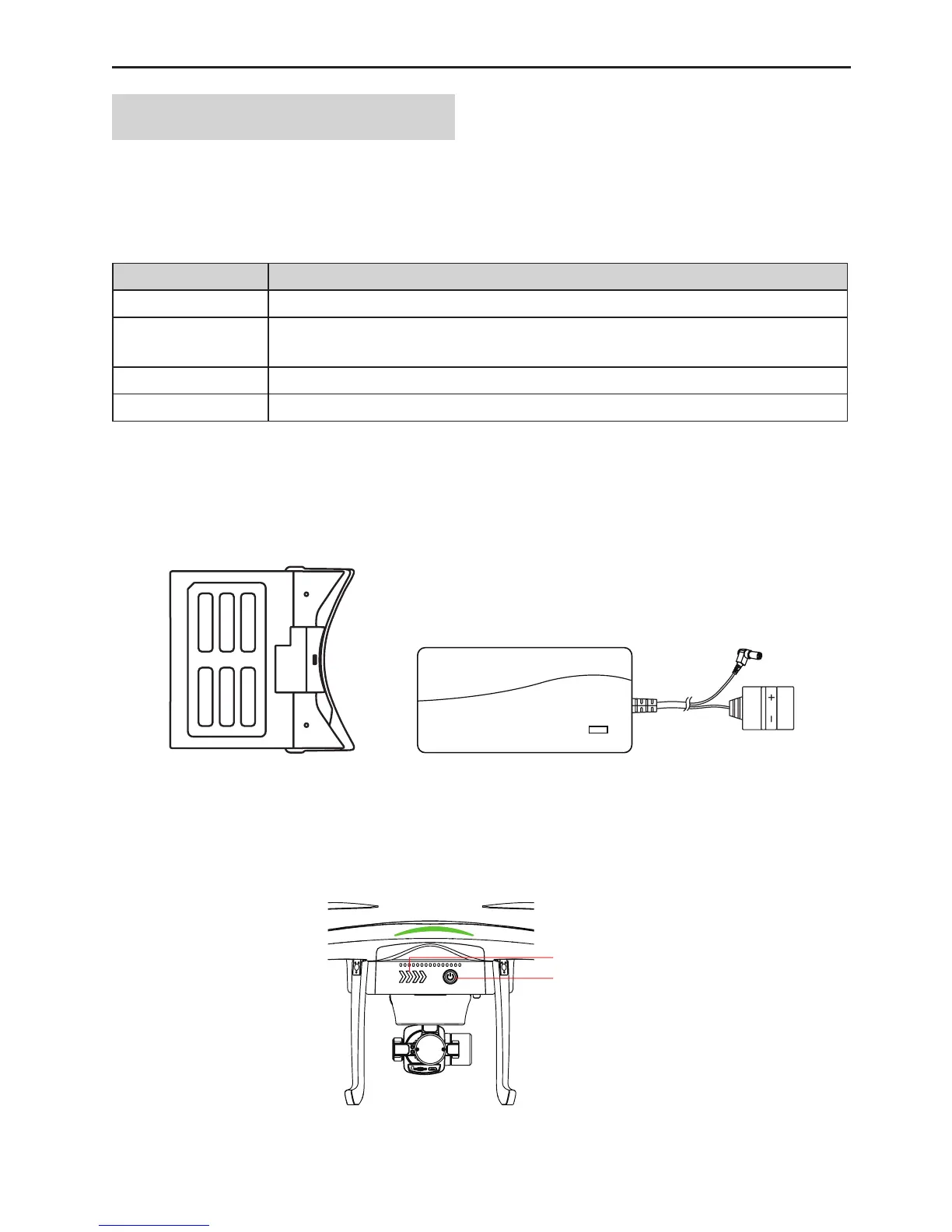
ThespeciallydesignedUAVbattery(Fig.3)isa6,800mAhand11.1Vsmartbatterywithchargingand
dischargingmanagementfunction.UsetheAEEspecialcharger(Fig.4)tochargetheUAVbatteryonly.
Fig.3Fig.4
Shortlypressthepowerbutton(Fig.5)todisplaythebatterylevelonthescreen.Chargethebatterywhenthe
batteryleveliconindicateslessthantwobarsofpower.
%DWWHU\/('
3RZHU%XWWRQ
Fig.5



 To Next Page