15
Lowpower Breathe Flashslowly
Level-1alarm:ash
slowly(1sonand1so.
TheUAVwillautoland
in6min)
Level-2alarm:ash
quickly(0.1sonand
0.1so.TheUAVwill
autolandin5s)
Level-1lowpower:boththe
frontandrear(red)armLEDs
ashslowly
Level-2lowpower:boththe
frontandrear(red)armLEDs
ashquickly
Systemerror(smart
batteryerror)
Breathe Flashslowly Thefrontandrear(red)armLEDsashalternately.
Calibrating Breathe Flashslowly Remainon
Compasscalibration:
Atthebeginning:ashslowly
inyellow
Intheprocess:ashslowly
ingreen
Calibrated
successfully
Breathe Remainon Remainon
Sameastherelevantmode
LED
Note:
(1) Lowpoweralarmsound:
Level-1alarm:Di-Di-Di(slowly)
Level-2alarm:DiDi-DiDi-DiDi(quickly)
(2) EachsystemstatuswillbeindicatedwithtextoriconontheremotecontrolscreenorattheAPP
interfaceonyourmobilephone.
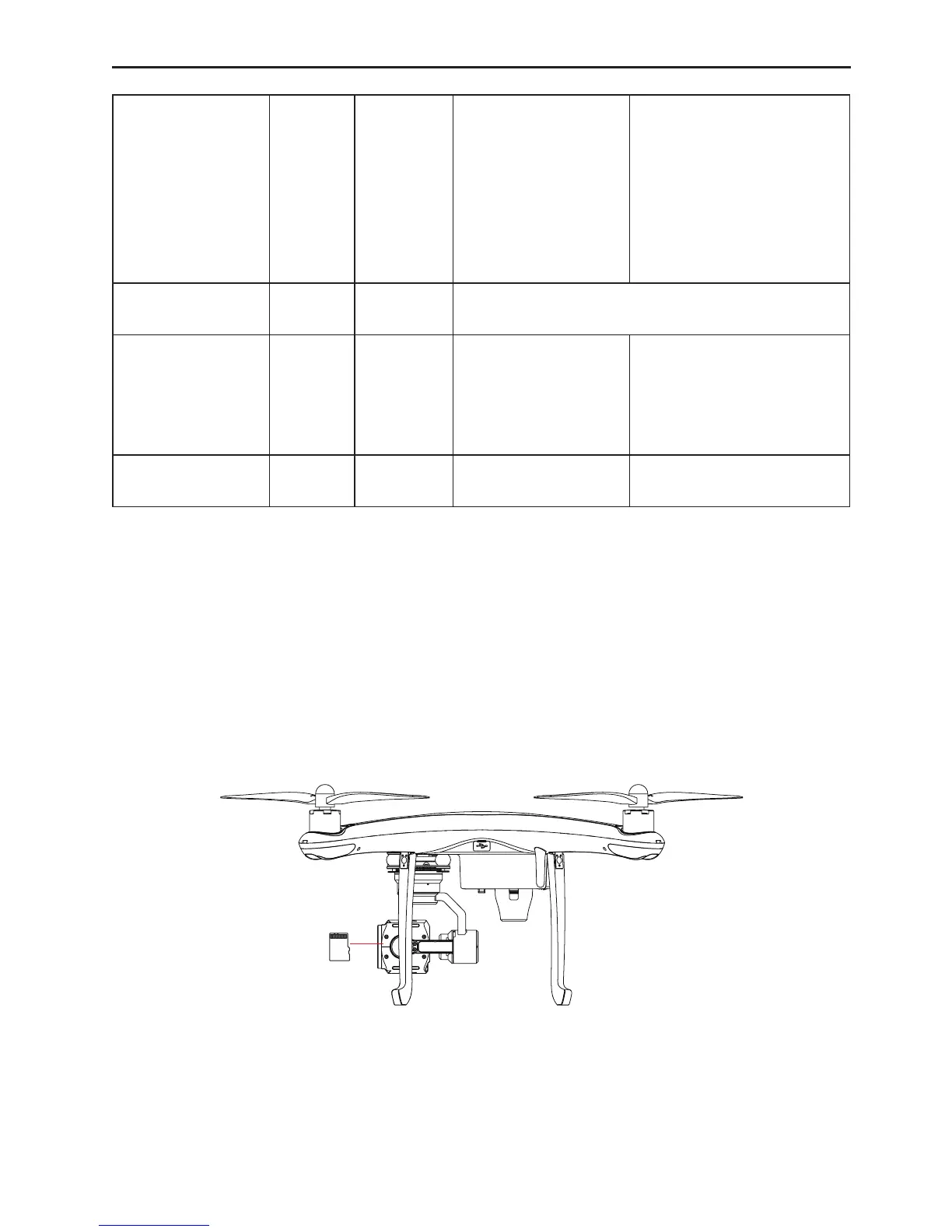
2.4 Micro SD Slot
TouseCondortoshootphotos/videos,removethegimbalcameraandinsertthemicroSDcardintothemicro
SDslotofthecamerabeforepoweringonCondor.Theonboardcamerasupportsupto64GBmicroSDcard.
Fig.10



 To Next Page