6O^KR8KYUR[ZOUT
<OJKU3UJK
6NUZU3UJK
(GIQZU
.USKVGMK
=O,O
9OMTGR
,ROMNZ
9ZGZ[Y
,ROMNZ:OSK
8KSGOTOTM
4[SHKXUL8KSUZK)UTZXUR
GTJ;'<9GZKRROZKY
9KZZOTMY
.USK1K_
:GQKULL2GTJ1K_
<UOIK)UTZXUR
3OTO3GV
8KSUZK)UTZXUR
3UJK
-OSHGR6OZIN)UTZXUR,ROMNZ*GZG
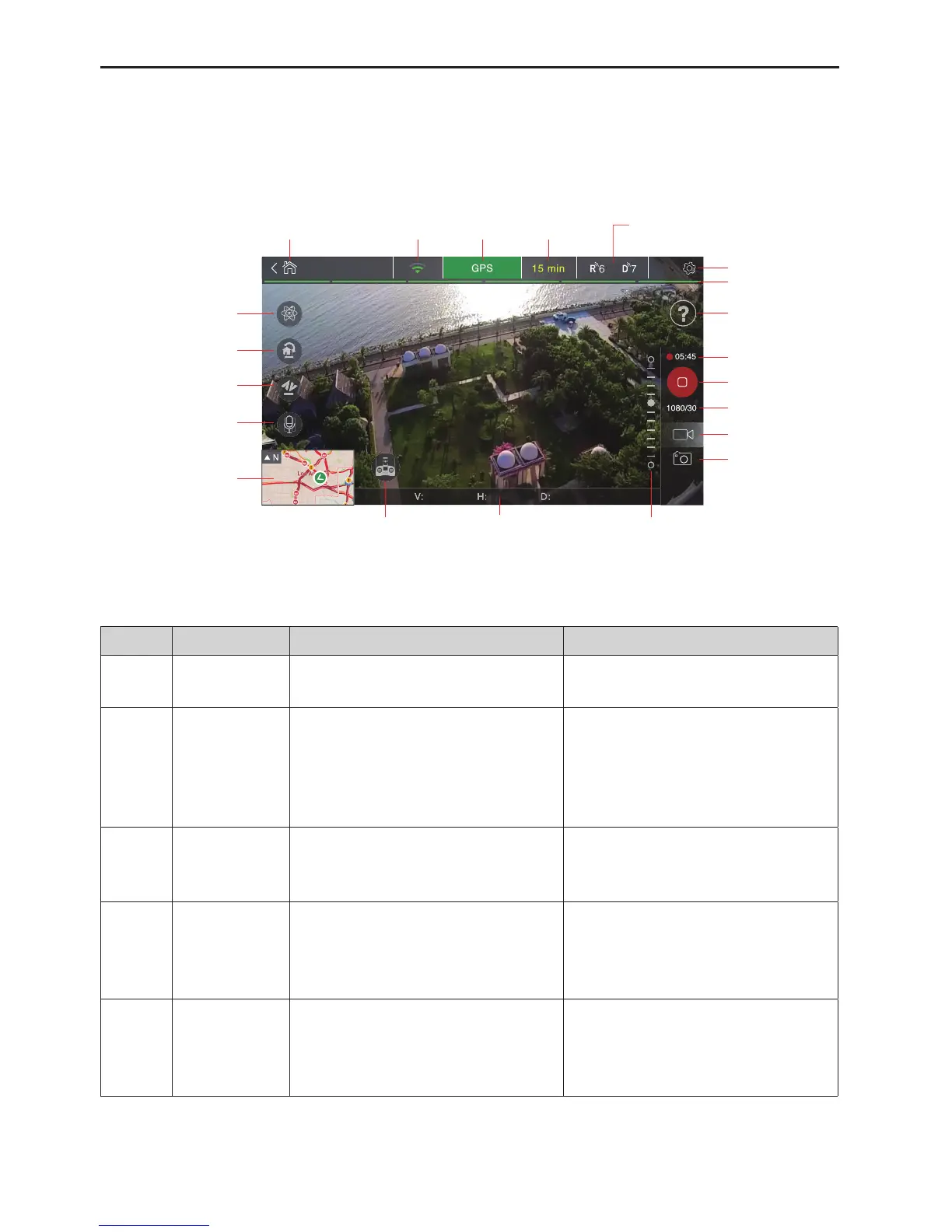
Fig.19
Icons on the APP
Number FunctionName FunctionDescription OperationInstruction
1 Takeo/land
Sameasthetakeo/landkeyonthe
remotecontrol.
Clickthetakeo/landkeyontheAPP
totakeo/landtheUAV.
2 Home
TheUAVwillreturntothehomepoint
atthecurrentaltitudeorascendto
thealtitude(15~80m,default30m)set
ontheAPPrstifthecurrentaltitude
islowerthansuchaltitude.
Tapthehomeiconandthentap[Yes]
toreturnhome.Tapthehomeicon
againtocancelreturninghome.
3 Voicecontrol
Voicecommands:takeo,land,return
home,shootphoto,andrecordvideos
(canonlysupportChinese).
Tapandholdthevoiceicontoenable
thisfunction.
4
AzimuthLock
(HeadingLock)
Lockthecurrentheadingasthe
nosedirectionandyinsuchnose
directionnomatterwherethenose
pointsactually.
Tap[AzimuthLock]toenablethis
function.Tap[Normal]toexitthis
function.Suchoperationscanbe
repeated.
5 HomeLock
Sameasthehomepointlockonthe
remotecontrol.
Tap[HomeLock]toenablethehome
pointlockfunction.Tap[Normal]to
exitthisfunction.Suchoperationscan
berepeated.



 To Next Page