22
Keys on the Remote Control
No. Key FunctionDescription Operations
1 Followme
Ifthefollowmefunctionisenabled,
theUAVwillautofollowtherepeater
remotecontrol.Thegimbalpitchingangle
willbeautocontrolledbytheUAV,not
controllablebytheremotecontrol.The
UAVandremotecontrolwillmaintainthe
15maltitudeand20mdistance.
IntheAPP,thefollowmemodecanbeset
tophoneorremotecontrol.Ifitissetto
phone,theUAVwillfollowtheconnected
mobilephone.
Taketherepeater.Whentherepeater
remotecontrolndssixsatellites,push
thefollowmeswitchto“ON”positionto
enablethefollowmefunction.
2 Homekey
Ifthereturnhomefunctionisenabled,the
UAVwillreturntothehomepointatthe
currentaltitudeorascendtothealtitude
(15~80m,default30m)setontheAPPrst
ifthecurrentaltitudeislowerthansuch
altitude.
Pressandholdthehomekeyuntilyouhear
two“Di”soundstoenablethereturnhome
function.Pressandholditagaintoexit
thisfunction.
3
Home
pointlock
IftheUAVis20Mawayfromthehome
pointandyouarenotsureaboutits
heading,thisfunctionallowsyoutopullthe
pitchingjoystickdowntoenabletheUAV
toreturntothetakeopointwithitsight
headingorientationcurrently.
Pressandholdthehomepointlockuntil
youheartwo“Di”soundstoenablethe
homepointlockfunction.Pressandhold
itagaintoexitthisfunctionwhentheUAV
comesintoyourvisualrange.
4
Takeo
key
Ifthisfunctionisenabled,theUAVwill
autostartthepropellers,ascendto
the10m(or1minVisualmode)altitude
verticallyandhover.
Pressandholdthetakeokeyuntilyou
heartwo“Di”soundstoenablethetake
ofunction.Pressandholditagainto
land.
5 Landkey
ThefunctionwillenabletheUAVto
autolandontothegroundandstopthe
propellers.
Pressandholdthelandkeyuntilyou
heartwo“Di”soundstoenabletheland
function.Pressandholditagaintoexit
thisfunction,andtheUAVwillhoveratthe
currentposition.
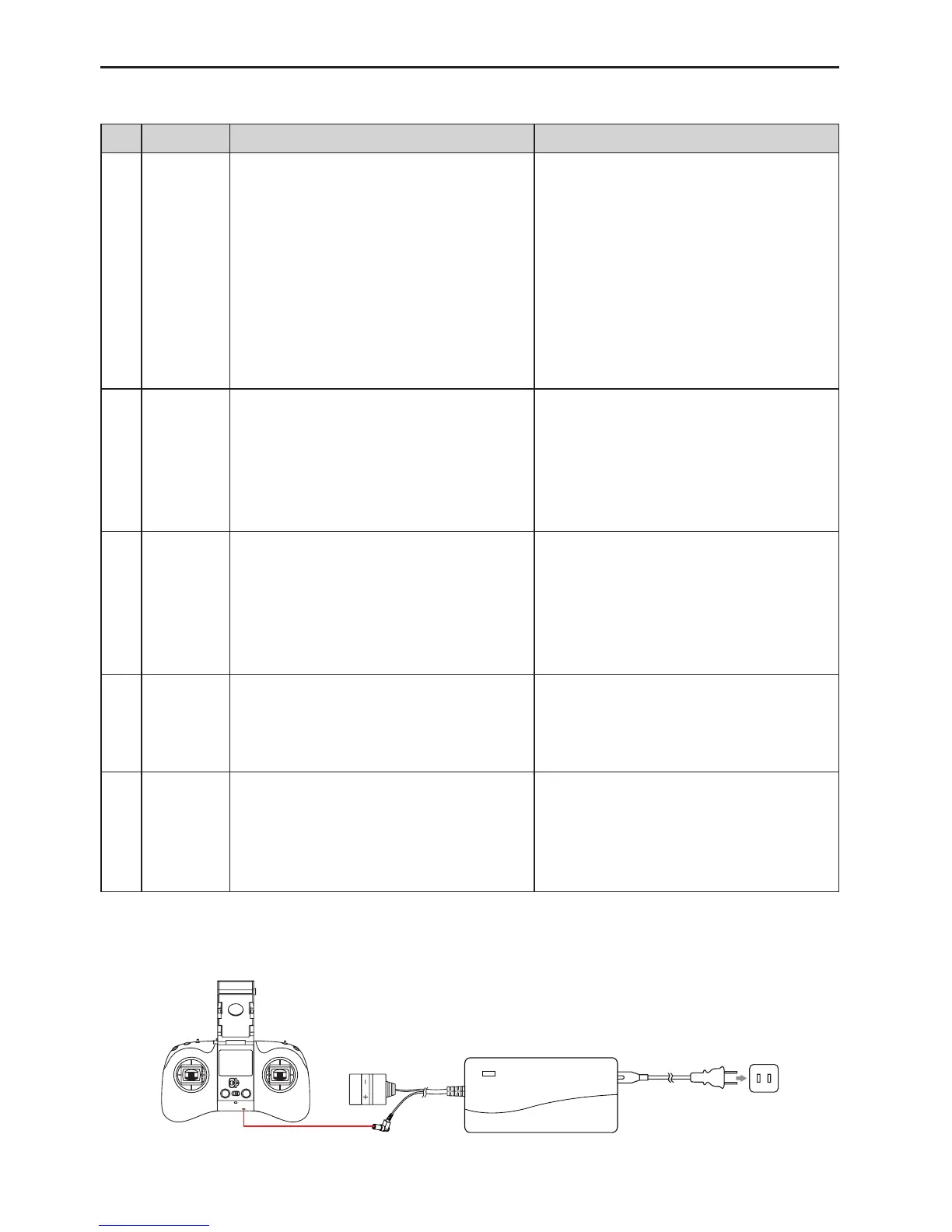
4.2 Remote Control Charging
Asshownbelow,usethespecialAEEchargertochargetheremotecontrolonly.



 To Next Page