23
4.3 Power On the Remote Control
Pressthepowerbuttonandthenlongpressitfor3stopowerontheremotecontrol.
※ Makesuretheremotecontrolisfullychargedbeforeeachuse.Incaseoflowpower,thelowpower
alarmwillbetriggeredwiththeredLEDashingquicklyandanalarmsignalappearingontheremote
controlscreen.Chargetheremotecontrolsoon.
※ Ifnooperationisperformedin5minaftertheremotecontrolispoweredon,youwillhear“Di-Di”
sounds.After15min“Di-Di”sounds,theremotecontrolwillbeautopoweredo.
WARNING:
Donottouchthepropellerswhileoperatingtheremotecontrol!
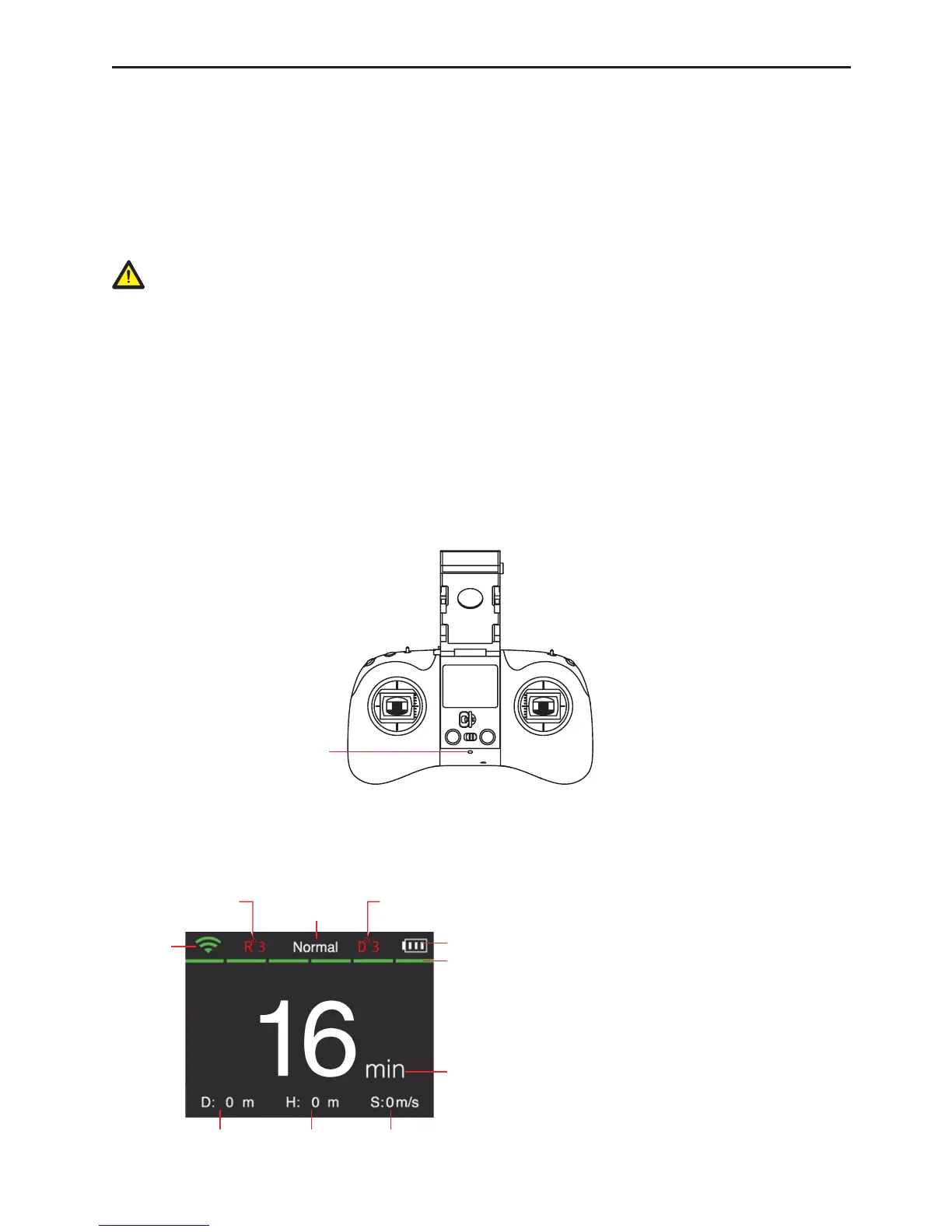
4.4 Remote Control LED Indicator
Thered/green/bluestatusLED(Fig.16)ontheremotecontrolindicatesthecurrentstatusofthepower-on
UAV.
(1) Remainamber(green+blue):fullpower.
(2) Flashinredslowlytwice:level-1lowpower.
Flashinredquicklytwice:level-2lowpower.
(3) Flashinredquickly(accompaniedby“Di-Di-Di”sound):lessthan15%power.Chargethebatterysoon.
(4) Flashinblueandamber(green+blue)alternately:therepeaterremotecontrolisnotinfullcontactwith
theremotecontrolbase.
5HG*UHHQ%OXH6WDWXV/('
Fig.16
4.5 UI Interface of the Remote Control
TheremotecontrolwillgotothefollowinginterfaceonceconnectedtotheUAV:
WiFi signal
Flight mode
TheUAVsupportsthreeightmodes:
①Normal:normalattitudemode;
②GPS:GPSpositionmode;
③Visual:Visualpositionmode(CondorElite).



 To Next Page