16
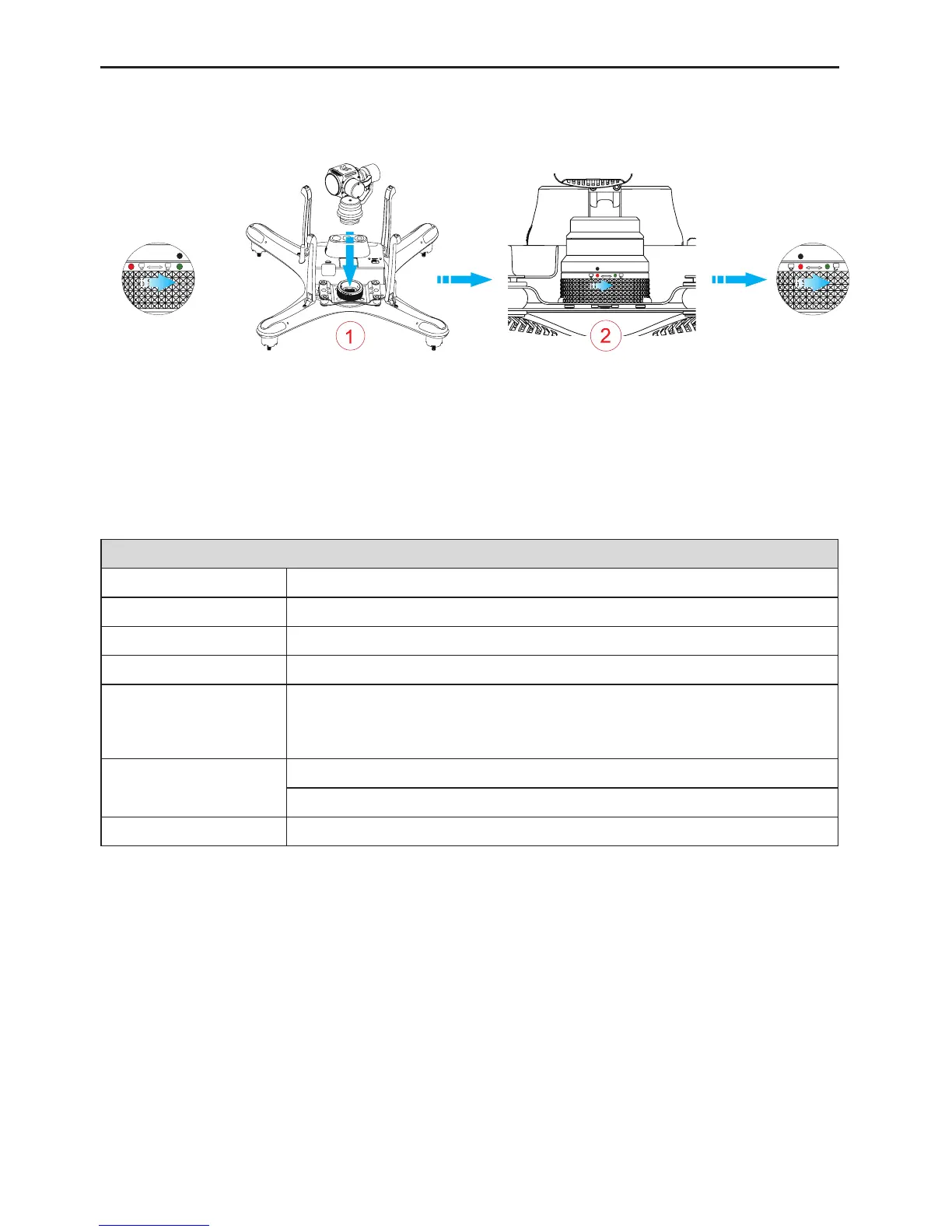
2.5 Install and Use the Gimbal
PleaseinstallthegimbalI12ontotheUAVasshowning.12below.
Fig.11
Note:turnthegimbalfastenertotheUNLOCKpositionbeforetheinstallation.
2.6 Onboard Camera
TheonboardcameraispoweredbytheUAVbattery.ThroughtheAPPonyourmobiledeviceorthefunctional
keysontheremotecontrol,youcanshootphotos,recordvideos,stoprecordingvideosandperformother
operations.Thecamerasupportsthesingleshotmode.
CameraSpecications
Resolution 16.0M
VideoFOV Upto100°
Sensor 1/2.312.4MExmorRsensor
Lens F/NO=2.6±5%,spherical
HDvideoresolution
UHD:upto3840×2160P,30fps
FHD:upto1440P,60fps
HD:upto720P,200fps
Fileformat
Photo:JPG
Video:MP4(H.264compression)
Storagecard ExternalTFcard,upto64G(datarate:U1orabove)
2.6.1 Functional Keys of the Camera
Shootkey:presstheshootkeyontheremotecontrolorintheAPPtoshootonephoto.
Recordkey:enabletheonboardcameratostart/stoprecordingthevideobypressingtherecordkeyonthe
remotecontrolorintheAPP.
2.6.2 Camera Data Copying
Tocopythephotos/videosfromtheonboardcamera,removethemicroSDcardfromthemicroSDslotafter
poweringotheUAV.



 To Next Page