27
• KeeptheworkingUAVawayfromanimals,astheultrasonicwaves(notperceivedbyhumanears)emitted
bythevisualpositioningsystemwilldisturbanimals.
4.8 Connection between Remote Control and UAV
TheremotecontrolisalreadypairedwiththeUAV.WhenpowerontheremotecontrolandUAV,theremote
controlindicatessuccessfulconnection,youcanuseittostarttheUAV.
4.9 WiFi Password Change and Reset
4.9.1 Change WiFi Password
ConnecttheremotecontroltotheUAV,connectyourmobilephonetotheWiFihotspotoftheremotecontrol
andstarttheAPP.Intheconnectioninterface,tap[Settings]→[ChangeWiFiPassword]andfollowthe
instructionstochangetheWiFipasswordoftheremotecontrolandUAVsimultaneously.
4.9.2 Reset WiFi Password
Ifyou’veforgottentheWiFipassword,resettheWiFipasswordtothefactorydefault“00000000”as
describedbelow:
(1) ResettheremotecontrolWiFipasswordtothefactorydefault:slideswitchA(speedswitch)quicklyfor
morethansixtimes(themessage“WiFipasswordresetsuccessfully!”willappearonthescreenofthe
remotecontrol).
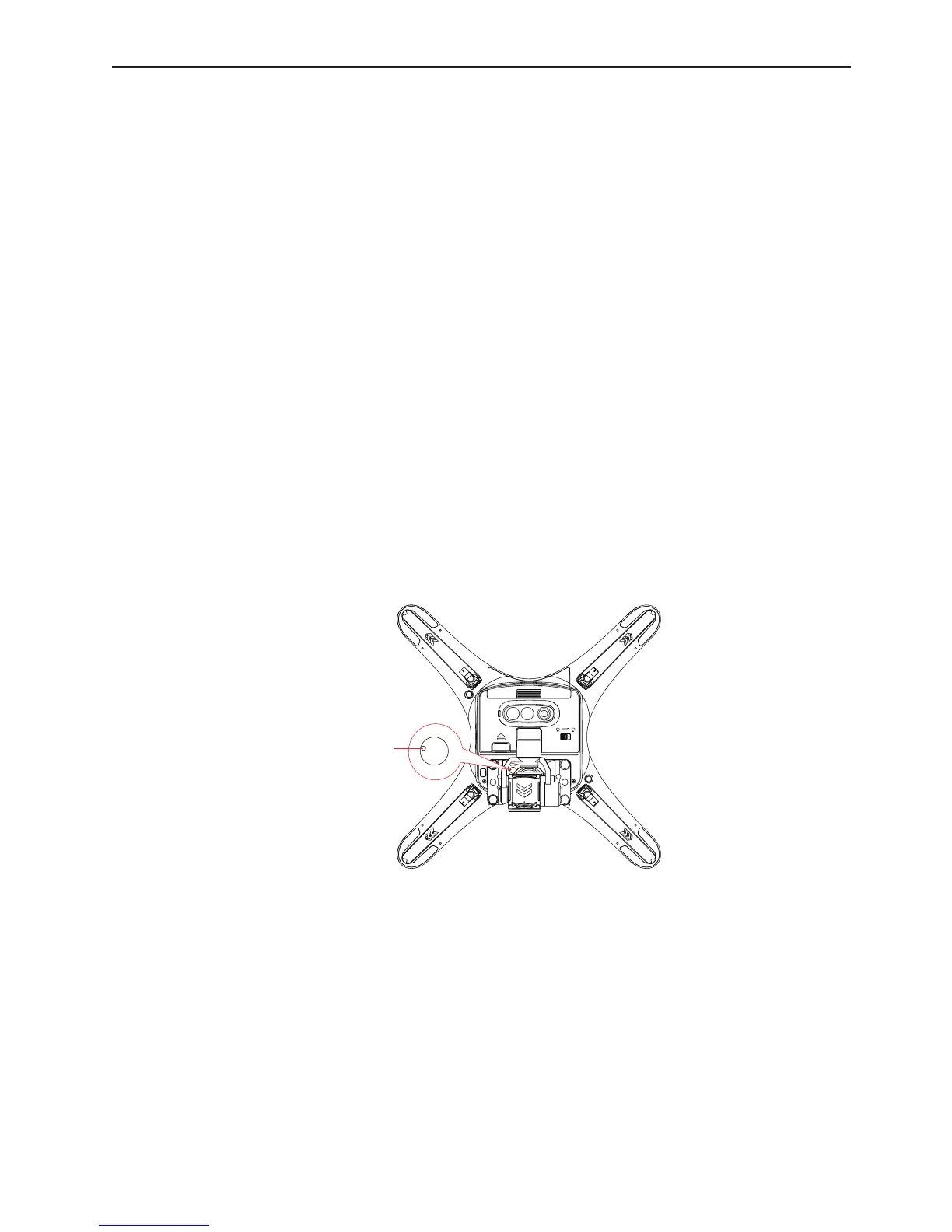
(2) ResettheUAVWiFipasswordtothefactorydefault:insertthetestpinintotheresetholeinthesupport
plateasshownbelowandpressandholditfor10s.
:L)L5HVHW+ROH
Note:donotchangeorresttheWiFipasswordincaseoflowpower.
4.10 OSD Language Selection
(1) Whentheremotecontrolisinpower-ostate,slideswitchAandBtoposition“S”and“P”respectively
(toe-in).
(2) PressandholdtheCkeyonthebackoftheholdertoturnontheremotecontrolandgotothelanguage
selectioninterface.
(3) Presstherecordkeyorhomepointlocktoselectthepreviousornextlanguageandthenpressthehome
keytoconrmyourselection.



 To Next Page