33
1.2 Recalibration Conditions
(1) Compassdataerror,thefrontarmLEDremainsonandthereararmLEDashesinredandyellow
alternately.
(2) Theightareaisfarfromthepreviouscompasscalibrationarea.
(3) TheUAVhasanymechanicalstructurechange.
(4) TheUAVdriftsseverelyintheight,forexample,hoversinacirclingorpotcleaningway.
WARNING:
Topreventaccidentalinjuriesandlosses,removethepropellersbeforecalibratingthecompass.
2. Start/Stop the Motors
2.1 Start the Motors
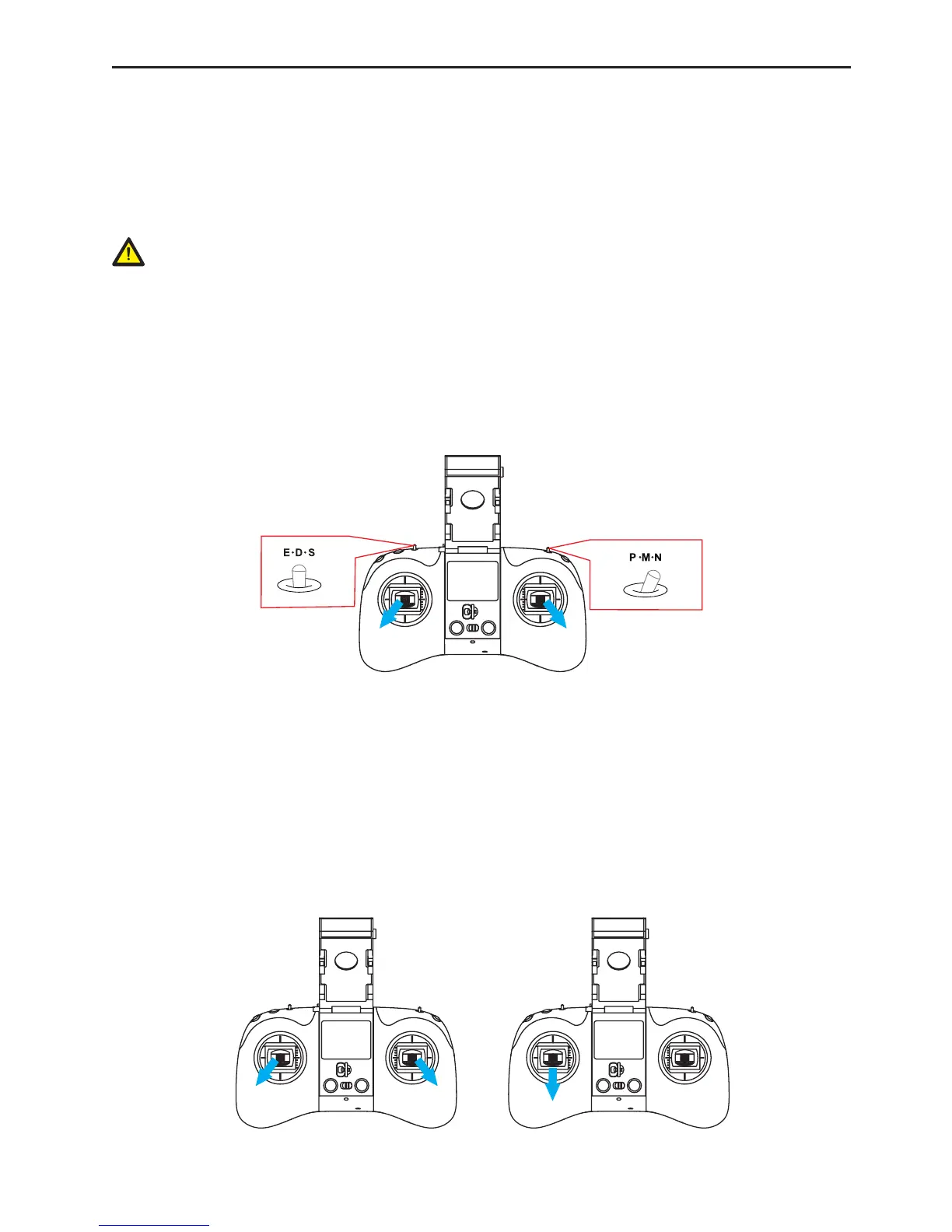
Method1:pushthejoystickstostartthemotors.Releasethejoystickswhenthemotorsstartrotating(Fig.20).
Method2:InGPSorVisualmode,pressthetakeo/landkeyontherepeaterremotecontroltostartthe
motors.
Fig.20
2.2 Stop the Motors
Useeitherofthefollowingmethodstostopthemotors:
Method1(Fig.21):aftertheUAVlands,pullthethrottleoftheleftjoystickdowntothebottomuntilthemotors
idle,followFig.22topulltheleftjoysticktothelowerleftandrightjoysticktothelowerrightsimultaneously,
releasethejoystickswhenthemotorsstoprotating.
Method2(Fig.22):aftertheUAVlands,pulltheleftjoystickdowntothebottomfor3suntilthemotorsstop
rotating(thismethodisrecommendedingeneralcases).
Fig.21Fig.22



 To Next Page