English
68
• Donotapplystickersoradhesivetapeeithersideofthedisc.Donotwriteonthelabelsidewithaballpointpen
or other writing implement.
• Donotdropthediscs.Donotbendthediscs.
• Onlyinsertonediscintothetrayandnevertrytoclosethetrayifthediscispositionedincorrectly.
• Afterplaying,replacethediscsinthesleevesprovided.
• Donotexposethediscstodirectsunlightoranysourceofheat.
• Donotkeepthediscsinadampordirtyroom.StoreverticallyinCDboxes.Donotstackdiscsontopofone
another and do not place heavy objects on top of the discs, since they may cause them to warp.
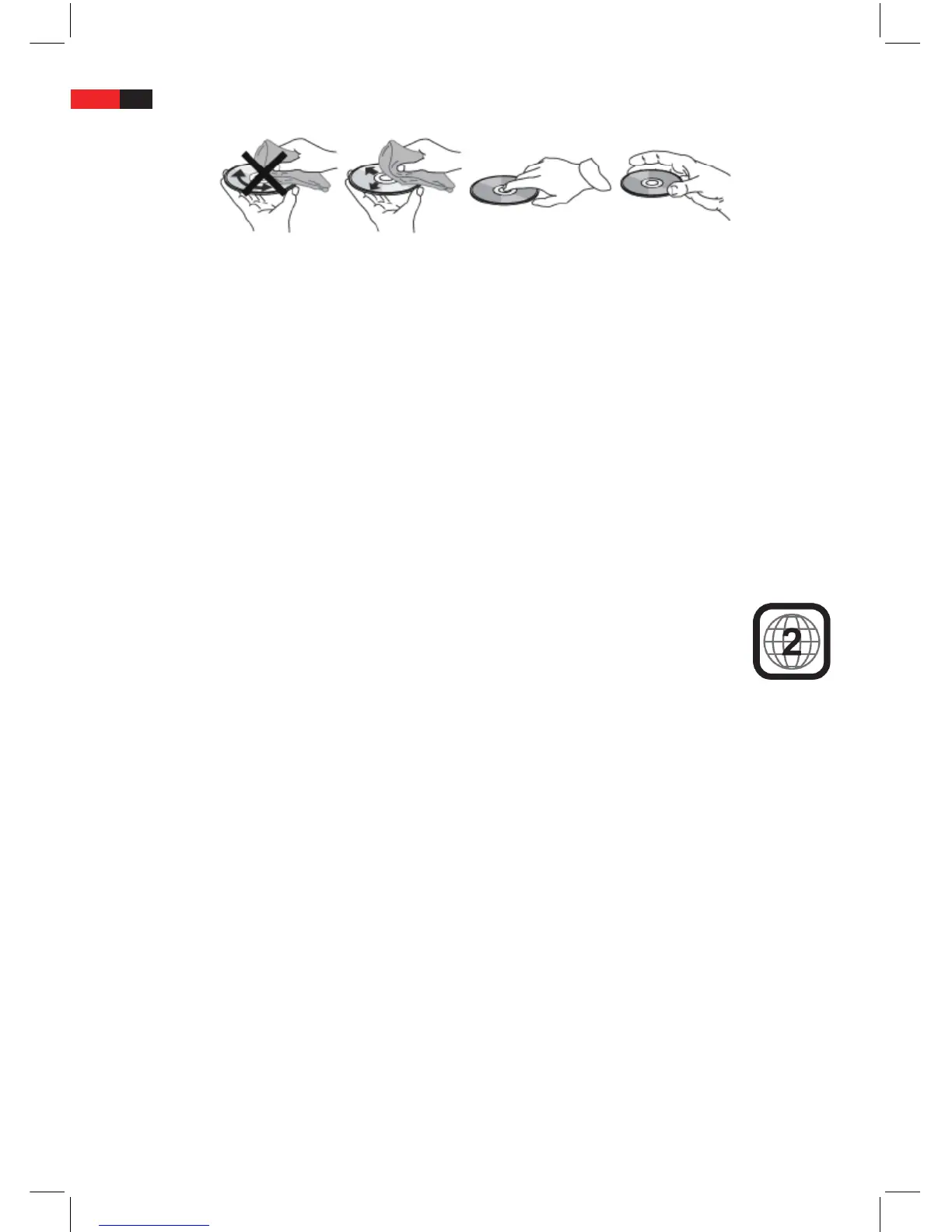
• Fingerprintsanddustonadiscmayimpairthepictureandsoundquality.Cleanthediscsbeforeplayingwitha
clean cloth. Wipe the disc from the centre towards the rim.
• Toclean,donotusedetergentscontainingsolvents,e.g.vinylrecordcleaningsprays,benzine,thinnersoranti-
static solutions. To clean discs use special cleaning agents specically designed for this purpose.
• Dependingontherecordingdeviceorrecordingsoftware,youmaybeunabletoplaysomeCD-R/RW-or
DVD±R/±RW-Discsonthismachine.
• Donotuseunusuallyshapeddiscs(e.g.heartshapedoroctagonal).Thismaycausethemachinetomalfunction.
• Toprotectintellectualproperty,theresponsiblebodyhasdividedtheworldinto6regions.In
each of these regions, only DVD players and DVD discs with the corresponding region code can
be used. This machine can only play DVD discs encoded for Region 2. If you play discs with
another region code, the error message “Incorrect Region code. Cannot play disc” appears on the
screen.
• SomeplaybackfunctionsofDVD-DiscsandAudio-CDs(e.g.selectionofaudioorsubtitlelanguage)areprepro-
grammed by the manufacturer and cannot be changed by the machine.
CAUTION!
The manufacturer accepts no liability for damage to discs which are played on this machine.
Included Accessories
Please check whether all accessories listed below are included in the box.
If the original accessories are missing, contact your dealer immediately.


 To Next Page