EasyManua.ls Logo

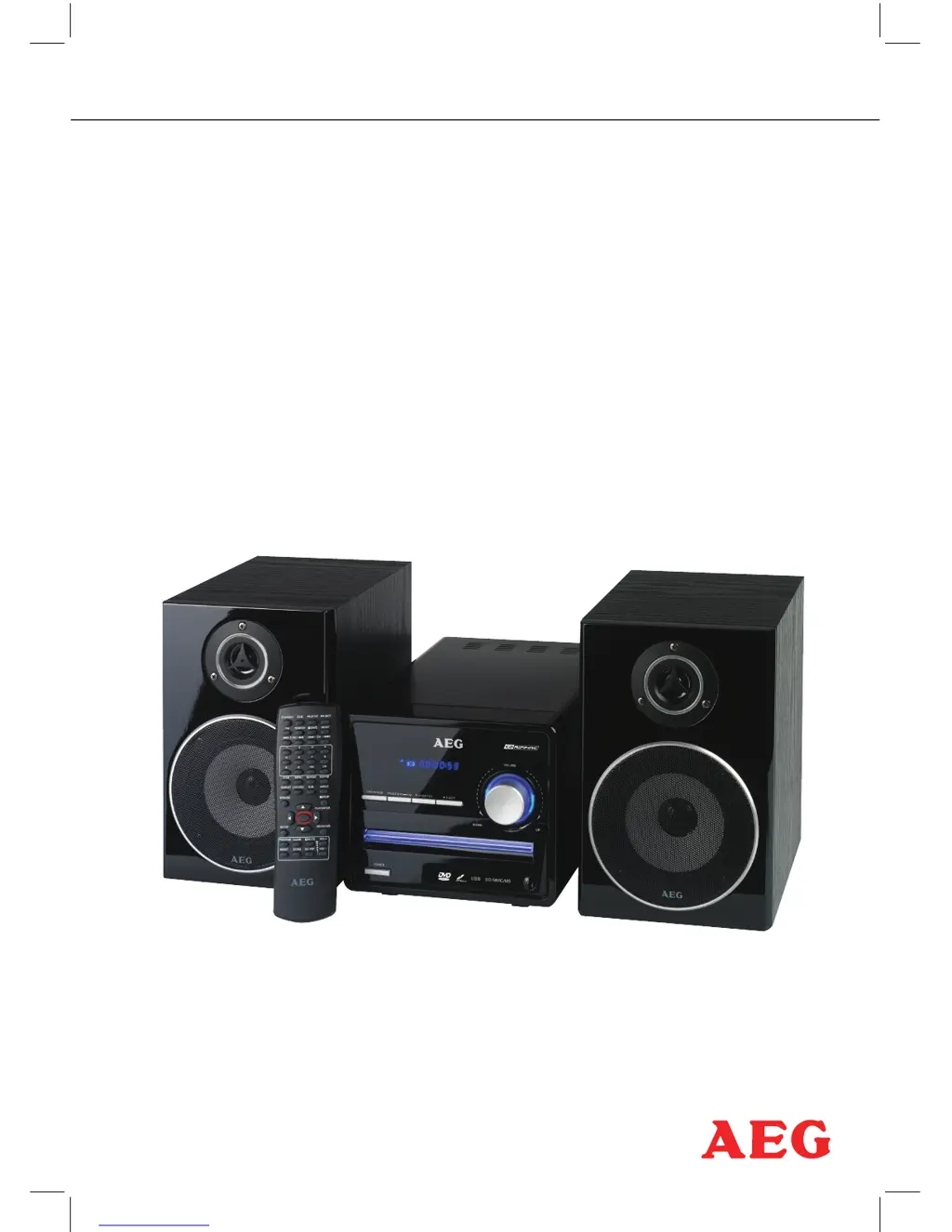
AEG MC 4434 - User Manual

AEG MC 4434
112 pages
Go to English
Print Icon
To Next Page IconTo Next Page
Loading...
Bedienungsanleitung/Garantie
Instruction Manual
PERFECT IN FORM AND FUNCTION
MC 4434 DVD/USB/CR

Table of Contents

Questions and Answers

Summary

OSD Menu Overview

General Setup Menu

General system settings and display options.

Video Setup Menu

Settings for video output and picture quality.

Preferred Settings Menu

User preferences like language and region settings.

Password Setup Menu

Password and security settings.

Audio Setup Menu

Introduction

Disclaimer and Additional Notes

Important legal notices and basic usage guidelines.

Safety Advice

User Manual and Safety Guidance

Instructions for safe operation and manual usage.

Power Supply and Mains Connection

Proper connection to electrical power sources.

Installation and Handling Precautions

Service and Repair Information

Device Care and Safety

Laser System and Cleaning Instructions

Safety regarding laser and cleaning procedures.

Disposal and Copyright Notes

Environmental disposal and legal copyright information.

Handling and Care of Discs

Best practices for managing discs.

Included Accessories

Ports and Controls

Front Panel Controls and Ports

Identification and function of front device interfaces.

Rear Panel Ports and Connections

Connecting External Devices

Video Outputs for Television Connection

How to connect the device to a TV via video outputs.

Video Settings and Adjustments

TV Mode and Color Settings

Adjusting TV signal mode and picture colors.

Preference Settings Menu

Configuring user-specific preferences.

Video Port (CVBS) and Component Port (YUV) Details

SCART Connection and Picture Interference Solutions

Setting the TV Standard (PAL, NTSC, AUTO)

Picture Format and Audio Connections

Digital Audio Output Connection Options

Analogue Audio Connections and Speaker Output

Speaker Jacks (RCA Connectors)

Remote Control

Function Buttons and Operation

Identifying and using remote control buttons.

Remote Control Maintenance

Inserting Batteries into Remote Control

Guidance on battery installation for the remote.

Using the Remote Control Effectively

Tips for optimal remote control usage.

Disposal of Batteries

Proper methods for discarding used batteries.

System Operation

Front Panel Controls and Operation

Using buttons on the device itself.

Basic Device Functions

Core operations like power and mode selection.

DVD Player Basic Operations

Disc Menu Navigation and Playback

Title Playback with Menu

Program Playback for Custom Playlists

Repeat Playback Options

A-B Section Repeat Function

Skipping Tracks, Chapters, or Soundtracks

Playback Control Features

Fast Forward, Rewind, and Zoom Features

Controlling playback speed and picture magnification.

Camera Angle Selection for DVDs

Choosing different camera views during playback.

Extended DVD Player Functions

Direct Selection and Navigation Controls

Using buttons for direct access and menu navigation.

Screen Display Information (Status)

Viewing playback status and details on screen.

Search Disc Functionality

Audio and Subtitle Language Selection

Setup Menu and Factory Reset

TV Standard and Color System Settings

Configuring TV compatibility and color transmission.

DVD Player Audio Functions

Volume, Mute, and Audio Channel Selection

Adjusting sound levels and audio modes.

Playing MP3 Discs

Instructions for playing MP3 files from discs.

Playing MPEG4 and JPEG Discs

Diashow and Repeat Options for Media Files

Operating Storage Devices (USB;Memory Card)

Connecting and Operating USB;Memory Card Devices

How to use external storage media.

CD RIP: Convert Audio CD to MP3 Files

FM Radio Operation and Tuning

Radio Station Search Methods

Selecting and Storing Radio Stations

Accessing and saving preset radio stations.

Mono;Stereo Reception Selection

System Setup Menu Navigation

Menu Control and Option Selection

How to navigate and change settings within the system menu.

TV Display Picture Format Settings

Camera Angle Selection on DVDs

Screen Menu Language and Subtitle Settings

Screen Saver and Last Memory Features

Activating screen protection and last playback position memory.

S;W Version Information

Audio Setup Page

Analogue Audio Settings Configuration

Adjusting analogue audio output options.

Digital Audio Settings Configuration

Adjusting digital audio output options.

Dolby Digital Setup and Dynamic Range

Equalizer Settings and Sound Modes

Video Setup Page

Video Output Settings and Options

Selecting and configuring video output signals.

TV Mode and Color Settings Adjustments

Preference Settings Menu Options

Setting user preferences like language and age restriction.

TV Type Standard Selection and Language Settings

Playback Control (PBC) and Language Settings

Managing disc playback features and selecting audio/subtitle languages.

Disc Menu Language and Parental Controls

Factory Settings Reset Procedure

Password Setup Page

Password Mode Activation and Setting

Enabling and configuring the device password.

Setting the Password

Defining a personal password for device access.

Troubleshooting Common Issues

Technical Data and Specifications

Conformity Declaration

AEG MC 4434 Specifications

General IconGeneral
KaraokeNo
Bass reflex-
Speaker type2-way
RMS rated power- W
Number of speakers2
TypeHome audio micro system
Product colorBlack
Optical disc playerYes
Playback modesRepeat, Repeat all
Disc types supportedCD, CD-R, CD-RW, DVD
Audio formats supportedMP3
Image formats supportedJPG
Video formats supportedMPEG4
Supported radio bandsFM
Display typeLED
Backlight colorBlue
SCART ports quantity1
Apple docking compatibilityNot supported
Power sourceAC
Input voltage230 V
Input frequency50 Hz
Power consumption (standby)1 W
Weight and Dimensions IconWeight and Dimensions
Depth548 mm
Width170 mm
Height146 mm
Weight1300 g
Package depth445 mm
Package width290 mm
Package height280 mm

Related product manuals