English
79
Speaker Jacks (RCA Connectors)
1. Connect the supplied right and left speakers to the left and right speaker jacks.
2. The right audio channel should be connected to the red jack (labelled R). The left audio channel should be con-
nected to the white jack (labelled L).
3. The speaker can transmit stereo sound.
Caution!
In order not to damage the electrical installation, make sure when connecting the speaker that there are no short
circuits.
Remote Control
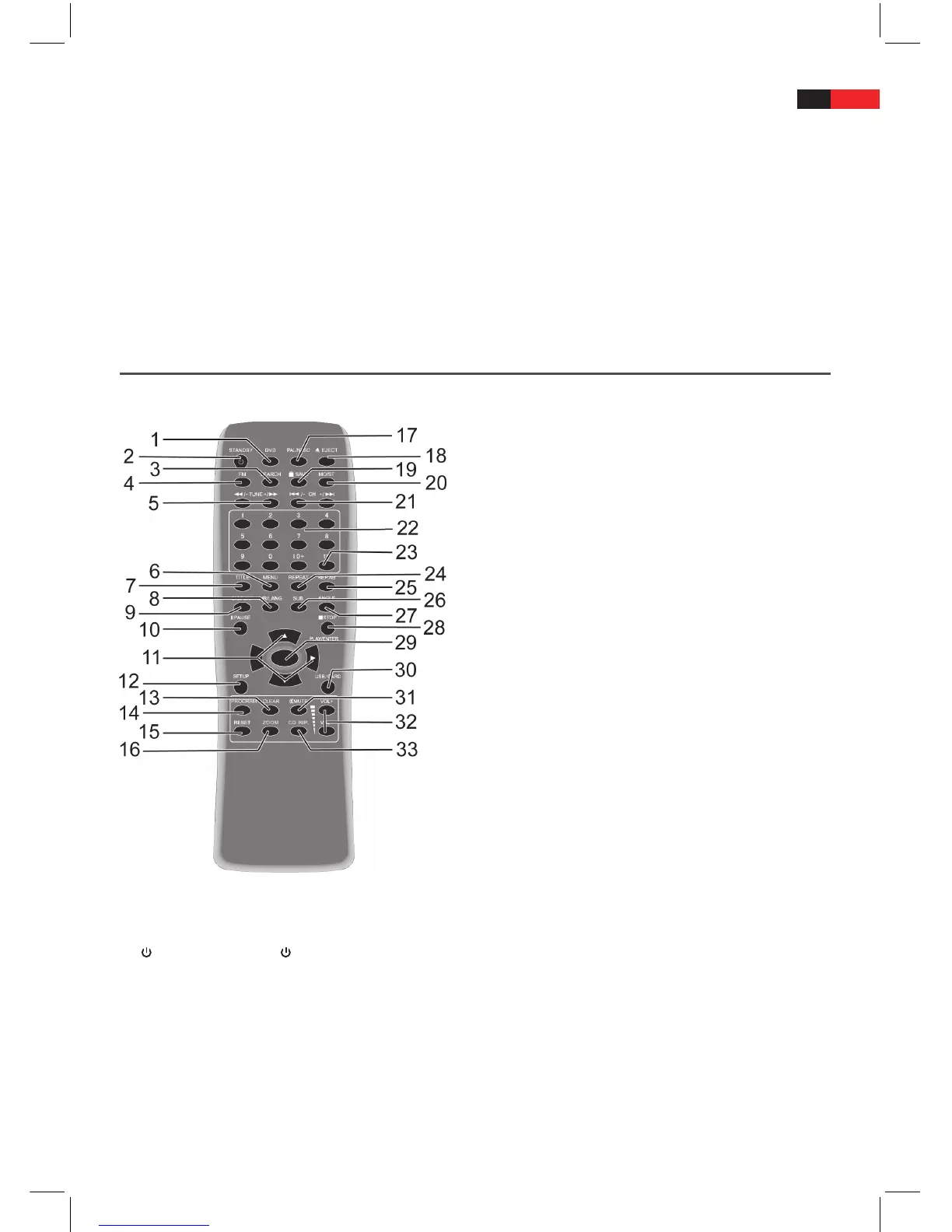
Function buttons
• Usingtheremote,youcanactivateandoperateall
functions of the device.
• PointtheremotedirectlyattheDVDmachine
– not at the connected external devices.
• Some buttons on the remote are multifunctional.
They full dierent functions depending on
whether the device is being used as a DVD-
Player or Radio.
1. DVD: Press the DVD button if you want to use the machine as a DVD-Player. If you have pressed the DVD but-
ton, the device plays the disc which is in the disc tray.
2.
STANDBY: Press the STANDBY button to switch to Standby Mode.
3. SEARCH: When using as a radio, press the SEARCH button to start automatic station search.
4. FM: Press the FM button if you want to use the machine as an FM Radio. If you have pressed the FM button,
the last radio station which has been listened to is switched on.
5. TUNE+/:
• DVD: Whilst the disc is playing, press the TUNE+/ button ve times in succession, in order to fast forward
the disc which is currently playing with increasing speed.
• Radio: If using the machine as a radio, press the TUNE+/ button to adjust the frequency of a waveband
upwards.


 To Next Page