English
93
6. Press PLAY/ENTER, to open the folder or subfolder or to start playing the selected MP-3 le (of the selected
music title).
7. Press CH+/ or /CH-, to select the next or previous le (Music title).
• Youcanalsoenterthenumberoftherequiredleusingthedigitbuttons0-9/10+.Forexample,forle
number 15 rst press the 10+ button and then the 5 button.
8. You can also use the TUNE+/and /TUNE- buttons, to fast forward and rewind the MP3 Disc.
9. Press the PAUSE button to pause play.
10. Press the STOP button, to stop play.
11. Press the PROGRAM button to switch between the Folder and File List View.
Playing MPEG4- and JPEG-Discs
Navigation buttons: Start Play and operate
1. Press the EJECT , button to open the disc tray.
2. Insert an MPEG4- or JPEG-Disc into the disc tray and press the EJECT
button again to close the disc tray
3. Your DVD system MC 4434 DVD/USB/CR automatically recognises the les which are found on the disc.
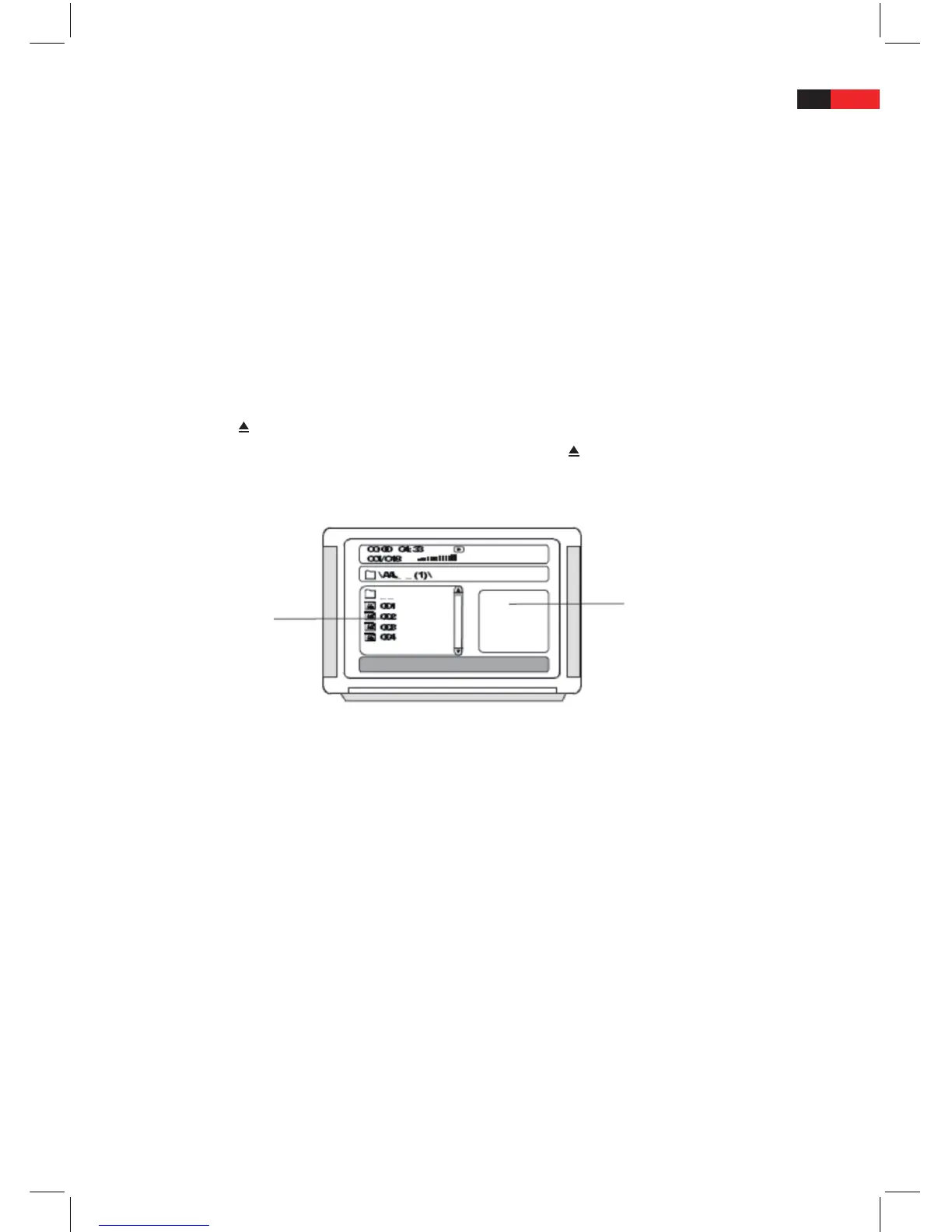
4. The disc le folder (folder directory) appears on the screen with the individual les.
5. The left window contains the folder or le directory – in the right hand window a preview image of the cur-
rently tagged picture is shown.
6. Using the navigation buttons ▲▼►◄, you can open individual folders and subfolders and then select the
les (e.g. photos or videos) which are found in them.
7. Press PLAY/ENTER, to open the selected folder or subfolder or start playing the selected le (e.g. photo or
Video).
8. Press CH+/ or /CH-, to select the next or previous le (e.g. photo or video).
• Youcanalsodirectlyenterthenumberoftherequiredleusingthedigitbuttons0-9/10+.Forexample,for
le number 15, rst press the 10+ button and then the 5 button.
9. You can also use the TUNE+/and /TUNE- buttons to fast forward or rewind an MPEG4- or JPEG Disc.
10. Press the STOP button or the MENU button to revert to the submenu.
11. Press the PROGRAM button to switch between the folder and File List View
Notes:
• ThesystemcanplaybackphotodiscswithJPEGlesaswellasKodakphotoCDs.
• Duringplayback,JPEGphotosmaybecomedistortedontheiredges.Thisisnothoweverasystemerrorbuta
shortcoming on the connected television.


 To Next Page