Need help?
Do you have a question about the AERMEC SWP300 S2 and is the answer not in the manual?
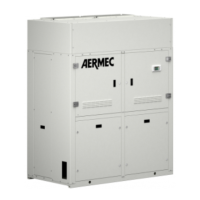
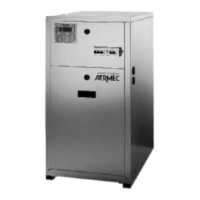
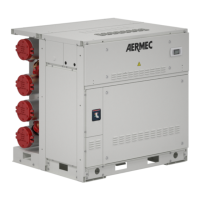
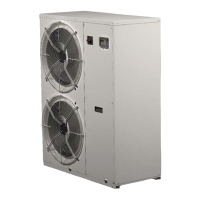
Identifies the heat pump unit.
Instructions for keeping the manual.
Safety rules for installation and use.
Explains how the heat pump works.
Details the physical components and materials.
Describes the electrical control aspects.
Provides dimensional data and weights for different models.
Explains airflow control via a motorised shutter.
Describes how the heat pumps are packaged for transport.
Guidelines for safely handling and transporting the unit.
Procedure for inspecting the unit upon delivery.
Recommendations for storing the unit.
Steps to take before installation begins.
Criteria for selecting a suitable location for the unit.
Details on connecting the water pipes.
Instructions for connecting the condensate drain hose.
Guidelines for installing air ducts.
Procedures for making electrical connections.
How the controller manages temperature and functions.
Overview of the control panel and its components.
Explains the 7-segment display and its readouts.
Explains the function of the control buttons.
Lists and explains the PCB's digital inputs and relay outputs.
Provides a schematic diagram of the printed circuit board.
How to access and change user and manufacturer settings.
How to view machine status and parameters without modification.
Explains how the controller manages temperature using HP and heating element.
Describes the state when the machine is powered off.
Explains the standby operating mode.
Details the automatic operating mode of the heat pump.
Explains manual operation using the heating element.
How to activate and manage the anti-bacterial cycle.
Functionality for automatic unit restart after power loss.
How the set point adjusts based on outside conditions.
Provides a flowchart for automatic operation logic.
Lists user-configurable parameters (U01, U02) and their settings.
Visual representation of the user parameter navigation.
Lists manufacturer/configuration parameters (H01-H36).
Visual flow of manufacturer/configuration parameter settings.
Visual flow of alarm parameter settings.
Lists and explains alarm parameters (AL1-AL7).
Detailed explanations of specific alarm conditions and their effects.
Guidelines for regular maintenance tasks.
Specific checks to be performed every quarter.
Annual checks performed at the start of operation.


 To Next Page
 General