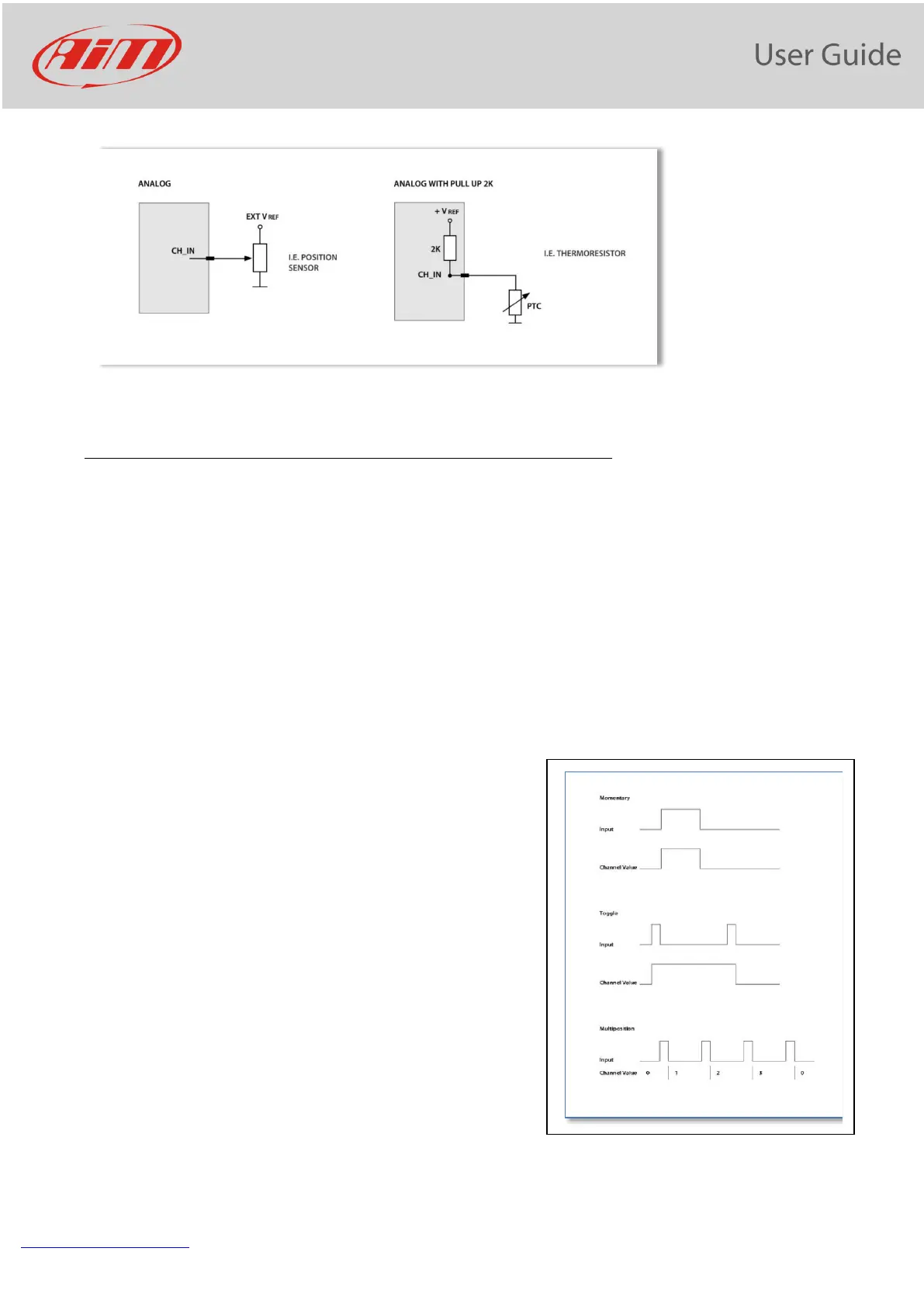
11.4 Digital inputs configuration
To use an input as “Digital Input” its parameters must be configured as follows:
- Working mode: a digital input can work in two different ways: o The pushbutton closes
to ground (with or without pull up resistor – left image below) o The pushbutton closes
to VBattery (with or without pull down resistor – right image below)
- Active/Not Active labels: according to the status a Digital channel may assume the
values 0/1, High/Low, ON/OFF, Closed/Open, True/False etc…
The two different labels can be defined and eventually shown on the display, used by Math
channels, Icons Management, alarm managements and in general, any time a digital
channel is required; the labels appear in Device page too.
Signal Type: can be momentary, toggle or multistable
- momentary: the channel is active when the pushbutton
is closed
- toggle: the channel is activated the first time you close
the circuit and deactivated the second time the circuit
is closed as shown here below
- Multistable: Each time the connected button is
pressed, the channel value changes from 0 to N (this
value depends on the configuration), then returns to 0.
Logged: if active, the system records the digital values, else they can be used and shown
but they are not recorded.


 To Next Page