11.7 Status variables configuration
Status Variables are internal math channels that “generally” have only two different values: 1
(TRUE) or 0 (FALSE). They may be useful for simplifying complex configurations, where it is
required to evaluate if to activate alarms, LEDs, Icons etc.
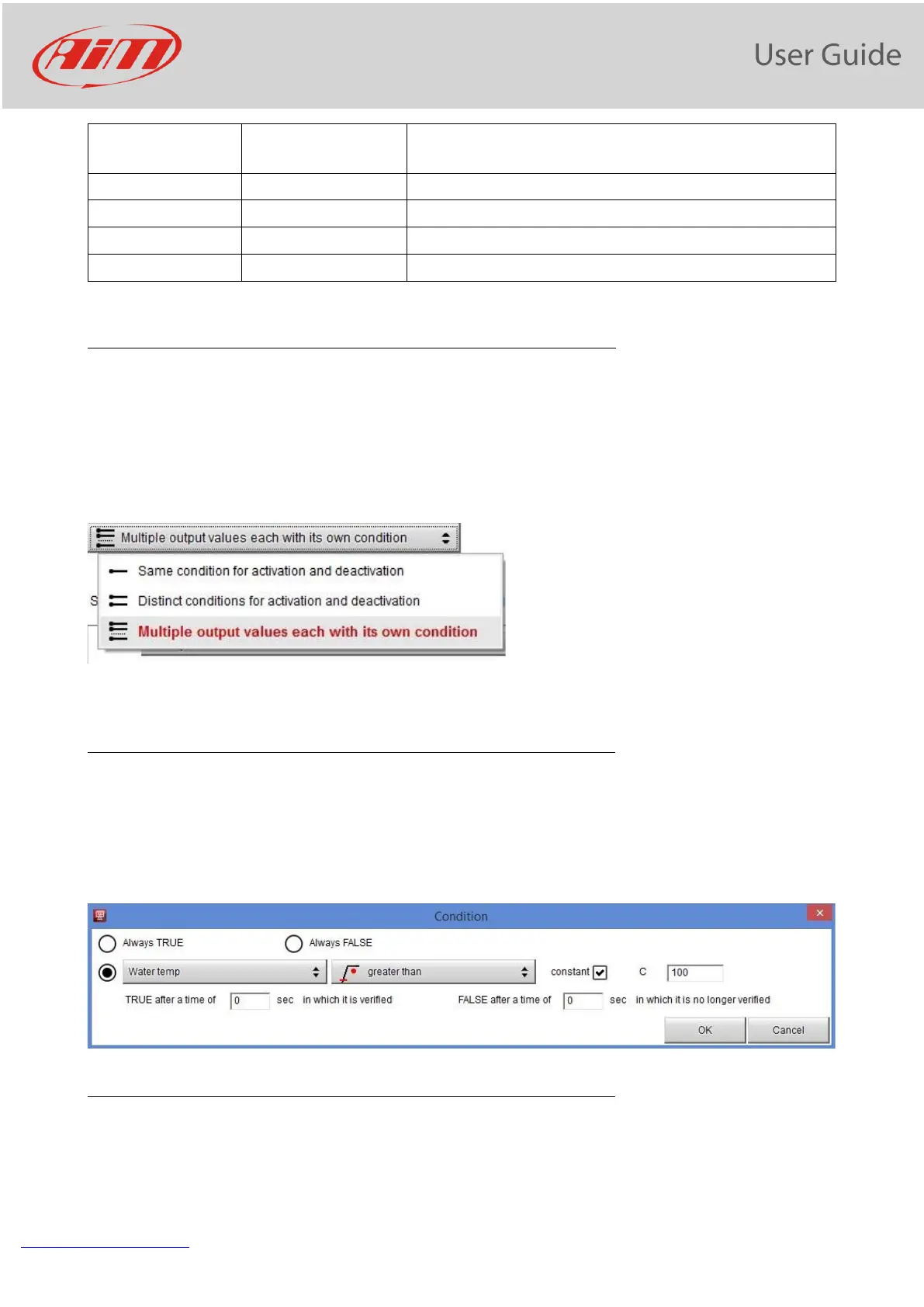
The Status variables have different working modes, to be selected by the user:
Same Condition for activation and deactivation
This is the simplest way for managing a Status variable: it becomes ON when a condition is
verified, else it becomes OFF. In the following example, the Status variable AlarmWatertemp is
TRUE when the water temperature increases above 100°C, and is reset to FALSE when the
temperatures goes down 100°C.
Different conditions for activation and deactivation
It may be useful to have two different conditions for activating and deactivating a Status
variable. For example, we need to turn ON a Status variable ON when Water Temperature


 To Next Page